[Tech Talk] Tell Neritic Squid, Bigfin Reef Squid, Cuttlefish, and Squid Apart in One Second with Google Vision API — No More Getting Ripped Off at the Market
This time I want to use Google Vision API to build an image recognition model that tells neritic squid, bigfin reef squid, cuttlefish, and squid apart. It's perfect for moms who don't know much about machine learning but still need to shop at the wet market. Vision API is a Google service that lets people who can't build their own machine learning models easily create an image classifier.
 Khan LeeCTO
This time I want to use Google Vision API to build an image recognition model that tells neritic squid (also called “spear squid”), bigfin reef squid, cuttlefish, and squid apart. It's perfect for moms who don't know much about machine learning but still need to shop at the wet market. (I know that intersection is probably null.)
Let's cut to the chase: Vision API is a Google service that lets people who can't build their own machine learning models easily create an image classifier.
If you want a quick intro to machine learning, check out this post.

This exercise breaks down into roughly these steps:
- Sign up for a GCP project and turn on GCP AutoML
- Collect images of these ten-armed mollusks
- Create a storage bucket on GCP and upload the images
- Open the AutoML page and click your way to a finished model
Pretty simple, right?
Before we start, it's worth learning how neritic squid, bigfin reef squid, cuttlefish, squid, and octopus actually differ. I recommend this video.
OK! Step one: sign up for GCP. Just watch this and follow along step by step.
Once you have GCP, go to the AutoML page and make sure the API is enabled.
Next, grab some images of neritic squid, bigfin reef squid, and the rest from Google, and save them into folders you've set up in advance. The folder structure looks like this:
- cuttlefish = cuttlefish
- neritic = neritic squid (spear squid, including the small ones)
- softneritic = bigfin reef squid
- squid = squid
- octopus = octopus
I ran into one problem while collecting images: too many of them showed cooked dishes, which would hurt how well the model learns. So I hand-picked a set. If you want to follow along, download them here!
After unzipping, you should see five folders already filled with images, plus an index.csv and a test.py.
index.csv looks like this:
This is the file we'll feed to AutoML in a moment.
test.py is the Python script I wrote to organize the downloaded images and generate index.csv.
If you've downloaded my zip file, congratulations — you're already halfway there!
Step three: create a bucket in GCP Storage. Its name must be
<your-project-id>-vcm
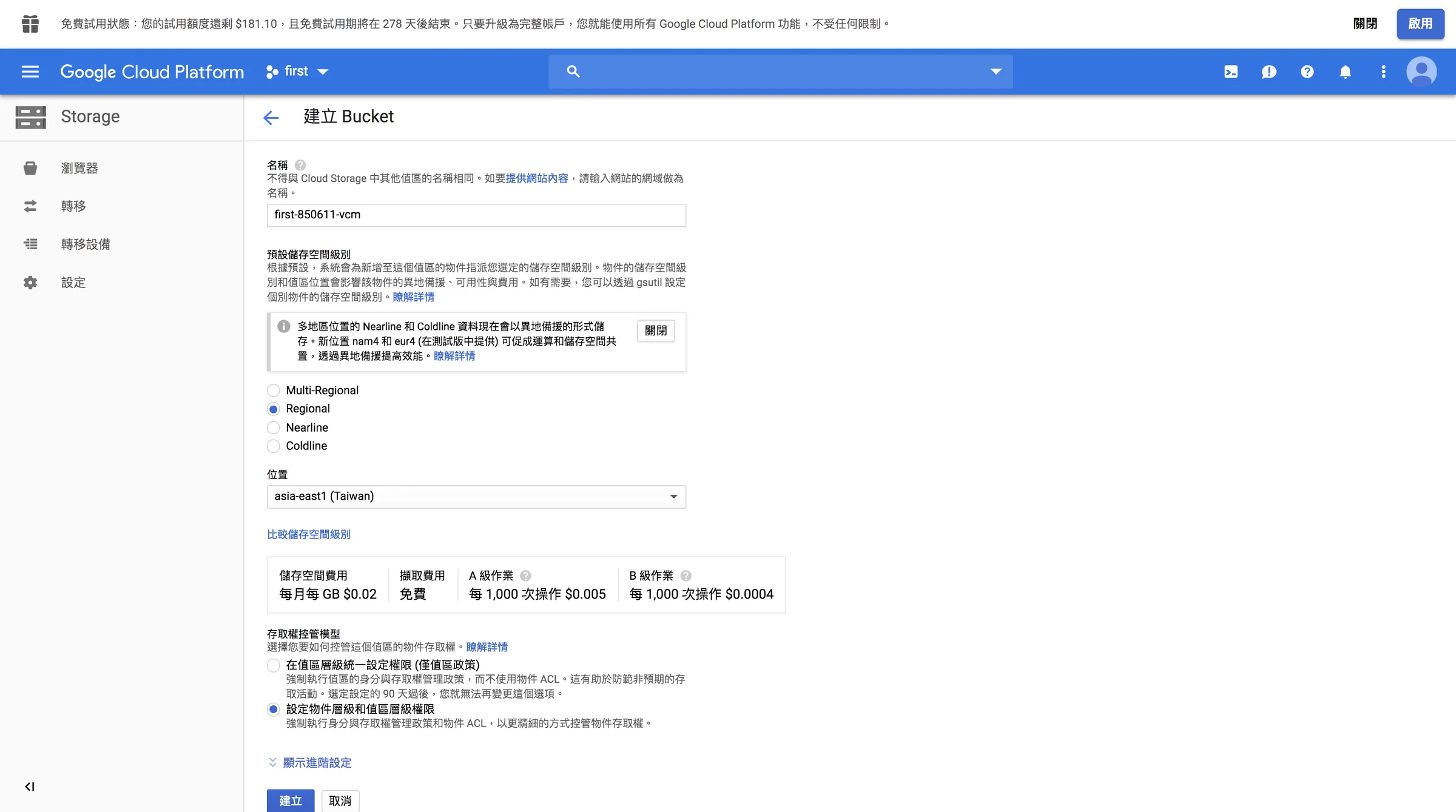
For example, the bucket I created is named first-850611-vcm.
Once it's created, add a folder called seafood inside first-850611-vcm, then upload cuttlefish, neritic, softneritic, squid, octopus, and index.csv into the seafood folder.
That wraps up step three!
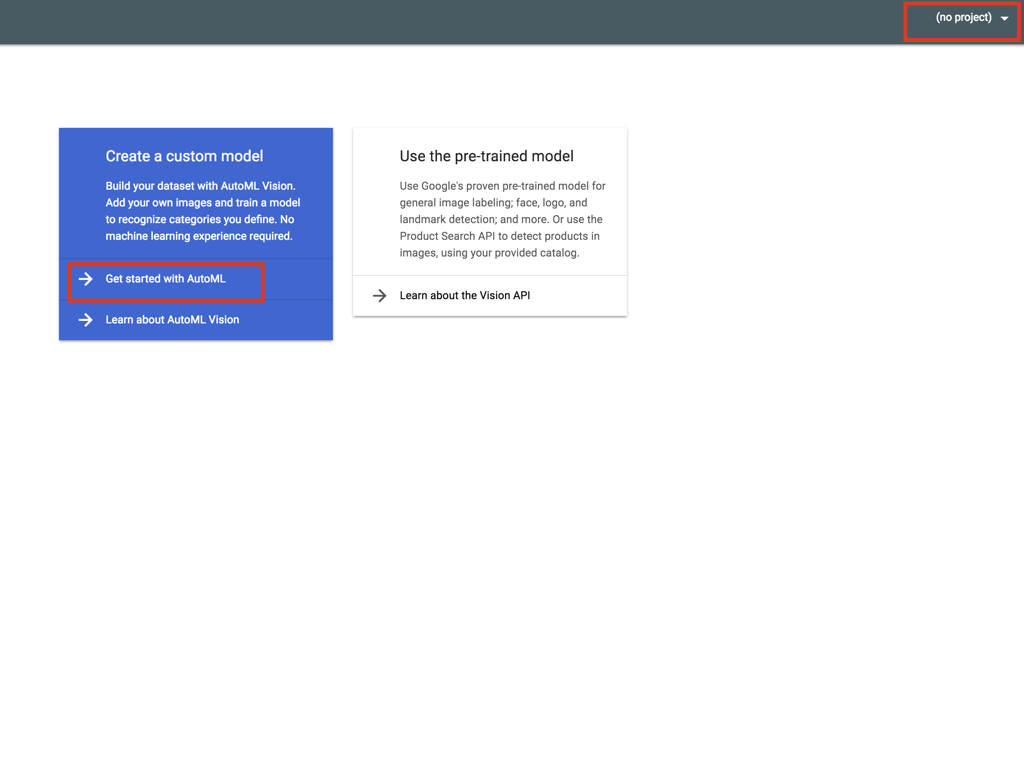
Final step: open the AutoML page, select your project name in the top-right corner, and click Get started with AutoML.
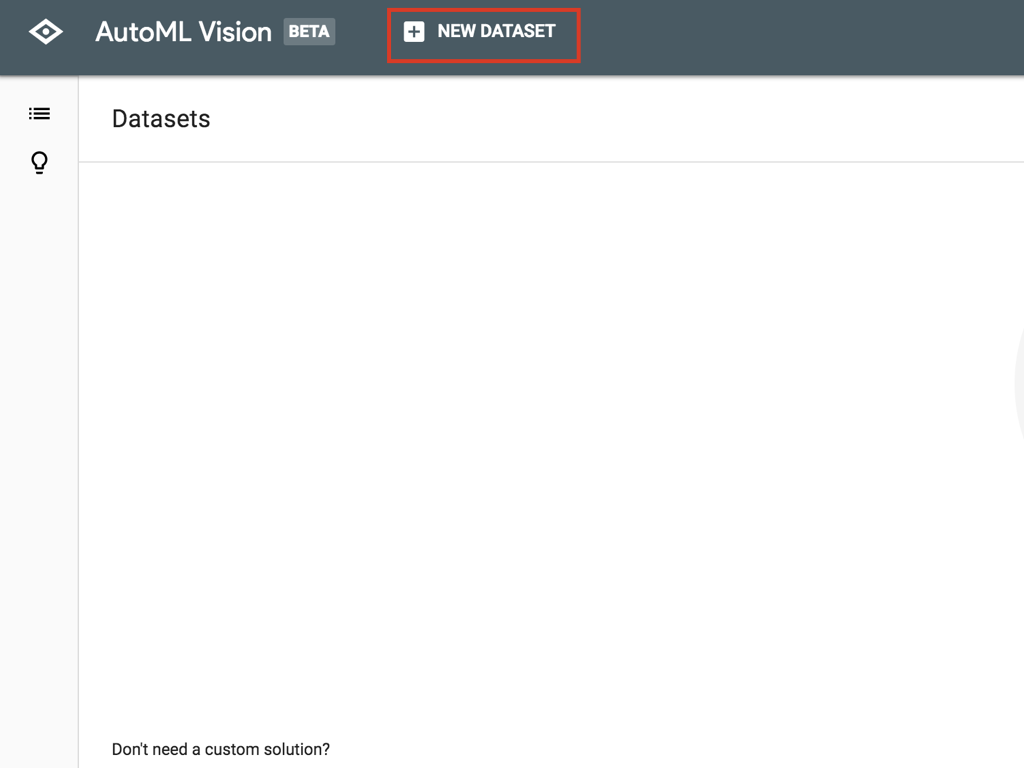
Then click NEW DATASET at the top to add the data the model will learn from.
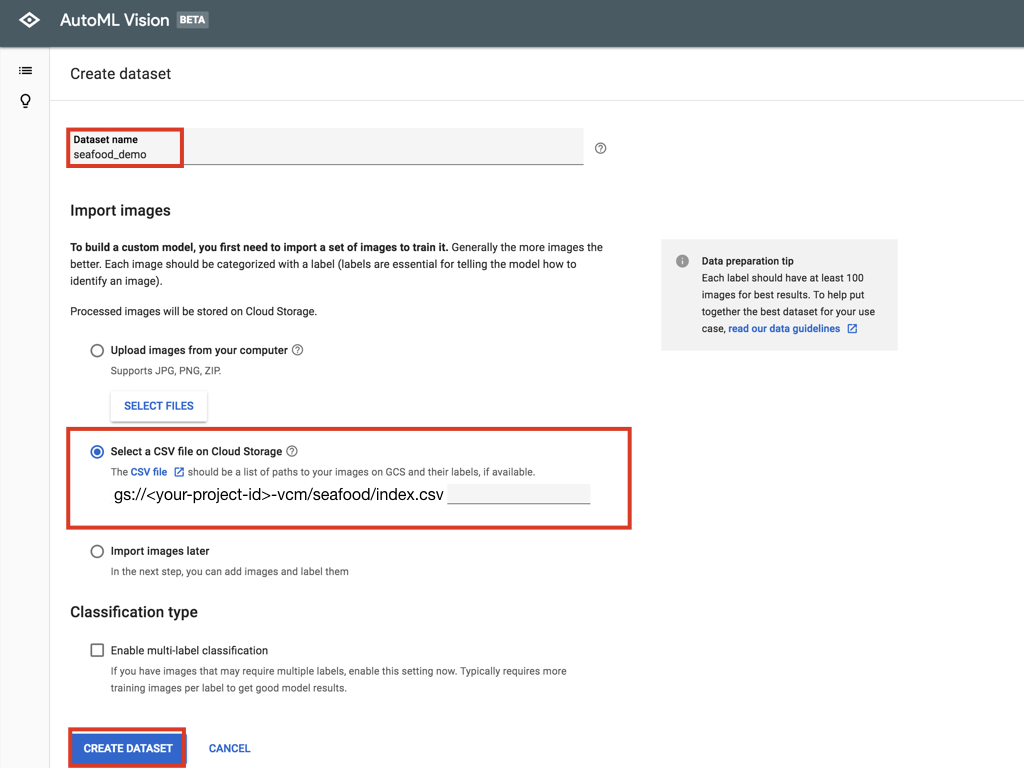
Enter a Dataset name — anything you'll recognize is fine.
Then choose the Select a CSV option and enter
gs://<your-project-id>-vcm/seafood/index.csv
In my case, for example, I'd enter
gs://first-850611-vcm/seafood/index.csv
Then click CREATE DATASET and wait for the training data to upload.
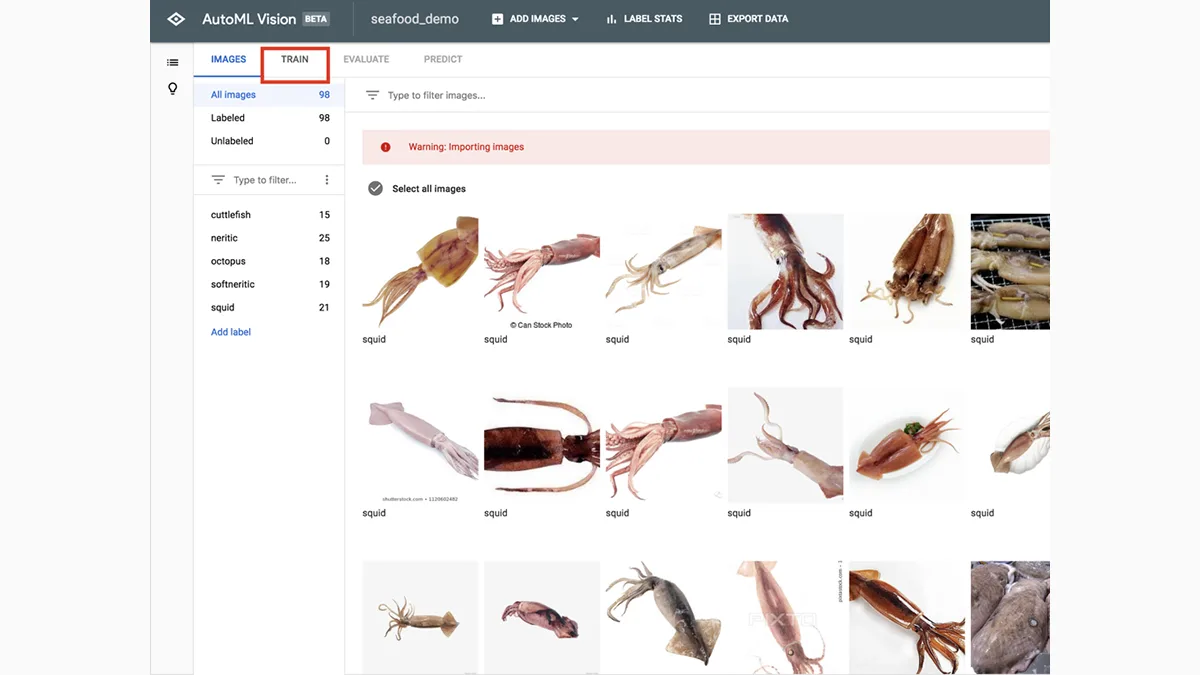
Once the upload finishes, you'll see the images and labels we're about to train on!
Next, click TRAIN at the top to start training.
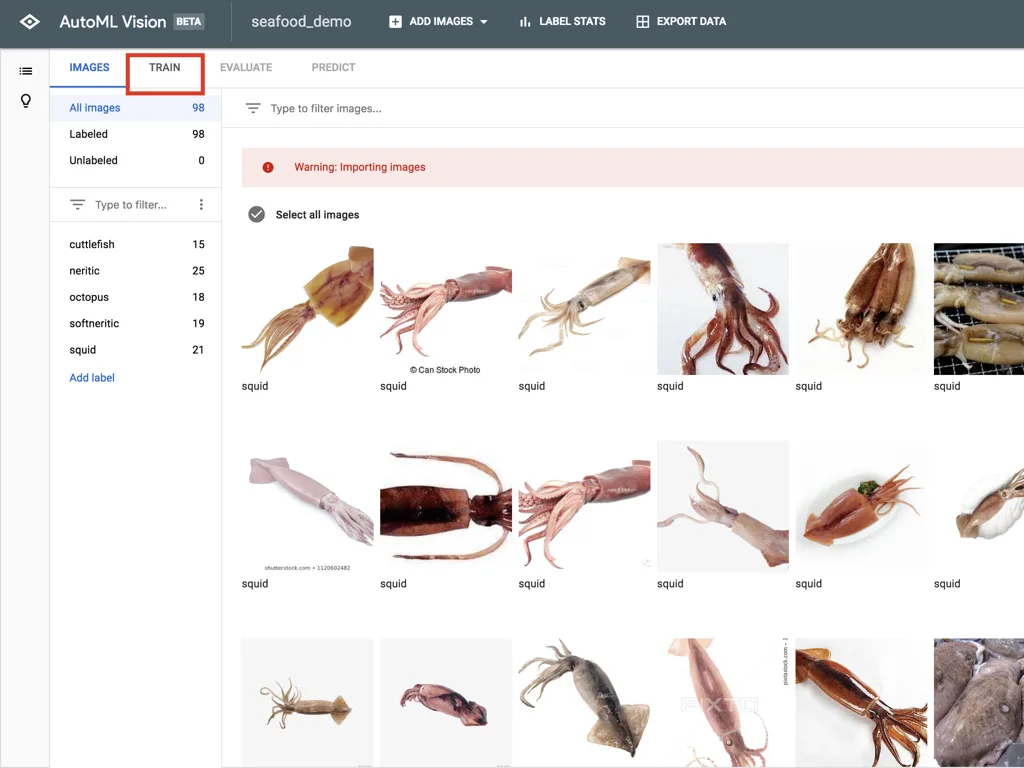
It'll warn you about something like, “You don't have enough images~”.
As an engineer, you go all in when you're winning and duck when you're losing — and this is no time to be scared. Let's train it anyway and bravely click START TRAINING together.
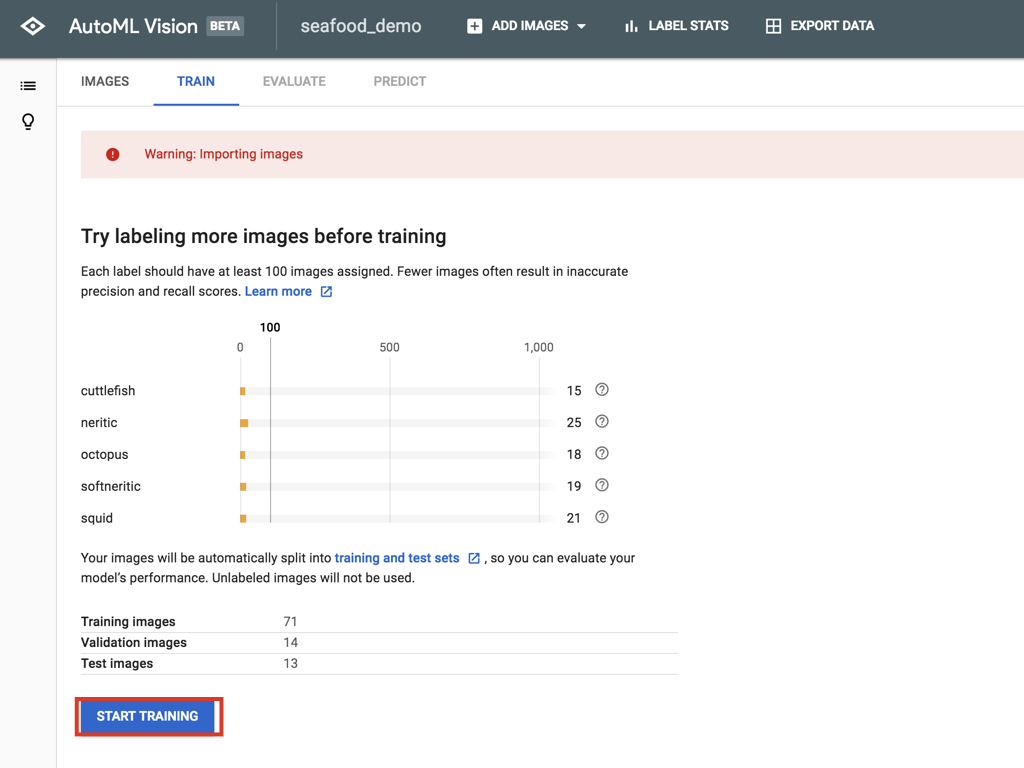
For Training budget, choose the free option, then click START.
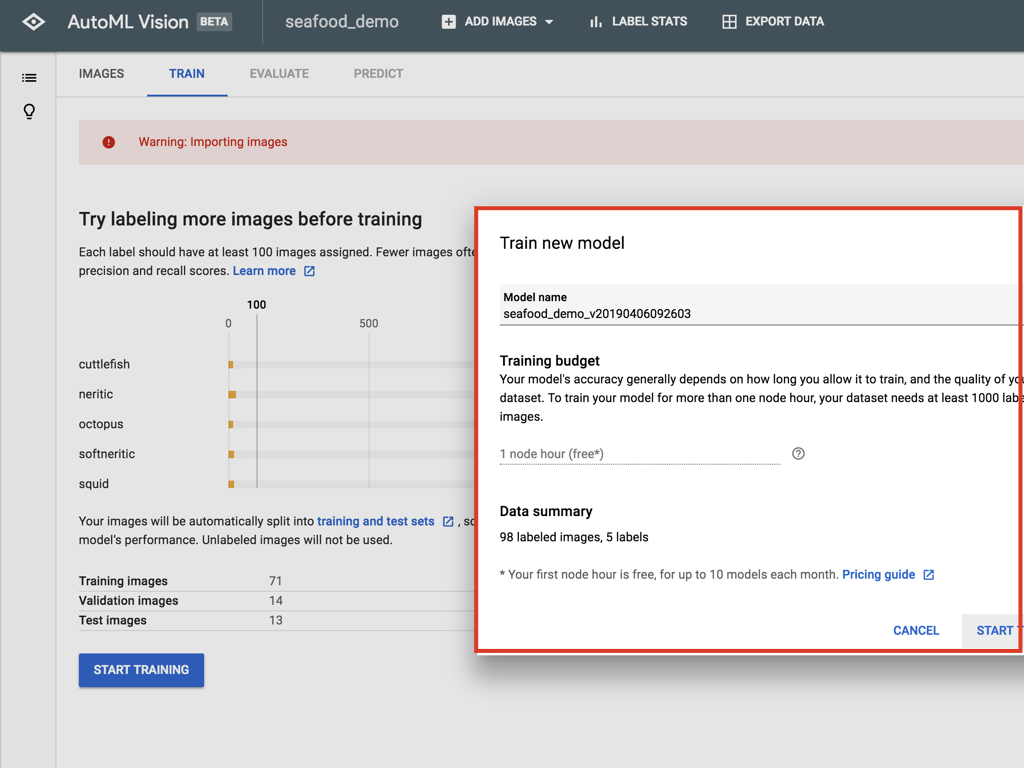
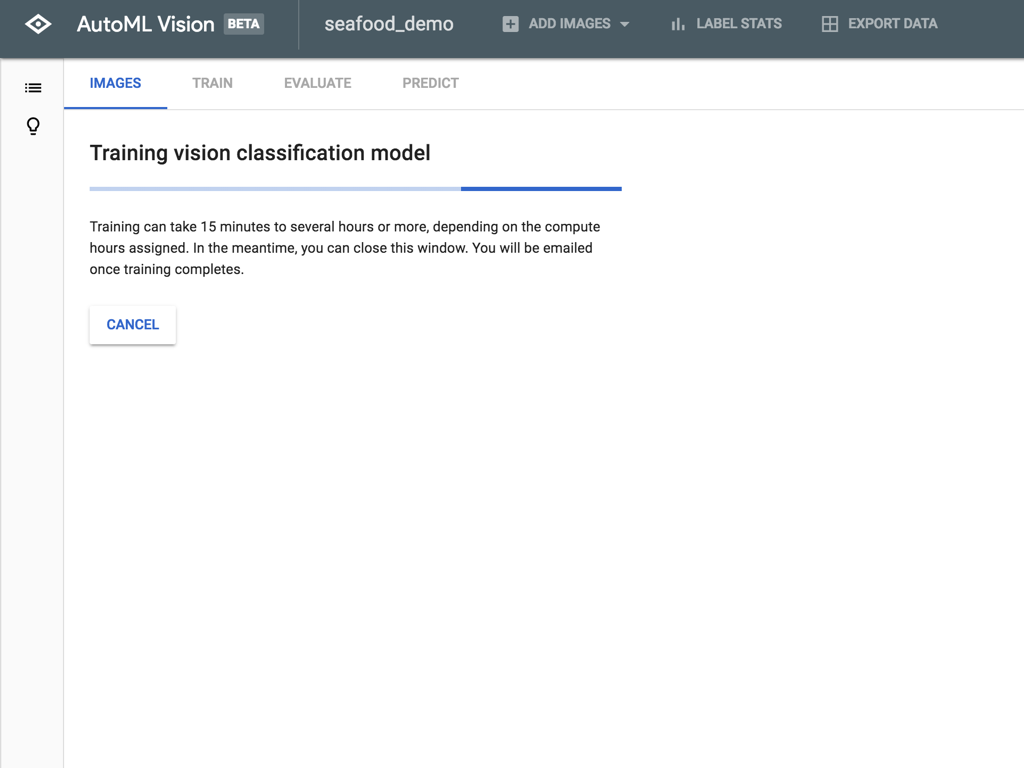
After a long wait, once the model is trained, click PREDICT at the top to test what it has learned.
We'll upload one photo of neritic squid and one of squid for the model to identify.
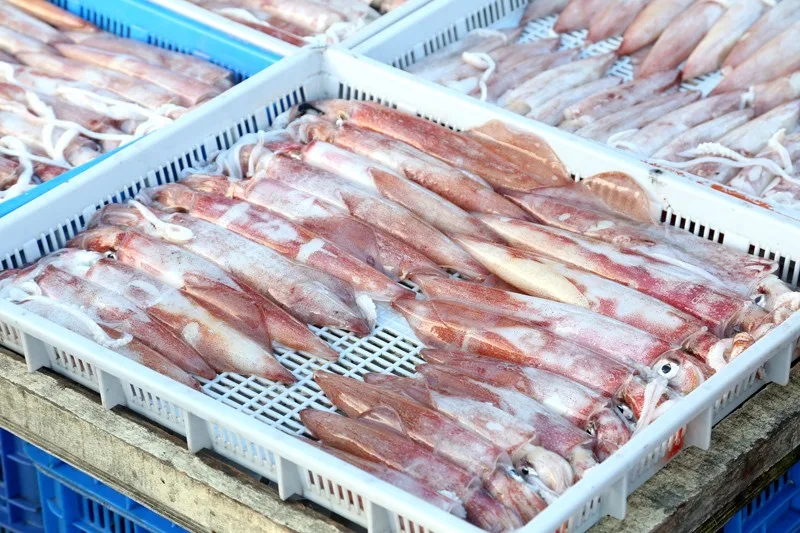
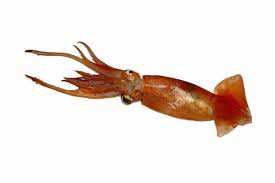
Here are our model's predictions:
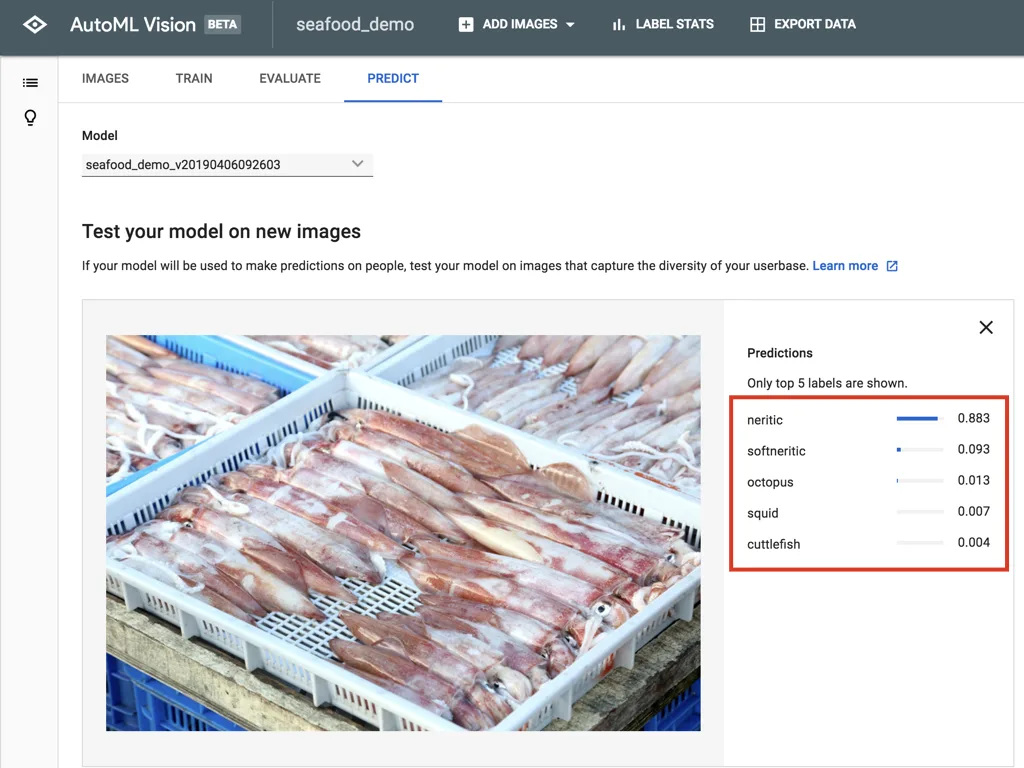
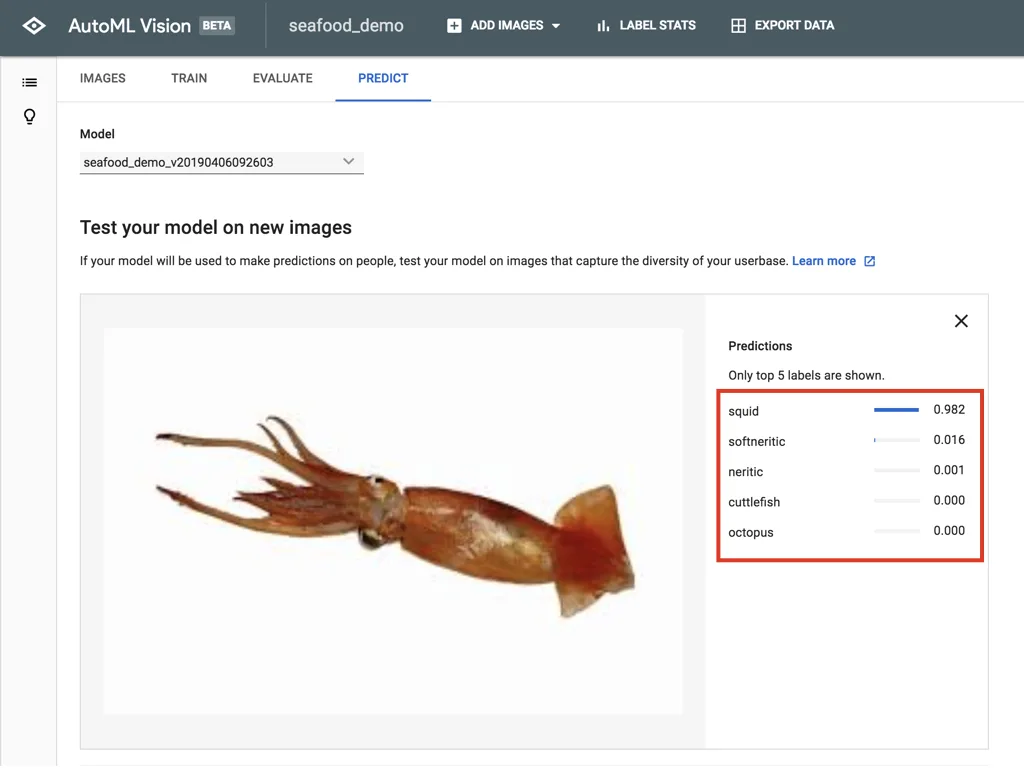
As you can see, Google is seriously impressive!!!!!!!!!!!
Who even needs machine learning engineers anymore? They might as well quit and go sell fish. QQ
All right! I have to admit, Vision AutoML is really powerful — it learns this accurately from just a handful of images.
Something this fun can't stop here. In the next chapter, we'll look at how to connect to this model's API so new moms can actually use it — and never again get scolded by their mother-in-law for buying squid instead of neritic squid. It's the ultimate weapon for keeping the peace with the in-laws!!
A quick word from our sponsor:
If your company needs any machine learning features integrated into a LINE chatbot — image recognition, speech recognition, or even video recognition — feel free to email us at the address below.