How to Build an Effective Clinic Membership System on LINE: A Practical Guide from Scratch
In this article, we use OakMega Social CRM's modules and features to answer these common questions, helping you get more out of LINE fast and hit your marketing KPIs.
 Samuel JengHead of Product
In today's digital landscape, clinics face a key challenge: how to use social platforms like LINE to raise brand awareness and nurture patient relationships. Are you looking for ways to turn LINE friends into long-term customers? Frustrated by how slowly your LINE friend count grows? Or trying to connect these digital touchpoints to your clinic's own systems?
In this article, we use OakMega Social CRM's modules and features to answer these common questions, helping you get more out of LINE fast and hit your marketing KPIs.
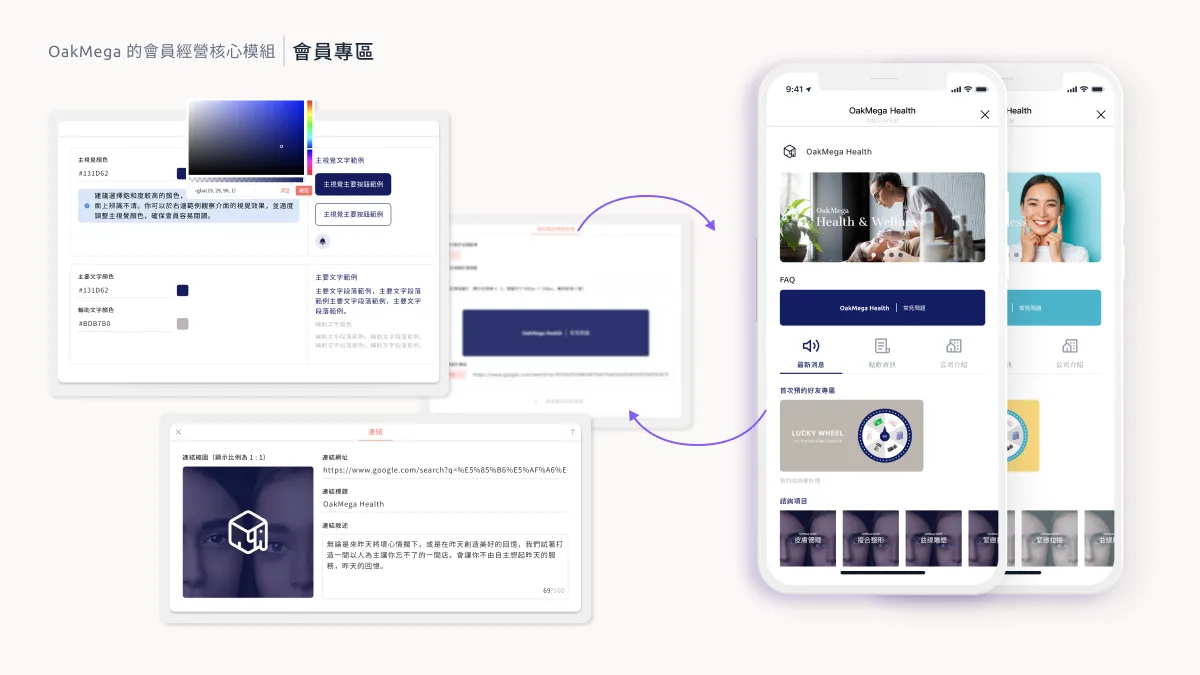
A Member Zone That Delivers Real Value
While we work hard to keep existing customers, we often neglect the valuable connections we've built on LINE. That neglect drives online customers away and, in turn, hurts the brand's reputation. How do you build VIP member relationships that matter? Here are our three recommendations:
- Give every LINE friend a personalized experience: With OakMega's Member Zone, you can create a tailored interface for each LINE friend that showcases your brand's personality, builds trust, and strengthens how customers value your brand.
- Offer quality content, not just ads: A wide range of blocks and layouts lets you present each piece of information in the format that suits it best, while giving customers an easy way to look things up. This improves the customer experience and makes your brand messaging more effective.
- Increase information density: With dedicated "Latest News" and "Company Info" sections, you can bring together information scattered across different platforms, make LINE a more valuable source of information, and reduce the chance that customers block you.
Verified Member Forms and System Integration
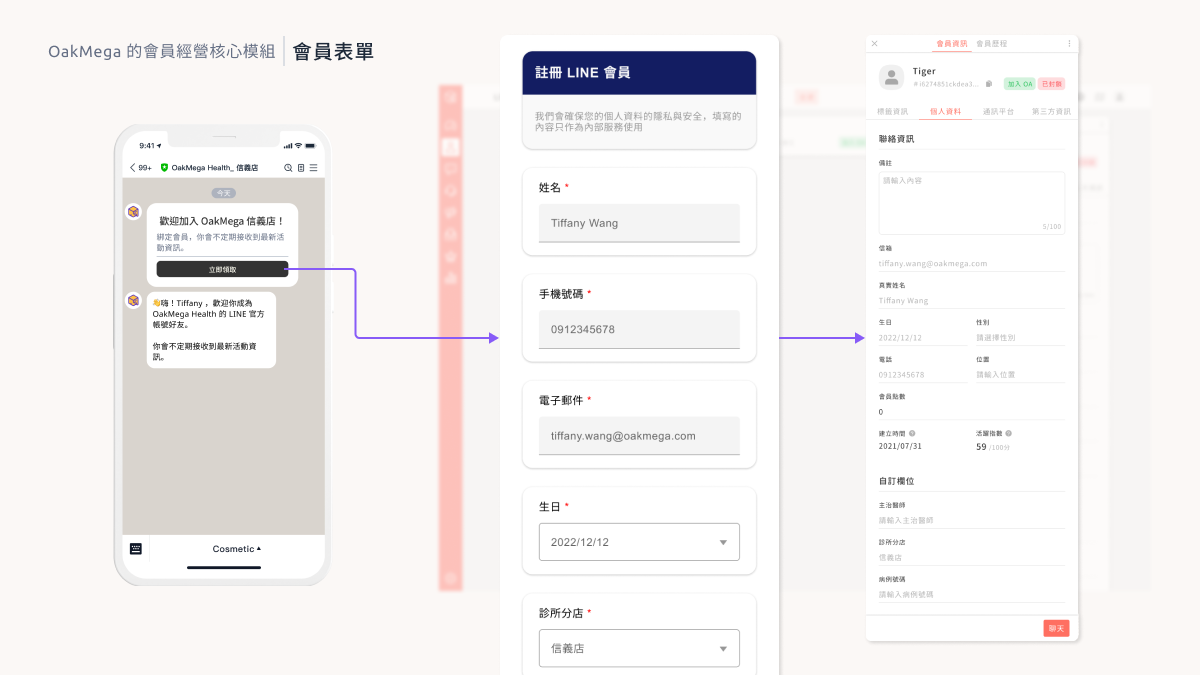
In the past, clinic staff had to manually match patients' LINE profiles to the POS system, which was slow and error-prone. OakMega's Member Form module changes that. It supports verified LINE identities and keeps customer information in sync with your Social CRM in real time. When customers update their personal details, the changes flow straight into your CRM, so your data stays up to date for good.
Marketing Automation: Birthday Offers
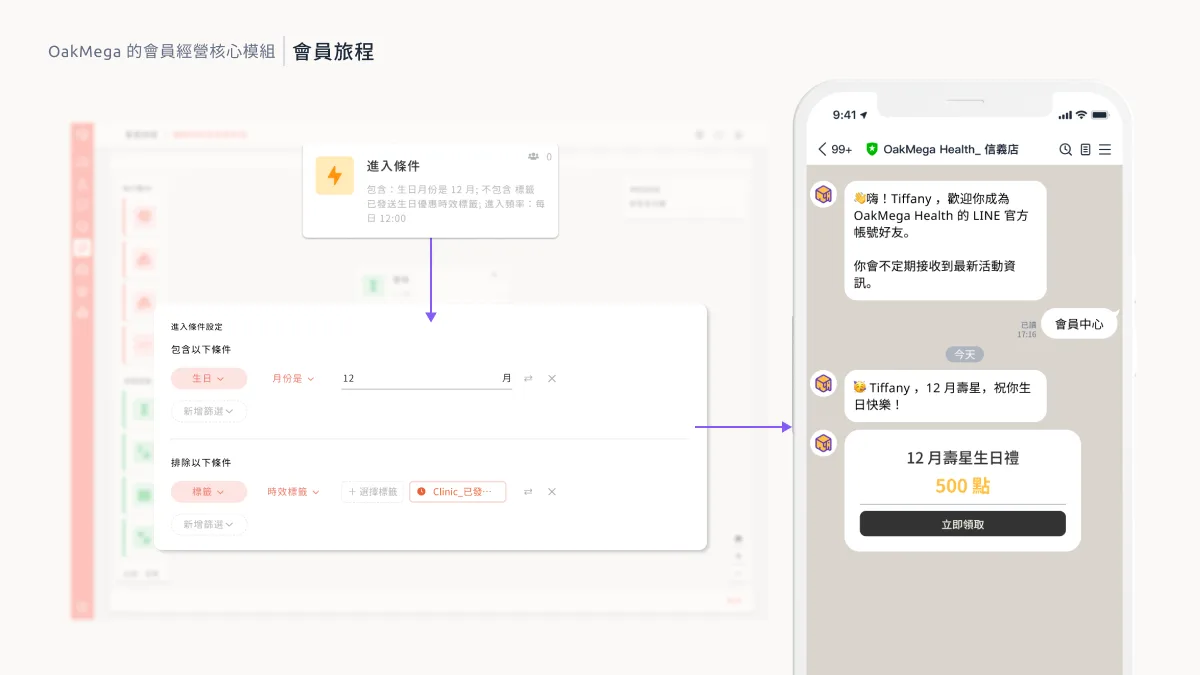
Marketing automation plays a key role across the customer's buying journey. OakMega's member journey system lets you build many kinds of automated marketing logic that move customers forward at every key moment. For example, you can send a birthday gift during a customer's birthday month and introduce your latest offers to encourage a return visit.
Conclusion
Together, these OakMega modules and features give clinics an all-in-one LINE marketing solution. If you'd like to try them for yourself, join our late-2023 "N-th Power Module Playbook | LINE Marketing Module Showcase," where you can get hands-on with 23 modules, the widest selection in the industry. No appointment needed: we'll walk you through every feature.
Sign up now: https://www.accupass.com/go/oakmega-marketplace