How to Manage Multiple Branches with a Single LINE Official Account: A Guide to Effective Strategies
Struggling to manage multiple branches with one LINE Official Account? Established chains typically use a single official account to grow their fan base and build awareness. This article shows you how to effectively manage customer service and sales for each branch, and analyze performance and KPIs, all within the same LINE Official Account.
 Samuel JengHead of Product

Struggling to manage multiple branches with one LINE Official Account? Established chains typically use a single official account to grow their fan base and build awareness. This article shows you how to effectively manage customer service and sales for each branch, and analyze performance and KPIs, all within the same LINE Official Account.
Branch-Specific QR Codes for Simple Segmentation
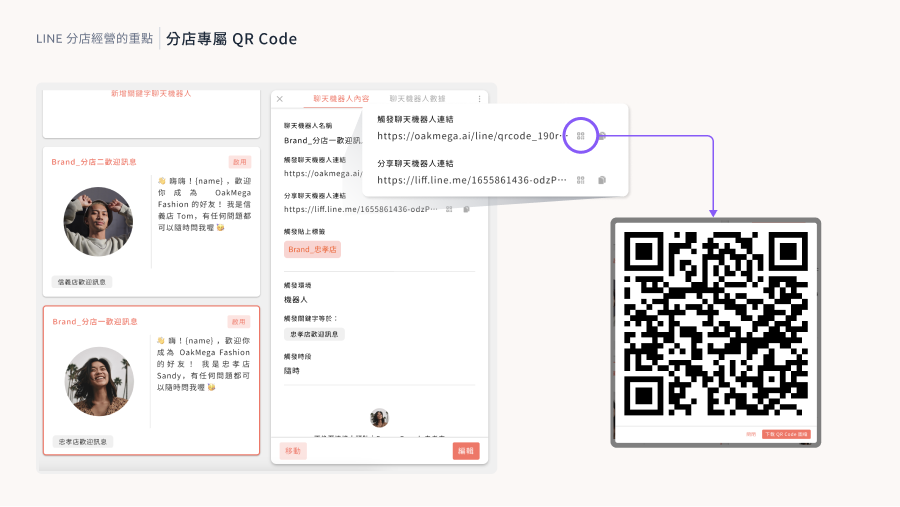
When managing a multi-branch LINE Official Account, the key is identifying which branch each friend came from. Every branch can have its own LINE QR code, and friends who scan it can be tagged accordingly. In OakMega Social CRM, you can build a dedicated chatbot for each branch and tag friends automatically when they scan its QR code, enabling efficient tag-based segmentation and customized welcome messages.
Segmented Rich Menus That Build Brand Loyalty
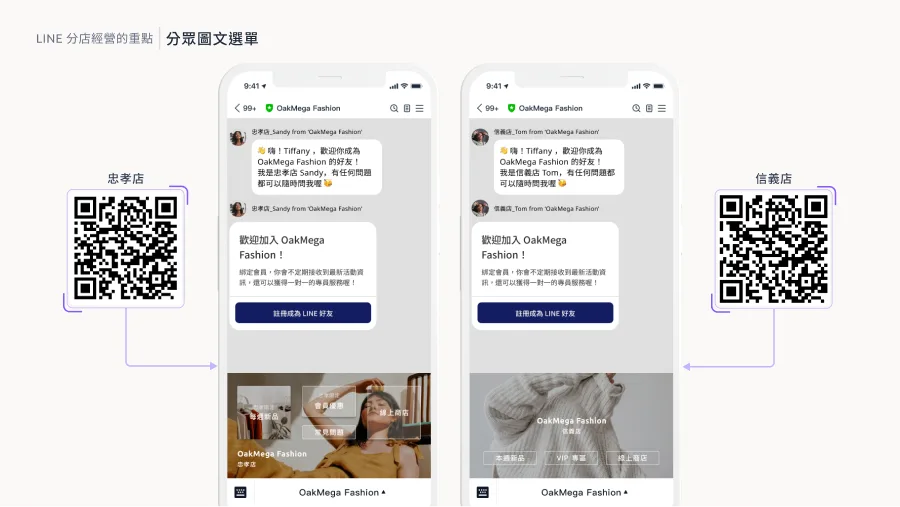
To strengthen friends' trust in a specific branch, use segmented rich menus to show them which branch is serving them. By keeping the brand's core visuals while highlighting what makes each branch unique, you strengthen overall brand affinity. OakMega lets you switch segmented rich menus directly within the chatbot, delivering a consistent, seamless user experience.
Custom Sender Icons That Warm Up Conversations
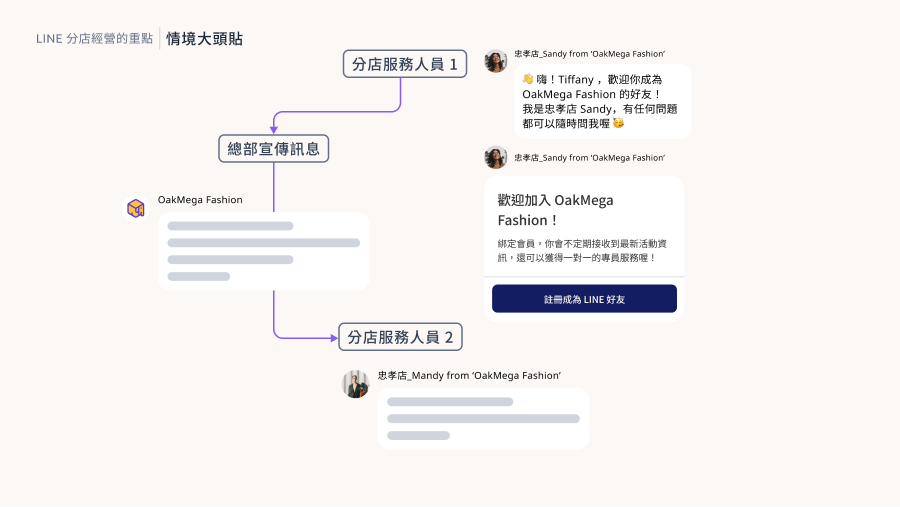
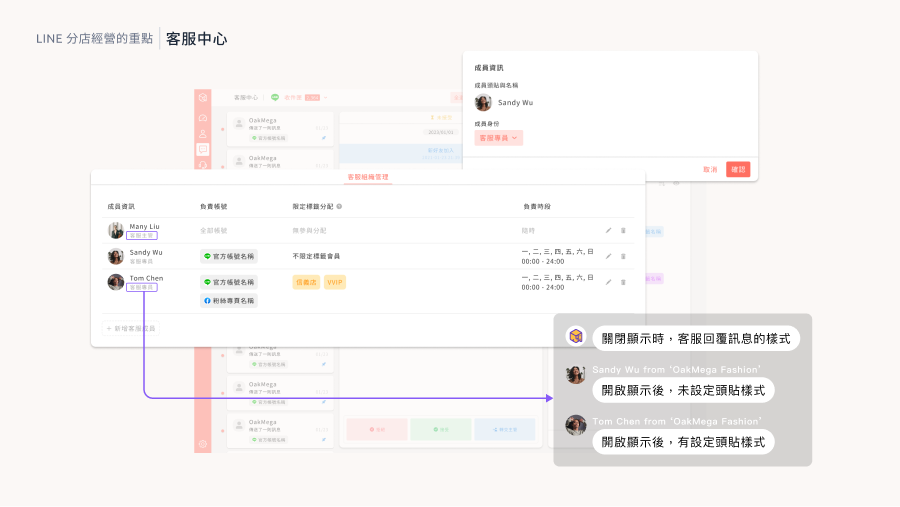
Custom sender icons are an effective way to distinguish "branch staff" from "headquarters promotions," helping users recognize what kind of message they are receiving. OakMega can create a dedicated sender icon for every store employee, making conversations feel more authentic and personal.
An Optimized Service Center
OakMega's Service Center is the ideal choice for managing customer service across branches. Its features include automatic assignment, fully automatic sender icons, and separate settings for supervisor and agent roles. Together, they ensure efficient service management and a great user experience.
Final Thoughts
Want to dive deeper into managing multiple branches efficiently with a LINE Official Account? Join our "Modules to the Power of N | LINE Marketing Module Showcase" at the end of 2023, try out the 23 modules OakMega offers, and take your brand to the next level!
Sign up now: https://www.accupass.com/go/oakmega-marketplace