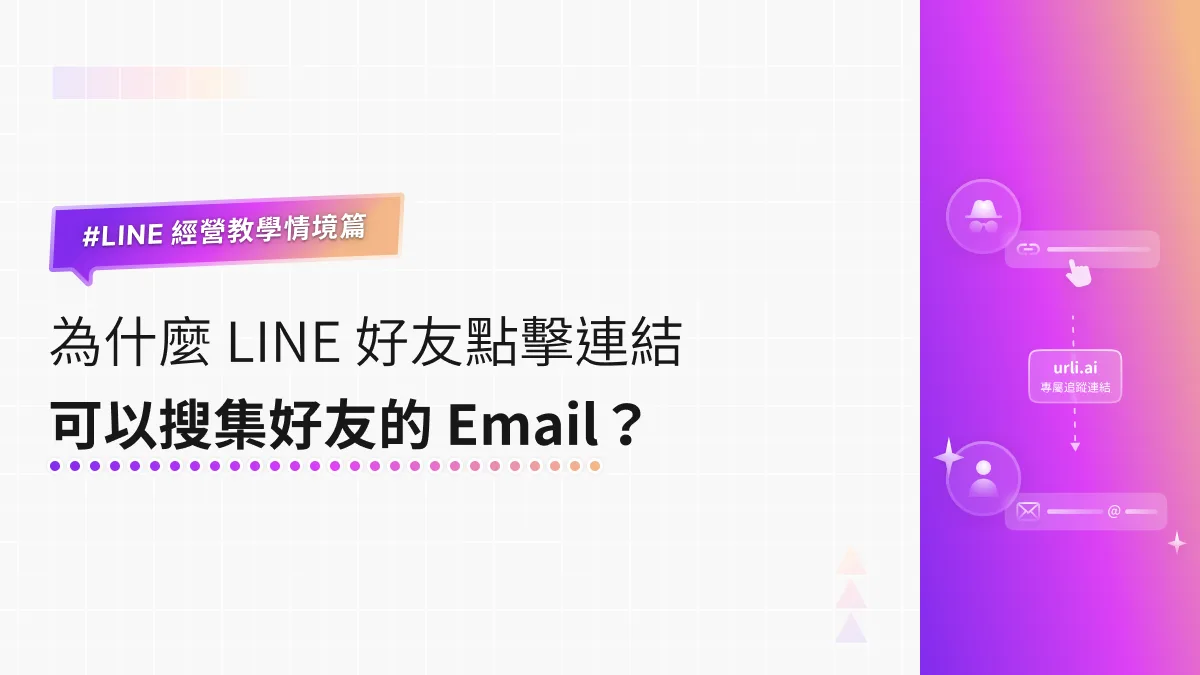
LINE How-To Scenarios | How Can Brands Collect Friends’ Emails When They Tap a Link?
Why can some brands collect a friend’s email address the moment they tap a link from a LINE Official Account? Just turn on “Email address permission” in your LINE Login channel in LINE Developers. When friends tap the link, you receive the email linked to their LINE account, which you can use for account linking, customer support, or new-product announcements.
 Khan LeeCTO
Hi, I’m Khan, CTO of OakMega! Clients ask me this all the time: how do some brands set up links from their LINE Official Account so they collect a friend’s email address the moment it’s tapped? As the screenshot below shows, once a friend taps “Allow,” the brand receives their email and can use it for account linking, customer support, or new-product announcements.
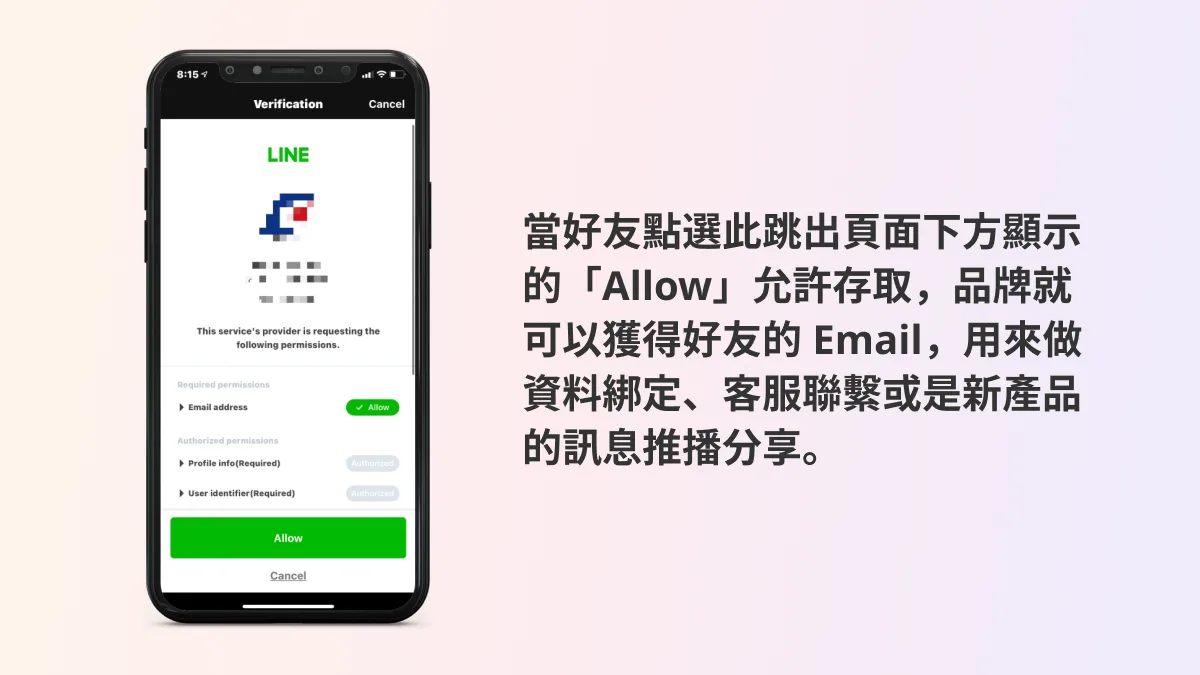
This feature is also tied to LINE Login. Just turn on “Email address permission” in the LINE Login channel on LINE Developer, and when friends tap your link, you’ll receive the email address linked to their LINE account. (If a user hasn’t linked an email to LINE, there’s nothing to collect.) Step-by-step instructions are below.
How to Enable Email Address Permission in a LINE Login Channel
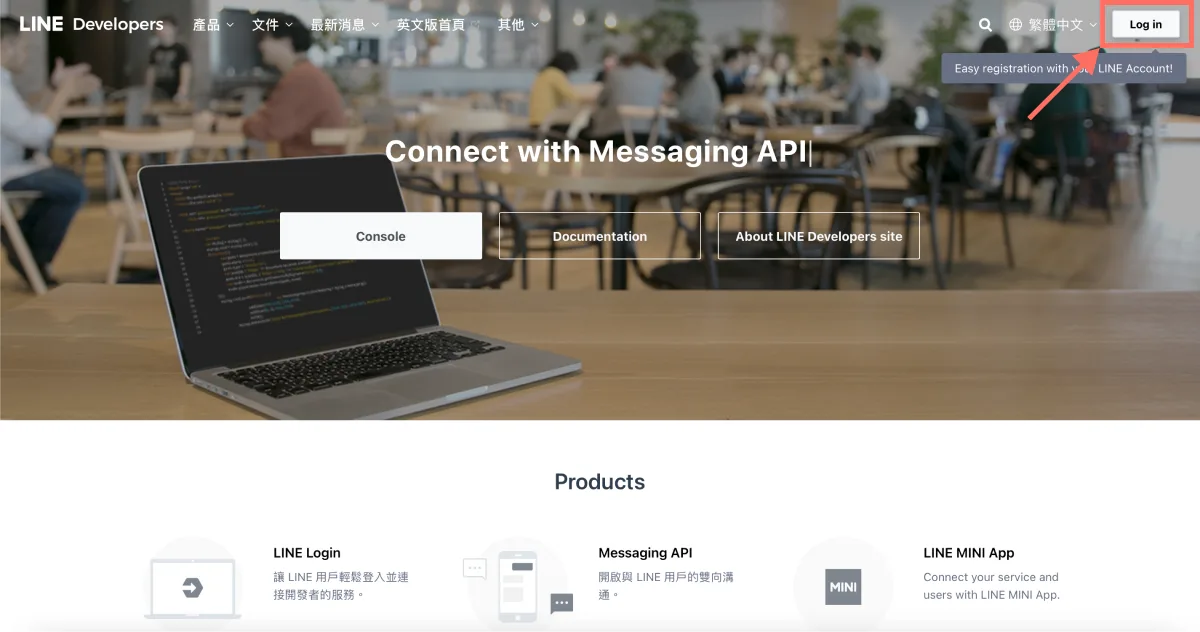
- On the LINE Developers site, click “Log in” in the top-right corner and sign in to the LINE Developers console with your LINE Business ID.
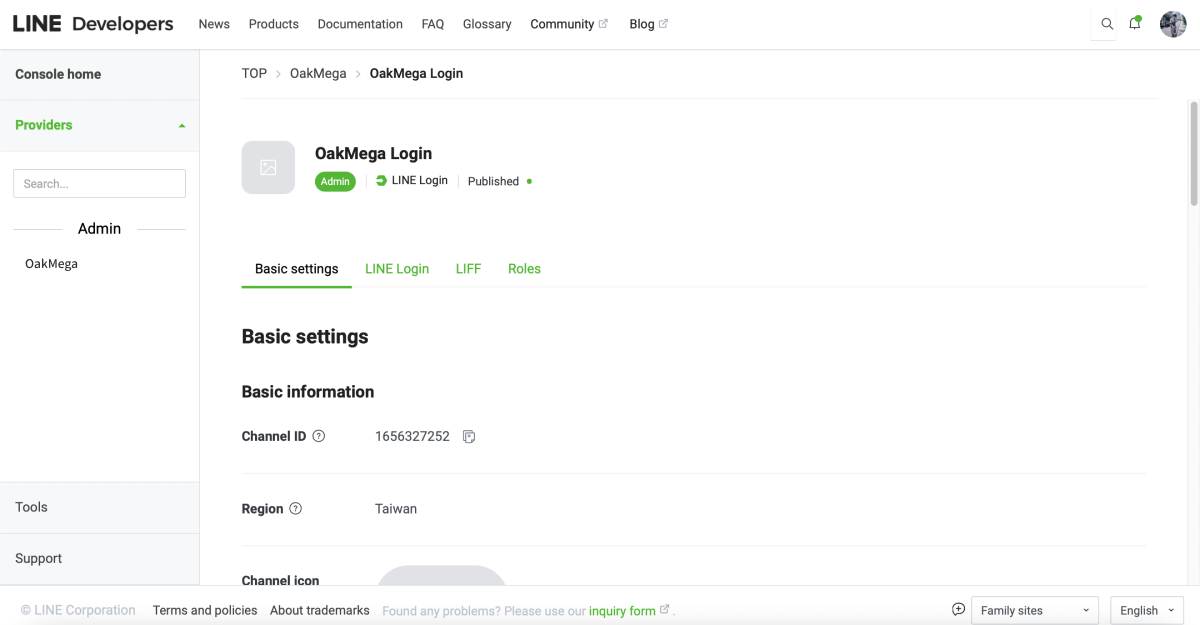
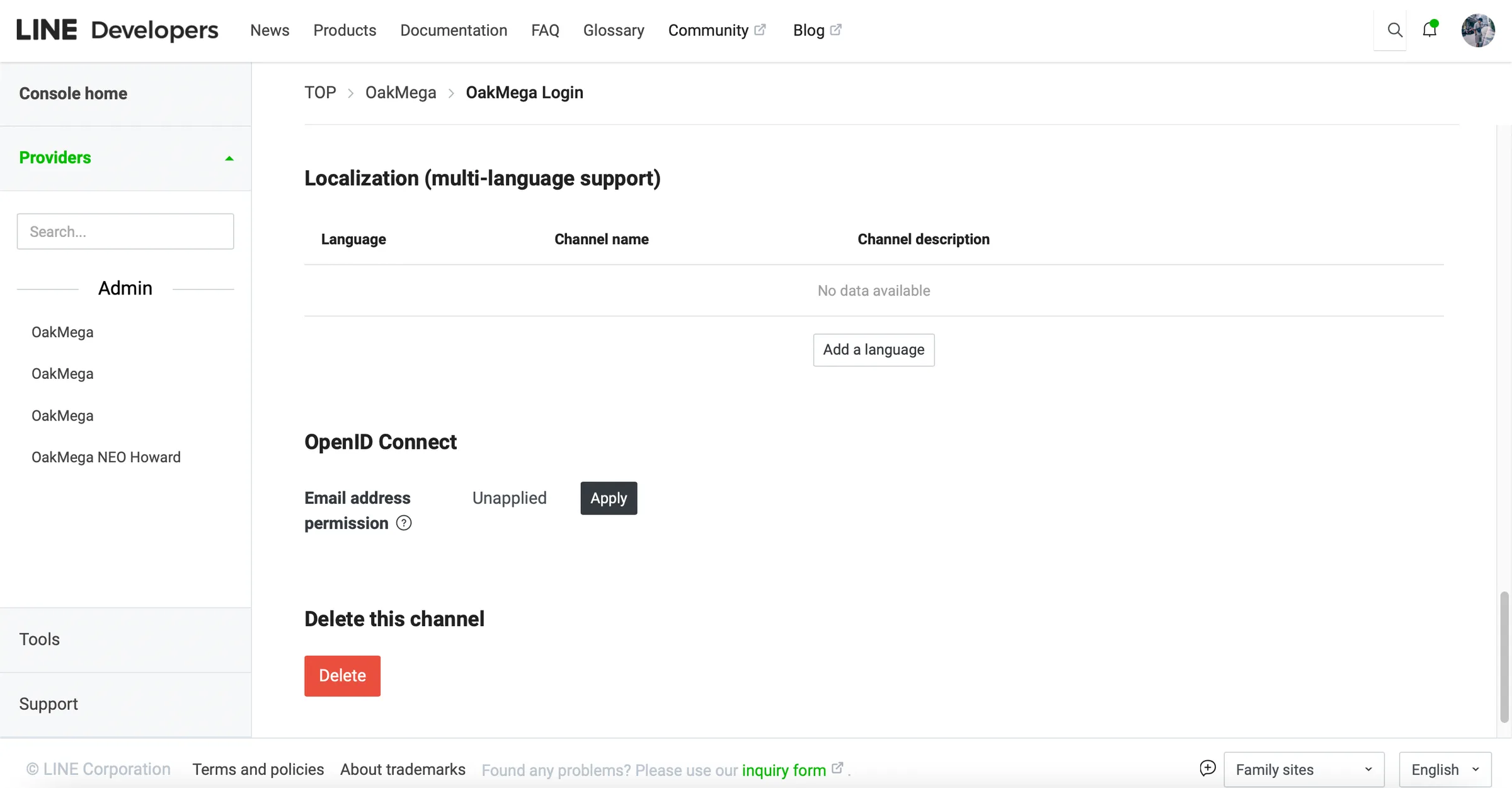
- In LINE Developers, open the LINE Login channel under the matching provider, go to “Basic settings,” scroll down to the Email address permission field, and click “Apply.”
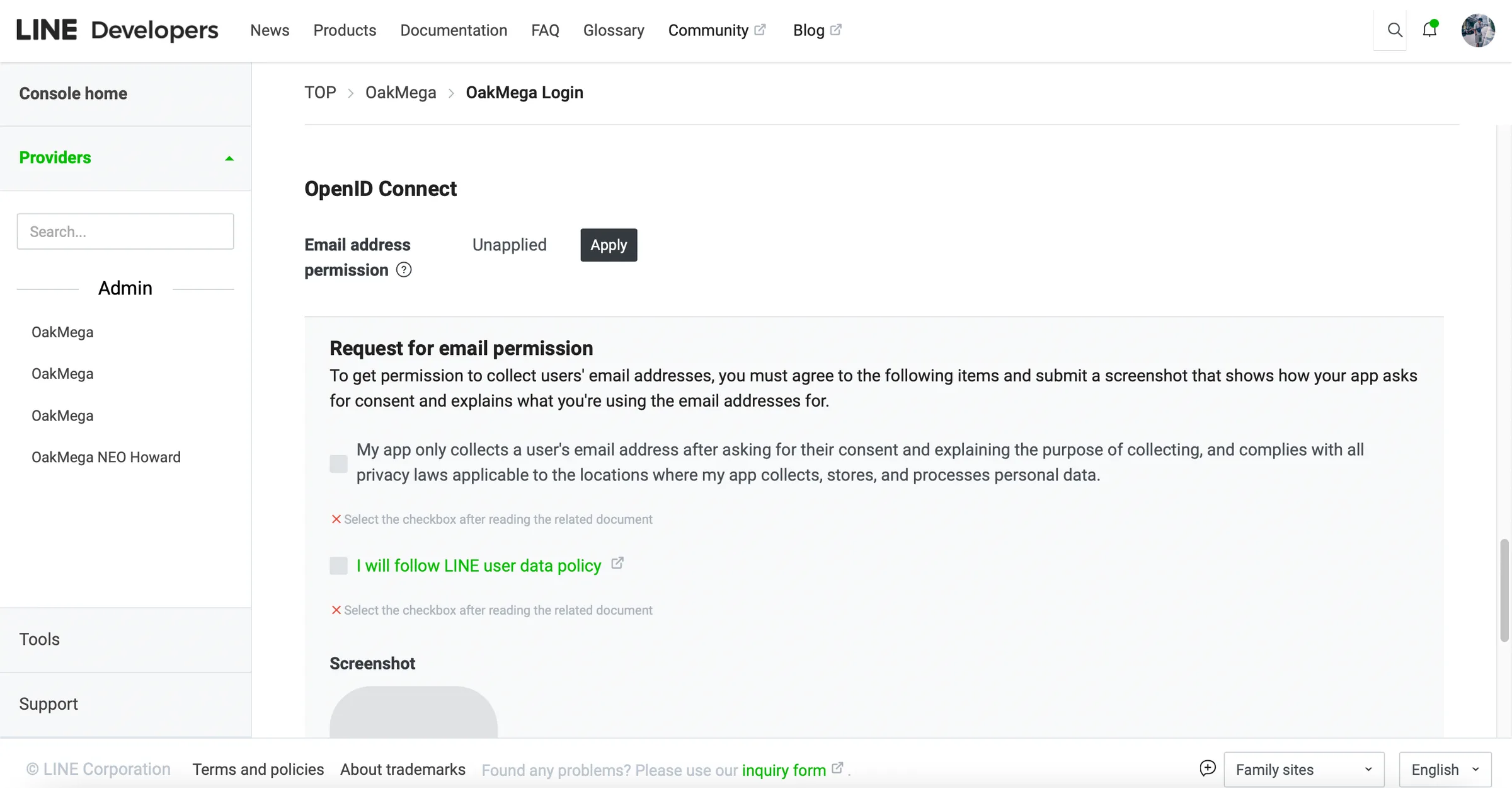
- Follow the prompts to check the usage statement and agree to comply with the privacy policy requirements.
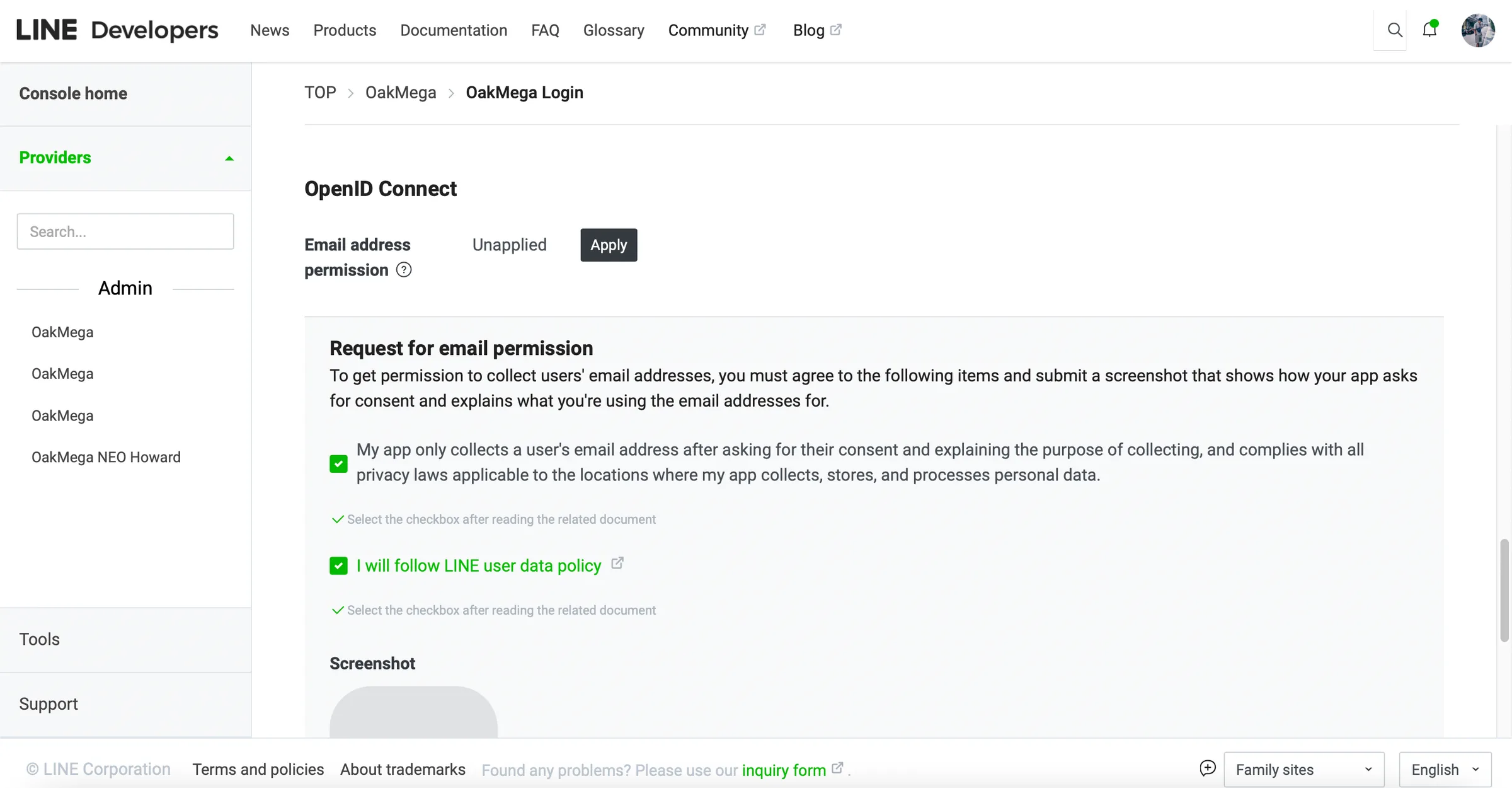
Scroll down, upload a screenshot of your email usage terms, and click “Submit” to complete the email collection application.
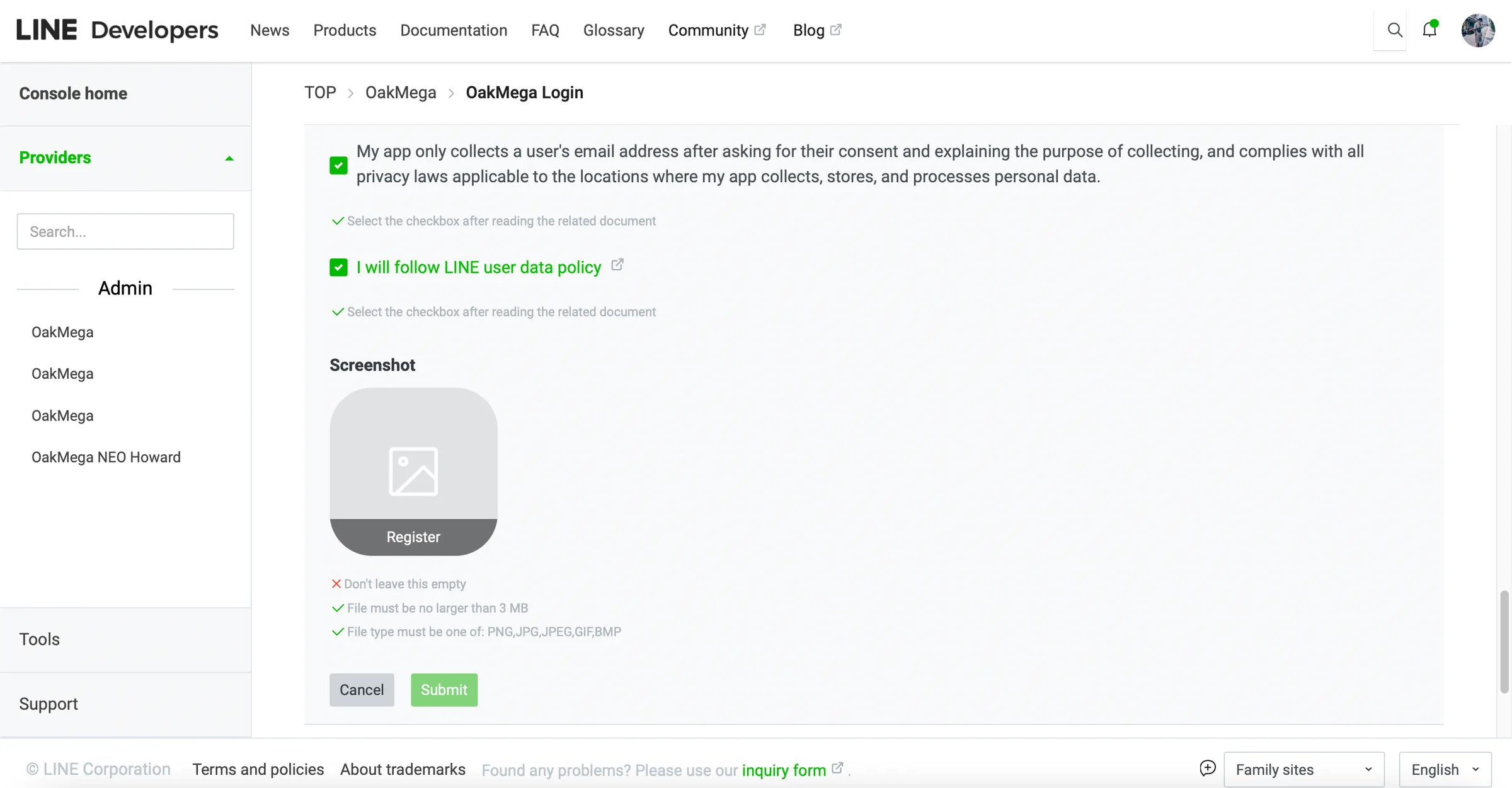
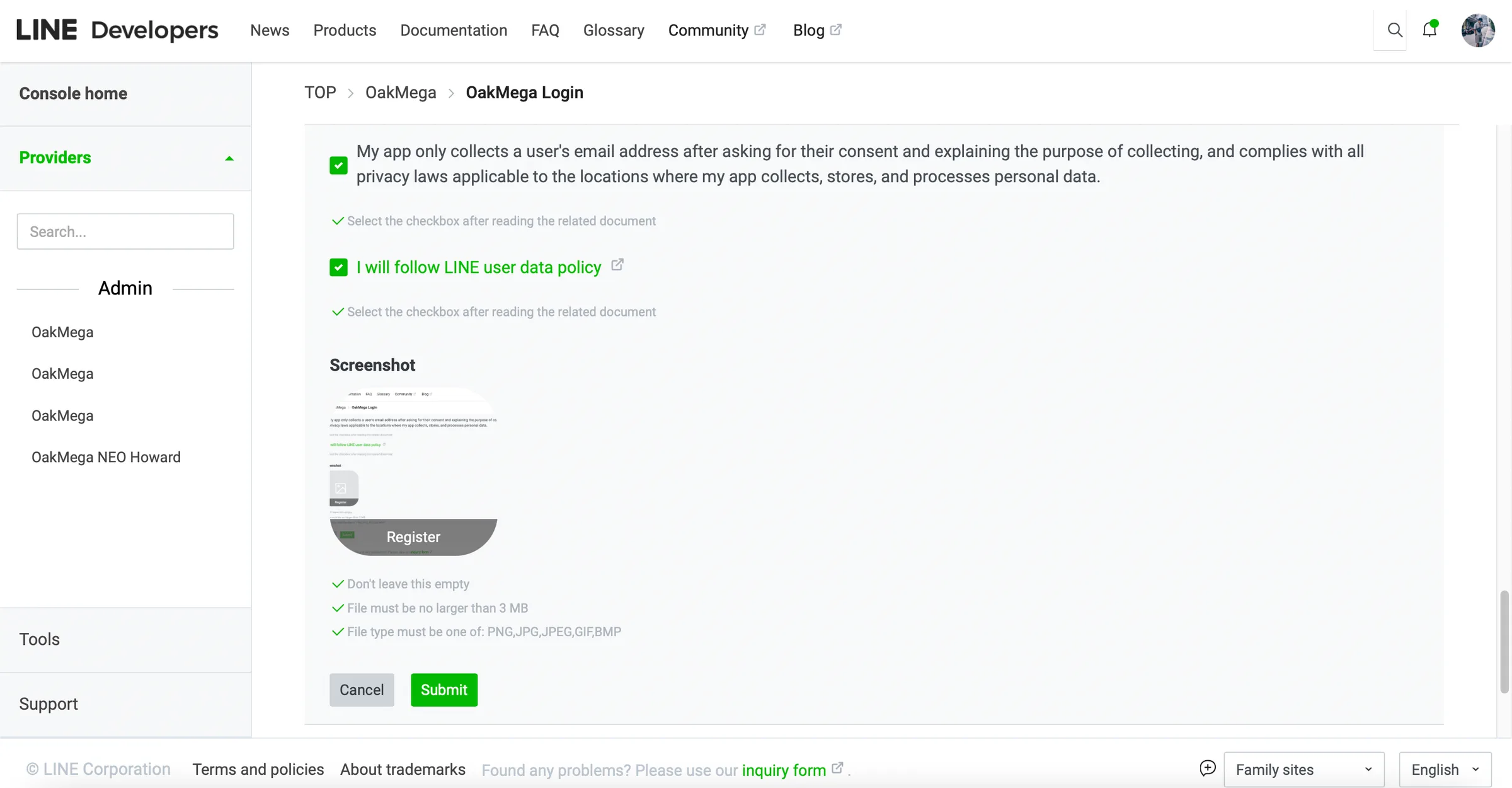
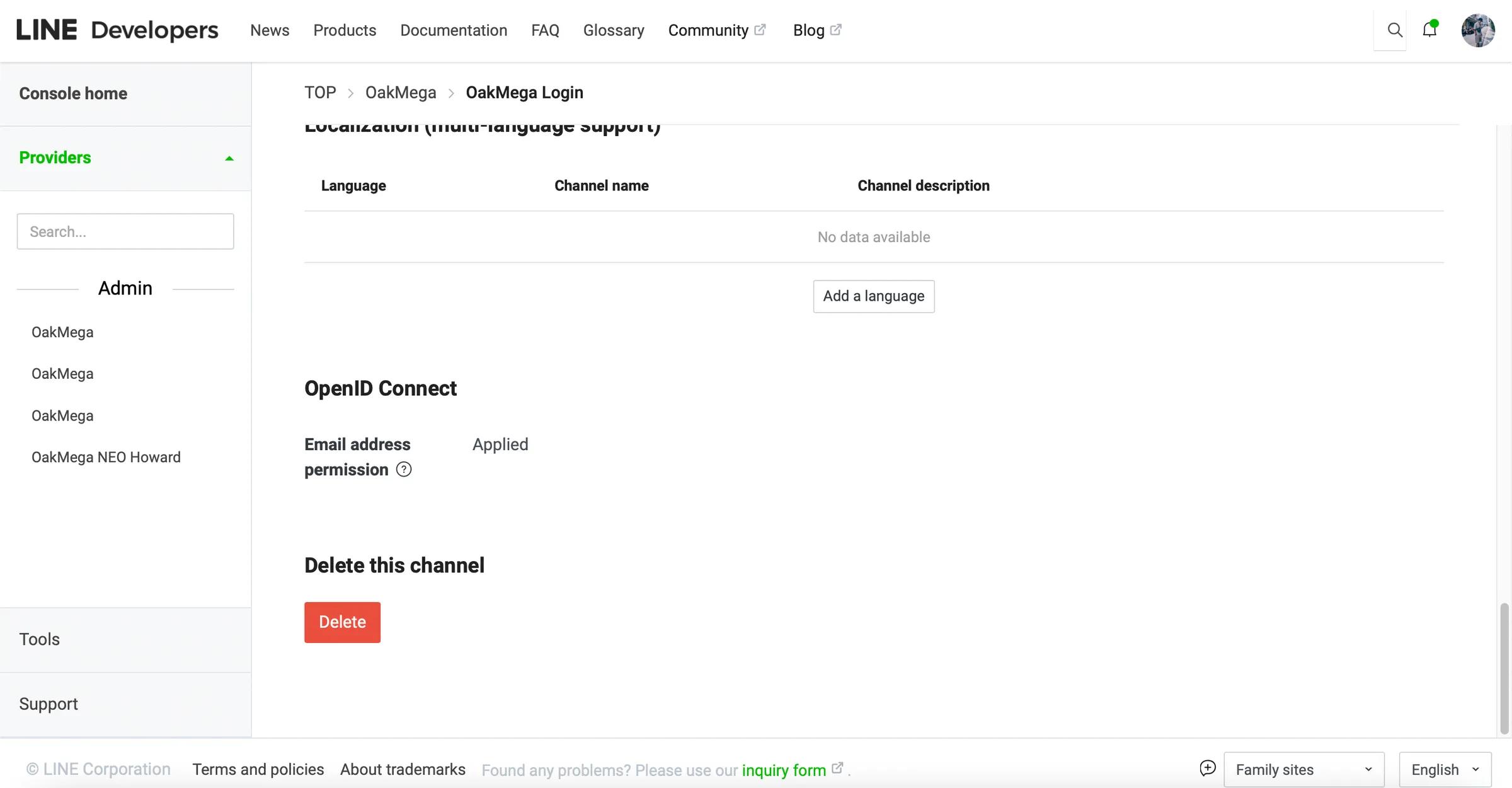
- Once it’s set up, when friends tap your link, you’ll receive the email address linked to their LINE account (provided they linked an email when they registered for LINE).
Want to learn more about running your LINE presence? Where can you view the emails you’ve collected? Head over to the OakMega LINE Official Account for more LINE marketing tips, or follow our “OakMega LINE Marketing Playbook,” which walks you through building a brand LINE Official Account from scratch.