LINE Troubleshooting Guide | Why Isn't LINE Login Working?
Why isn't LINE Login working? In most cases the failure falls into one of three types, each showing a different screen in your LINE Official Account chat window. Here's how to tell them apart and fix them.
 Khan LeeCTO
Hi, I'm Khan, CTO of OakMega! Is LINE Login not working for you? How do you figure out what went wrong and fix it?
In this guide, I'll walk you through the common ways LINE Login fails, why they happen, and how to fix them fast. If you're not sure what LINE Login is or what it can do for your LINE Official Account, start with the guide below!
LINE Advanced Guide | How to Create a LINE Login Channel in LINE DevelopersRunning a LINE Official Account and ready to set up LINE Login? Before we get into the setup steps, here's a quick look at what LINE Login is and when to use it.https://oakmega.com/blog/create-line-login-from-line-developers
Three Reasons LINE Login Might Not Work
LINE Login failures generally fall into three types, and each one shows a different screen in your LINE Official Account chat window:
- Type A Error: The LINE Login Channel ID is set incorrectly.
- Type B Error: The LINE Login Callback URL is set incorrectly.
- Type C Error: A server configuration error. The screen shown is just one example. Put simply, any error screen other than Type A or Type B counts as a Type C Error.
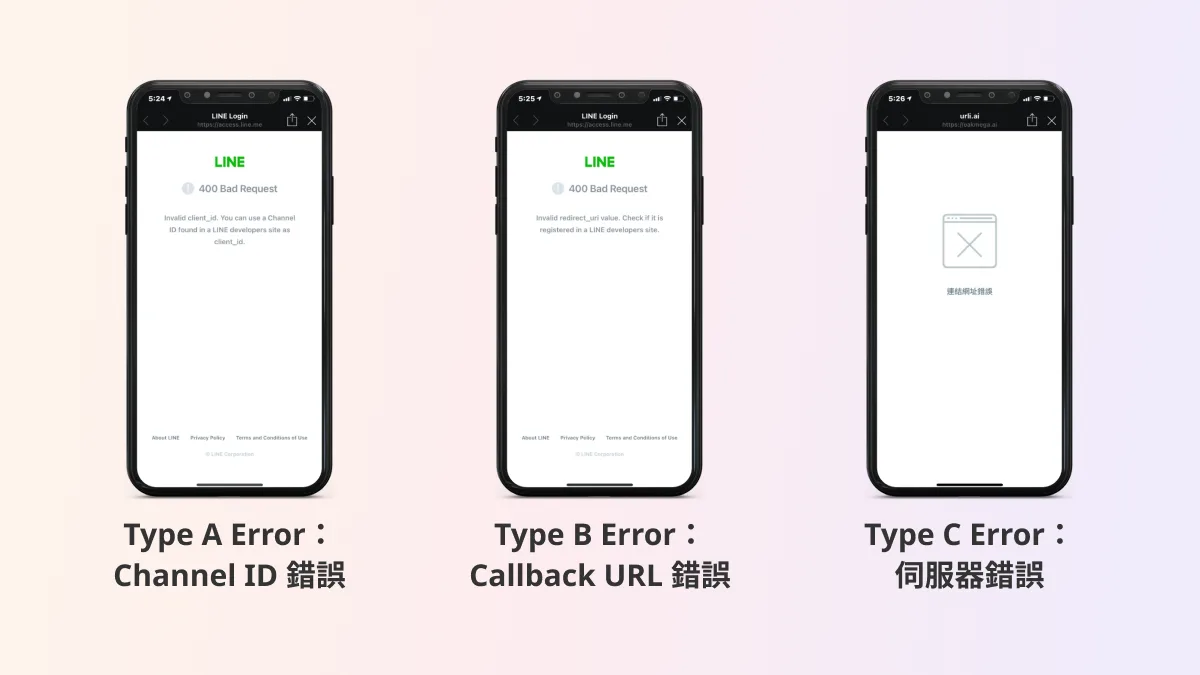
Now that you know the three types, what do you do if you actually hit one? Here's how to fix each of them:
1. Type A Error
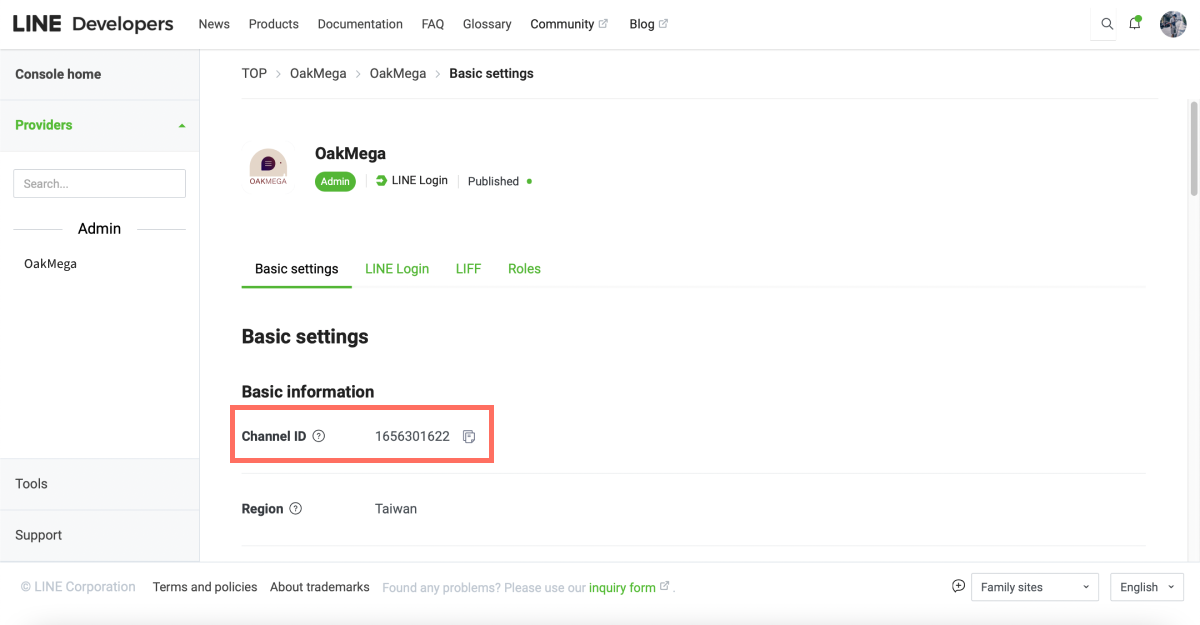
A Type A Error usually means either we gave the engineer the wrong Channel ID, or the engineer made a mistake during setup. To fix it, go to your LINE Login Channel in the LINE Developers console, double-check the Channel ID, and confirm with your engineer that the right ID is in place.
2. Type B Error
A Type B Error is similar: either the engineer provided the wrong Callback URL, or we pasted the wrong one during setup. Just go to your LINE Login Channel in the LINE Developers console and check that the correct Callback URL has been entered.
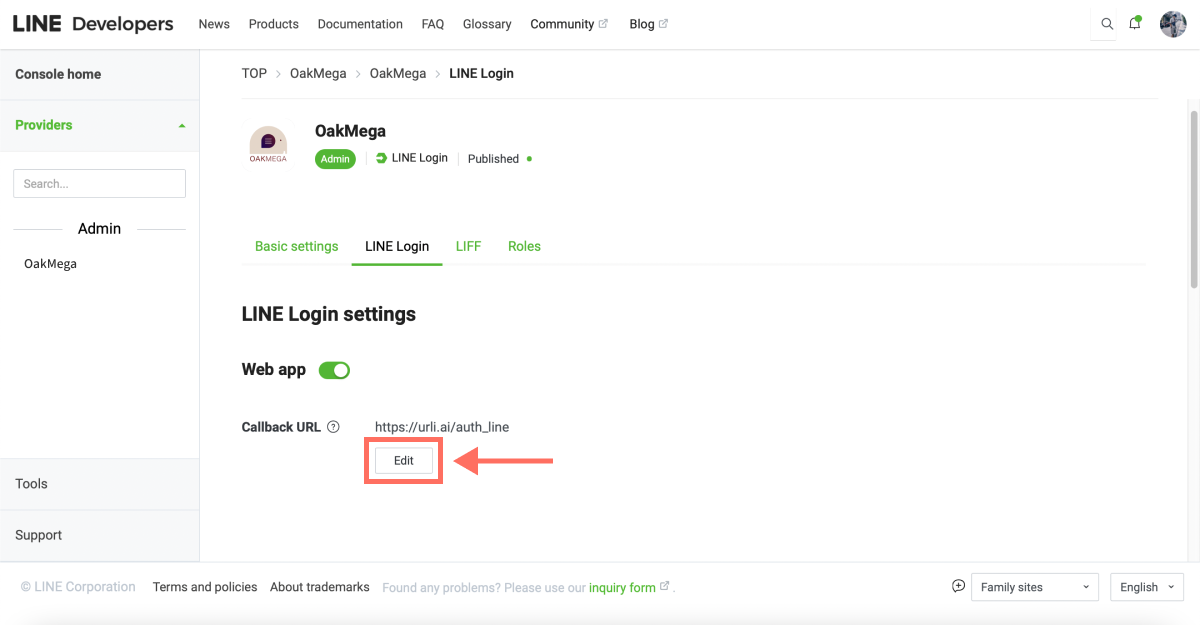
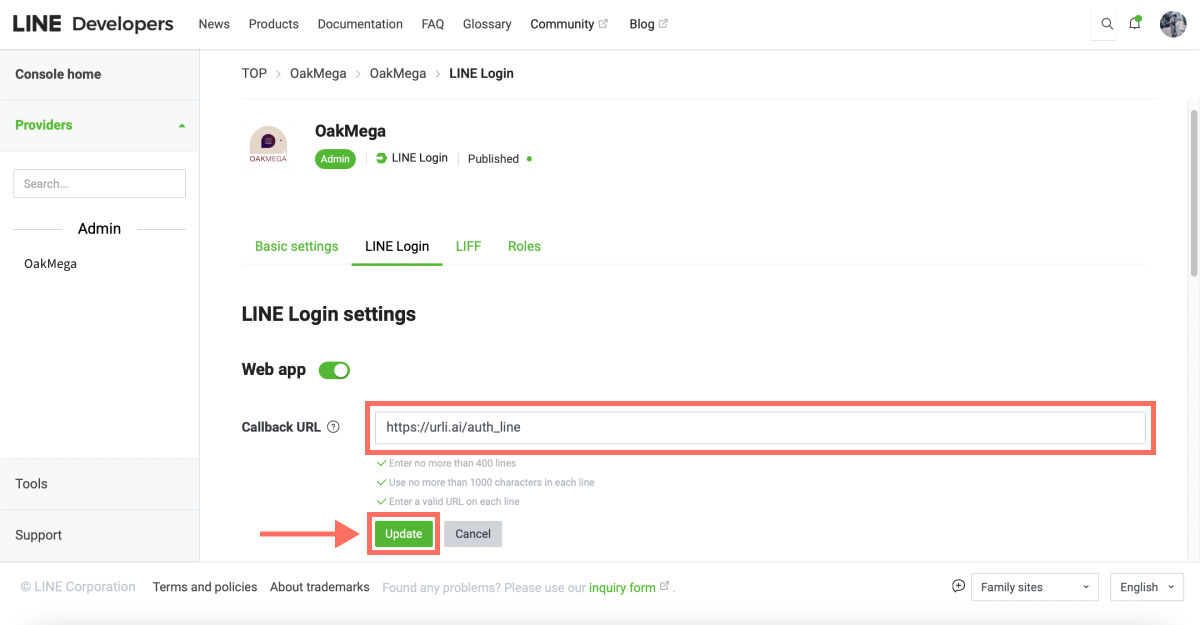
3. Type C Error
A Type C Error is almost always a configuration issue on the engineering side. The server behind the Callback URL may have its variables set up incorrectly, or something else may be causing a server error. Any of these can trigger a Type C Error.
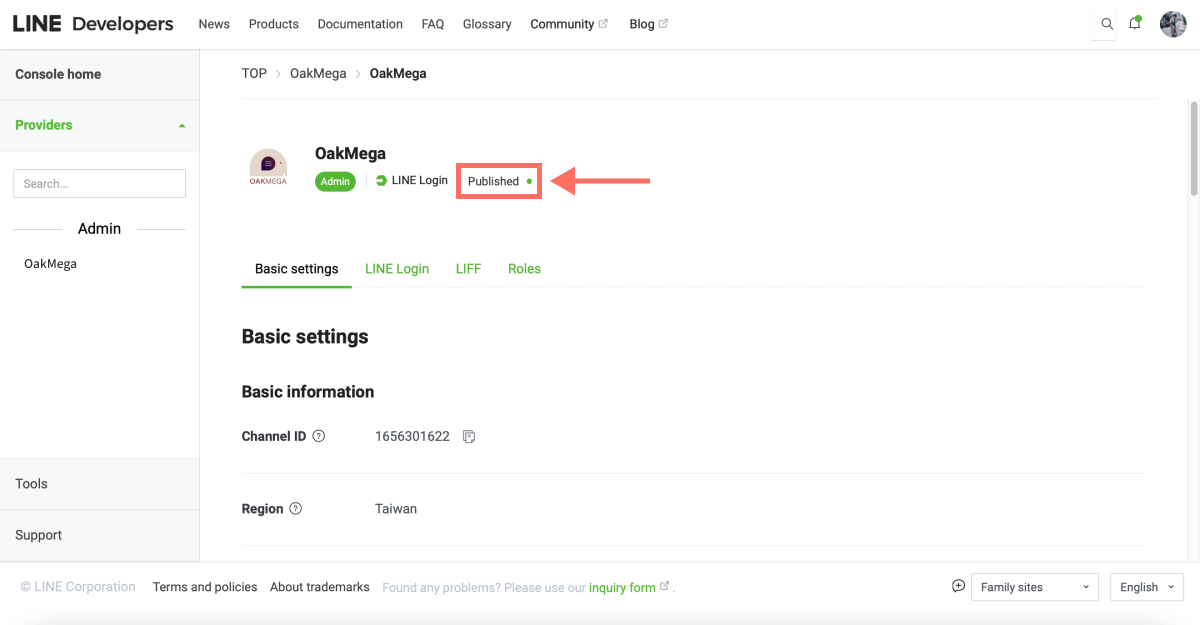
Finally, there's one mystery error that didn't make the list above, and it's worth sharing:
LINE Login works fine when the engineer tests it, and it works when you test it too. But the moment your manager or boss tries it, it just won't work.
Strange, right? So what's going on?
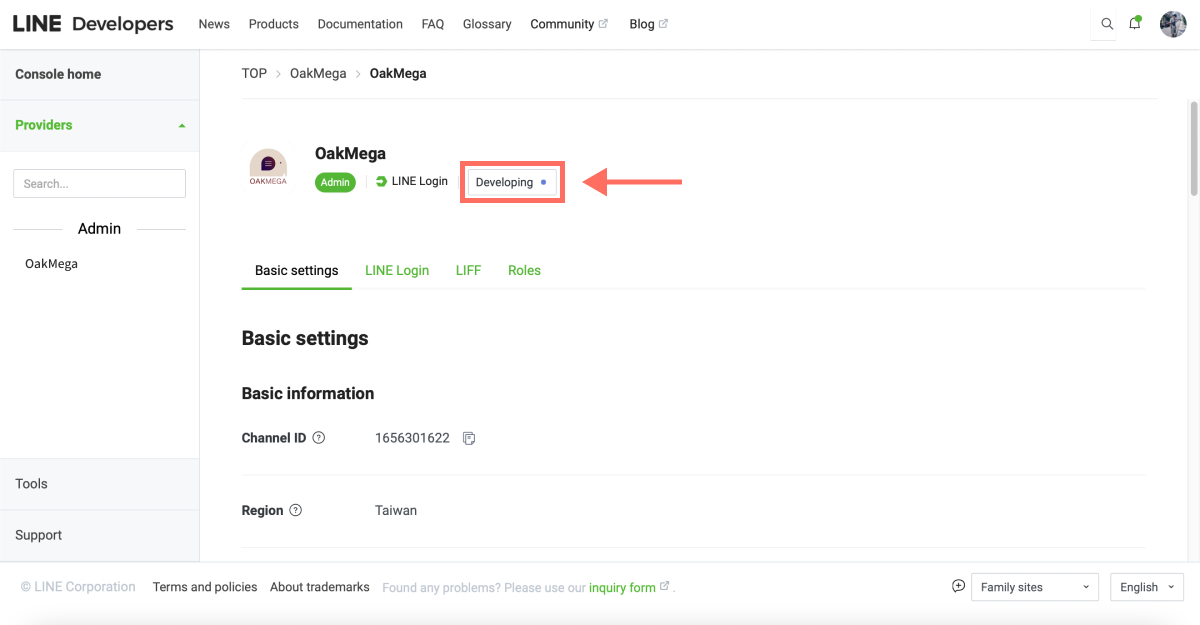
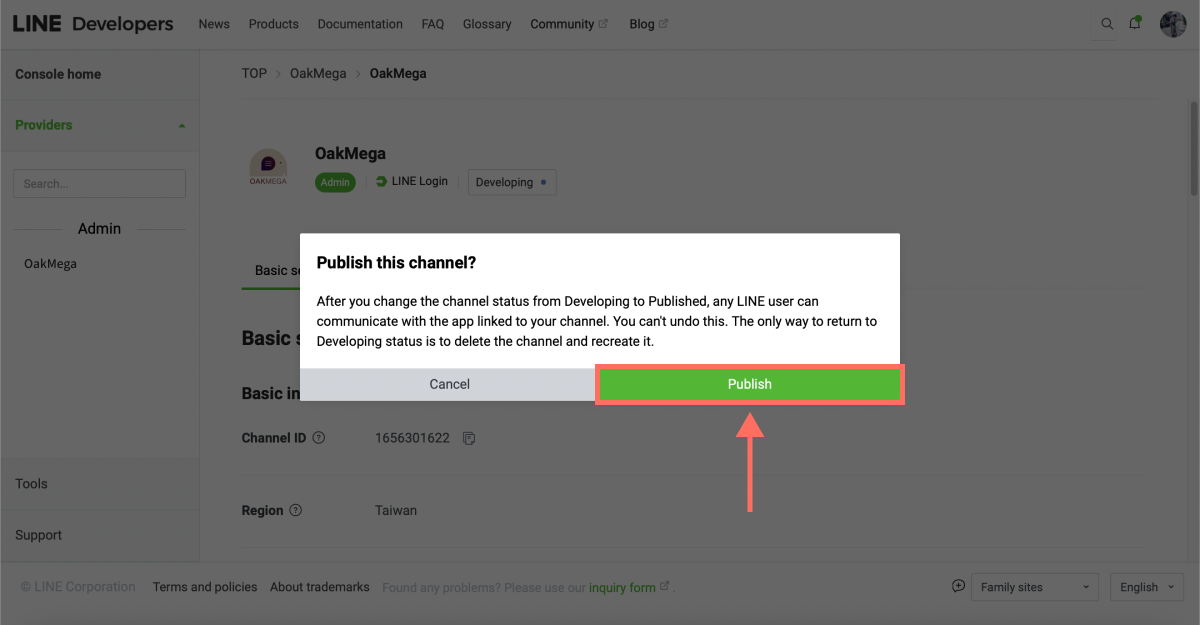
Don't panic. This usually happens because the LINE Login channel's status was never switched from “Developing” to “Published.” Check right away whether the LINE Login you're using is set to “Published”; otherwise, other users won't be able to use LINE Login to interact with your LINE Official Account!
Want more tips on running LINE? Can one LINE Login channel host multiple LIFF apps? What else can you configure in the LINE Developers console? Visit the OakMega LINE Official Account for more LINE know-how, or follow our “OakMega LINE Playbook” for step-by-step guides to building your brand's LINE Official Account from scratch.