The Art of Managing Multiple Branches on One LINE Official Account: Better Customer Experience, Stronger Brand Performance
Running many branches through a single LINE Official Account is hard. Established chains usually keep just one official account, since it is the most effective way to build a fan base and grow awareness. But handling customer service and sales for every branch inside that one account, and tracking performance and KPIs branch by branch, is a challenge many brands struggle with. Here is how to master multi-branch operations on LINE so you can manage every location with ease.
 Samuel JengHead of Product
Running many branches through a single LINE Official Account is hard. Established chains usually keep just one official account, since it is the most effective way to build a fan base and grow awareness. But handling customer service and sales for every branch inside that one account, and tracking performance and KPIs branch by branch, is a challenge many brands struggle with. Here is how to master multi-branch operations on LINE so you can manage every location with ease.
Put Branch-Specific QR Codes to Work
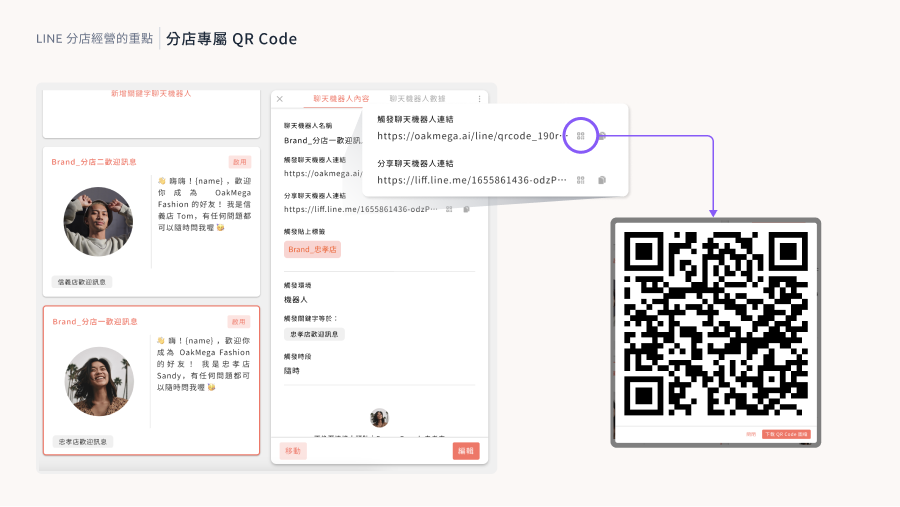
Successful multi-branch operations start with knowing which branch each LINE friend came from. The answer is a dedicated "add friend" QR code for every branch. When customers scan one, OakMega Social CRM automatically applies the matching branch tag. That gives you an instant first layer of segmentation, and with a chatbot flow set up for each branch, new friends also receive a welcome message tailored to their location.
Design Segmented Rich Menus
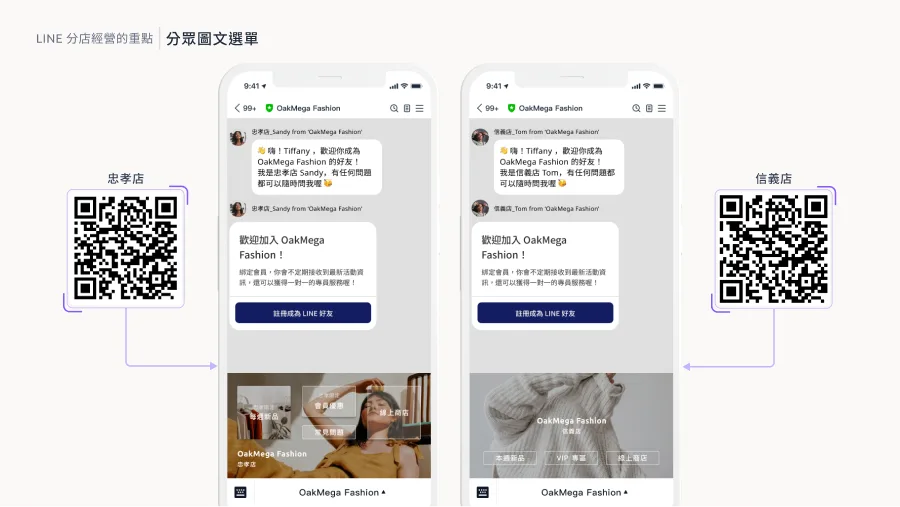
In online brand interactions, it is not enough for the brand to know which branch a friend belongs to. Friends should also clearly see which branch is serving them. You can achieve this by showing a different segmented rich menu to the friends of each branch. Each menu should keep the brand's core visual identity while clearly showing what makes that branch unique. With OakMega, a friend's rich menu updates automatically the moment they scan a branch QR code, building loyalty to both the brand and the branch.
Add a Human Touch with Custom Sender Icons
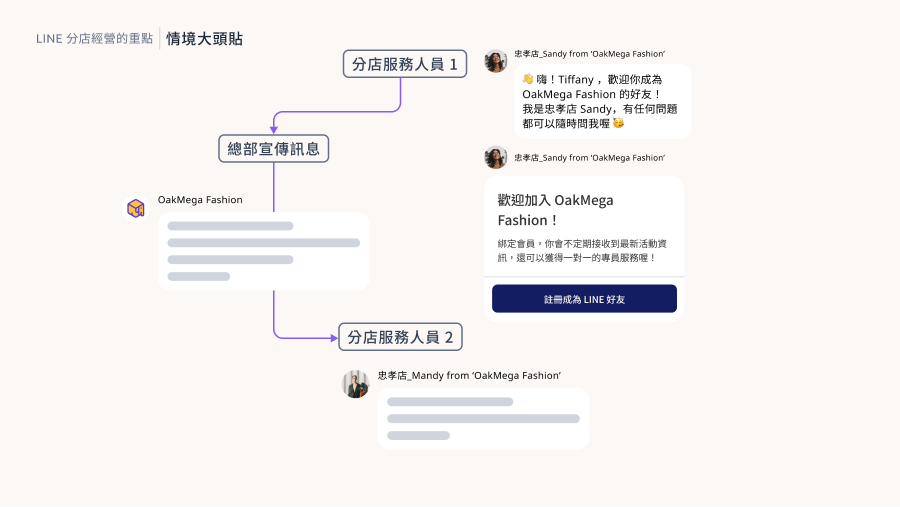
Custom sender icons are an effective way to make conversations feel more personal. They show customers whether a message comes from "branch staff" or from "headquarters promotions," and let them know a real person is on the other end. For stores with several sales and service staff, giving each employee their own sender icon matters even more. It signals professionalism and gives customers a personalized service experience.
Get More from the Service Center
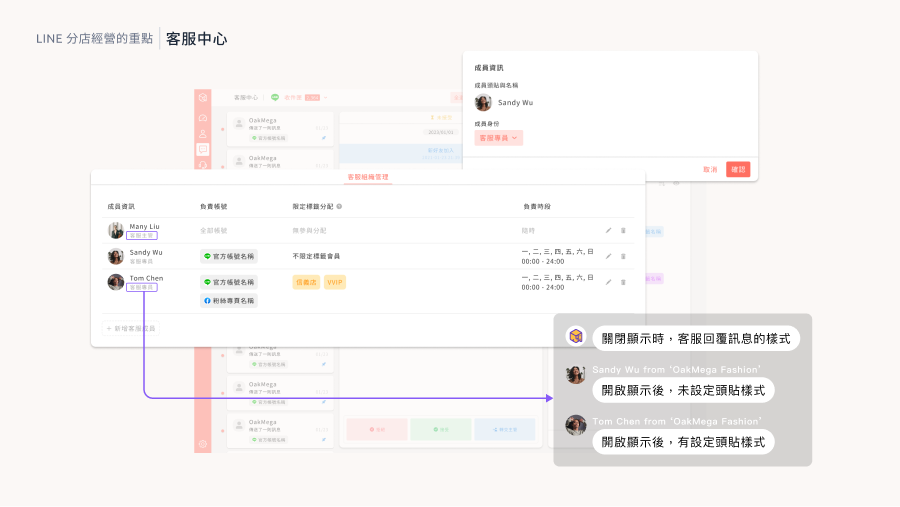
OakMega's Service Center is the ideal platform for managing customer service across branches. Its automatic assignment routes each message to staff at the right store. The Service Center also applies sender icons automatically and distinguishes between supervisor and agent roles. This setup ensures every customer gets fast, personalized service while improving overall operational efficiency.
Conclusion
Master these strategies and you can run multiple branches efficiently from a single LINE Official Account, lifting both overall brand performance and customer satisfaction. Want to learn how to put them into practice? Join our "Modules to the Power of N | LINE Marketing Module Showcase," held at the end of 2023, and get an in-depth look at the 23 modules OakMega offers to make every branch run more efficiently.
Sign up now: https://www.accupass.com/go/oakmega-marketplace