How to Create and Share Eye-Catching LINE Rich Messages: The Ultimate Guide to Brand Engagement
Want your LINE Official Account to stand out? Creating and sharing striking LINE rich messages is the key to higher click-through rates and stronger user engagement. This tutorial shows you how to easily build full-width visuals and swipeable multi-page messages that can double the reach of your messages.
 Samuel JengHead of Product
Want your LINE Official Account to stand out? Creating and sharing striking LINE rich messages is the key to higher click-through rates and stronger user engagement. This tutorial shows you how to easily build full-width visuals and swipeable multi-page messages that can double the reach of your messages.
The Magic of Multi-Panel Rich Messages
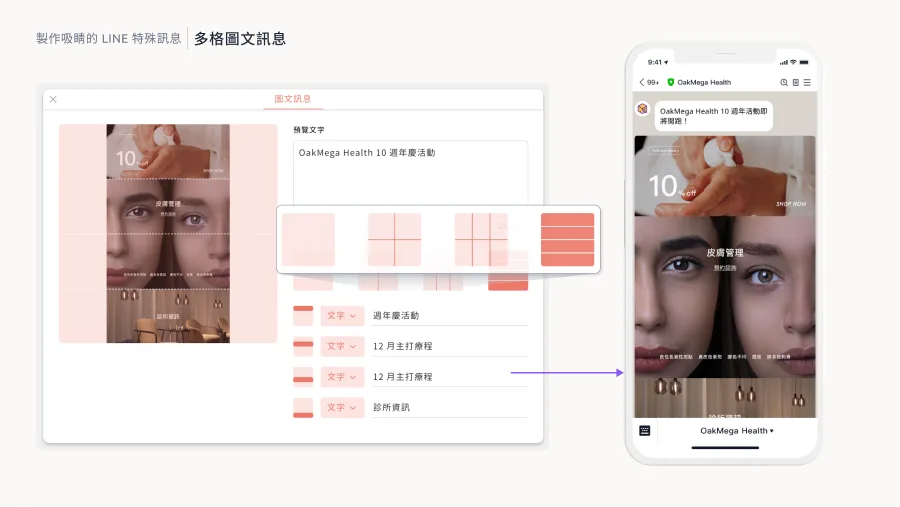
Rich messages are the most versatile and widely used message format on LINE Official Accounts. They display images edge to edge and can embed links that users tap directly, which dramatically lifts conversion rates.
The native LINE OA dashboard offers a handful of fixed rich message templates, but square images limit what you can do creatively. With OakMega's multi-panel rich message tool, you can upload images in any aspect ratio and use up to 144 clickable link areas to build feature-rich, creative multi-panel rich messages.
New Ways to Use Multi-Page Messages
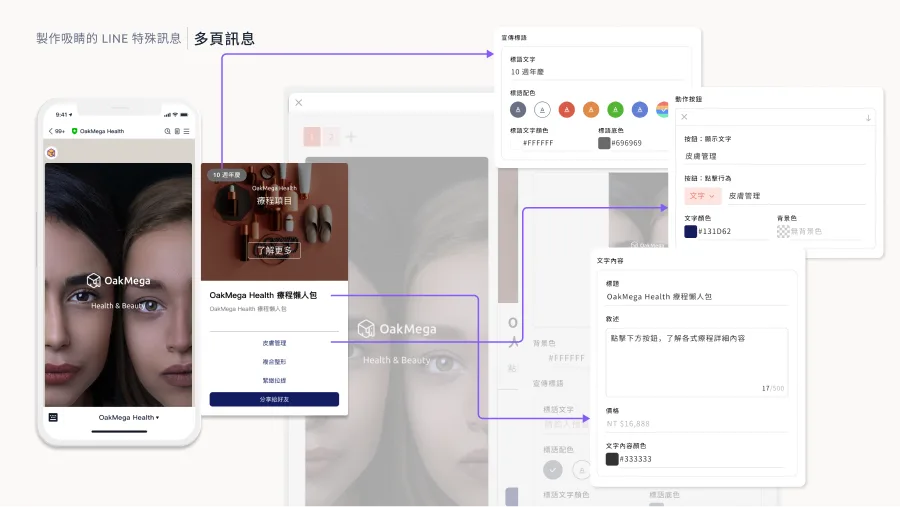
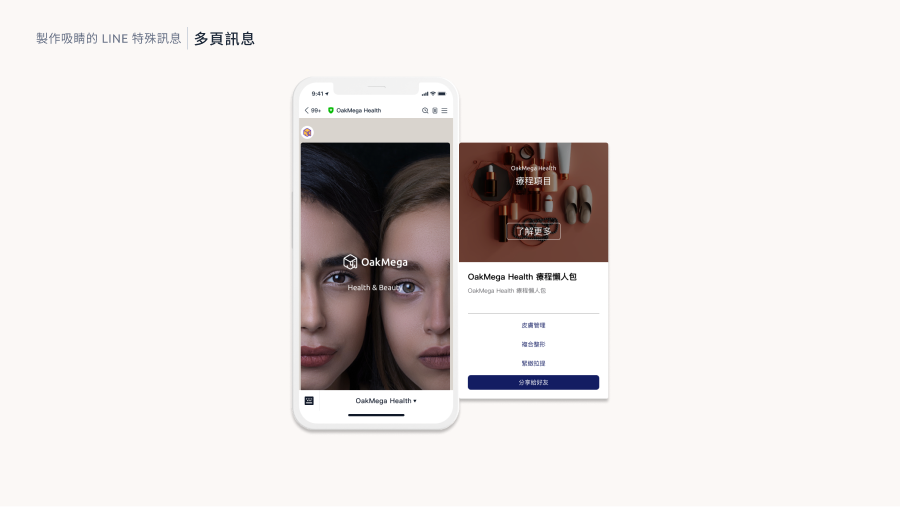
LINE's multi-page messages are ideal for showcasing several small pages that users swipe through, such as multiple products or step-by-step instructions. Users can browse freely and find the information that interests them.
The native LINE OA dashboard also supports a multi-page message format, but OakMega's version gives you more creative options. You can set different ratios and sizes and edit every page freely. OakMega also offers an industry-first fully customizable color feature, so your multi-page messages match your brand palette and create a truly unique brand identity.
Why the Share Module Matters
Even with so many special message formats, a LINE Official Account can't reach its full potential if those messages can't be shared effectively. New friends can't see past messages, and special-format messages can't be forwarded the way images can.
OakMega's share module solves this. Once it's set up, your LINE friends can share these special-format messages with their buttons still working, extending your account's reach and strengthening your brand.
Conclusion
Want to learn more ways to use these special message formats and set up the share module? Join our “Module Power Strategies | LINE Marketing Module Experience Session” on December 20, 2023. We'll walk you through the 23 modules OakMega offers so you can unlock LINE's full potential and create memorable user engagement.
Sign up now: https://www.accupass.com/go/oakmega-marketplace