Create Eye-Catching Special LINE Messages: Practical Tips to Boost Engagement and Click-Through Rates
Is your LINE Official Account still sending the same old image-and-text combos? Want to create full-screen visuals or swipeable multi-page messages that multiply your click-through rate? This guide reveals how to build and share special LINE messages that make an impression and help your content stand out in a crowded inbox.
 Samuel JengHead of Product
Is your LINE Official Account still sending the same old image-and-text combos? Want to create full-screen visuals or swipeable multi-page messages that multiply your click-through rate? This guide reveals how to build and share special LINE messages that make an impression and help your content stand out in a crowded inbox.
Build Polished Multi-Panel Rich Messages
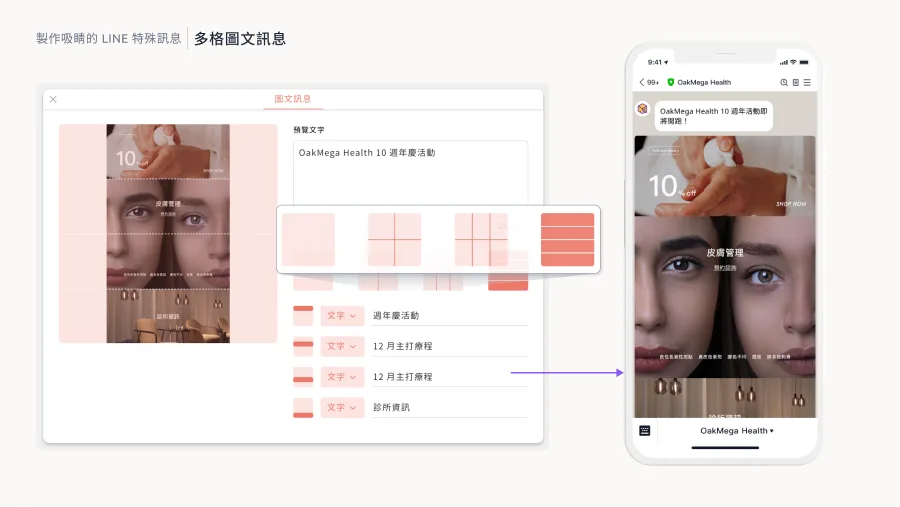
Multi-panel rich messages are among the most versatile and functional formats available on a LINE Official Account. They display images full-width on the user's screen and can include interactive links that drive conversions.
LINE OA's native dashboard offers several rich message templates, but they limit how creative you can get. With OakMega's multi-panel rich message tool, you can upload images in any aspect ratio and define up to 144 clickable link areas to create versatile, creative multi-panel rich messages.
Make the Most of Multi-Page Messages
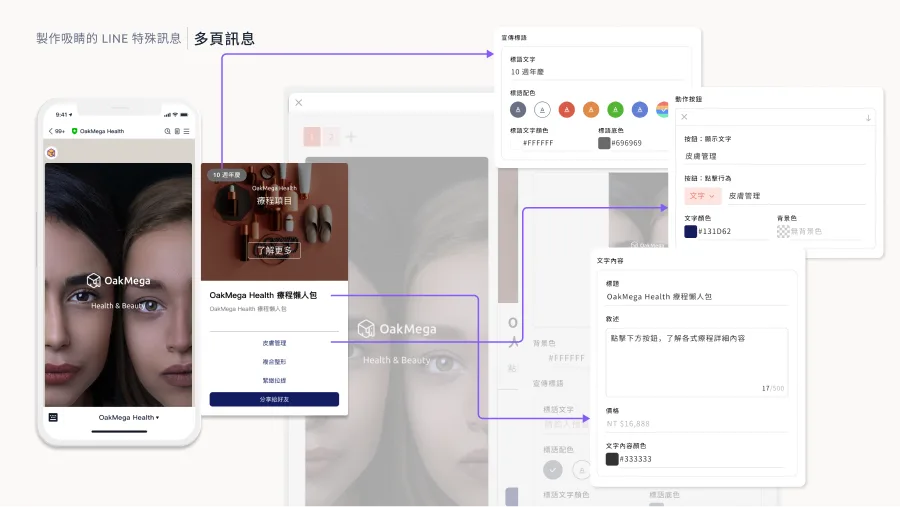
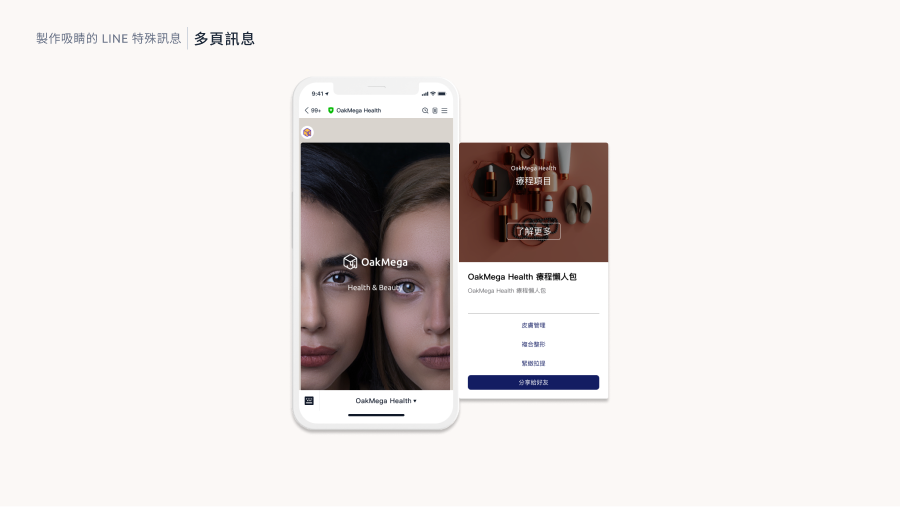
Beyond multi-panel rich messages, LINE also supports multi-page messages, ideal for presenting several small pages that users swipe through, such as product details or step-by-step instructions. This format makes messages more interactive and fun to explore.
LINE OA's native dashboard also offers a multi-page message format for uploading images and text. OakMega's multi-page messages go further with advanced customization, including different aspect ratios and sizes and custom colors for every button and line of text. That means you can create multi-page messages that fully match your brand style and delight your friends with the care you put into them.
A Sharing Strategy for Special Messages
To maximize the impact of special messages, getting them shared is essential. OakMega's sharing module makes it easy: friends can share special messages directly, with every button still working, extending your official account's reach. This strategy not only increases brand exposure but also makes your brand and message more memorable.
Conclusion
Want to learn more about creating and sharing special message formats? Join our "Modules to the Power of N | LINE Marketing Module Showcase" on December 20, 2023. We'll walk you through the 23 modules OakMega offers so you can unlock LINE's full potential and create user interactions that leave a lasting impression!
Sign up now: https://www.accupass.com/go/oakmega-marketplace