LINE Marketing Playbook: Real-Name Registration Surveys in LINE with Instant Member Management
With third-party data on its way out and privacy policies tightening, brands are putting more emphasis on building first-party data. In the post-pandemic era, most events still take place online. A real-name registration form that handles event sign-ups and compiles data in real time gives frontline marketing and sales teams a solid basis for strategy. Letting customers fill out forms directly in LINE, instead of opening a web browser through a LIFF app, helps you make the most of every touchpoint with your LINE friends.
 Howard HuangMarketing Specialist
Back in May 2021, COVID-19 surged again and all of Taiwan entered a Level 3 alert. The government quickly issued real-name registration rules to control crowd flow and slow the spread of the virus. Before the “1922 SMS contact tracing system” launched, most businesses used their own real-name registration forms, such as handwritten sign-in sheets, Google Forms, or custom fields built into their own apps.
The role of real-name forms in the post-pandemic era
As the pandemic eased and we entered the post-pandemic era, the government’s 1922 SMS contact tracing system gradually replaced real-name forms for disease prevention. But because most events still take place online, businesses still need real-name forms to some extent. On top of that, brands now face the phase-out of third-party data and stricter privacy policies, so they are increasingly focused on building their own first-party data. A real-name form that handles both event sign-ups and real-time data collection lets brands use first-party data more effectively and gives frontline marketing and sales teams a solid basis for strategy.
Real-name forms also need to be convenient for customers. Consumer journeys are increasingly fragmented and diverse, and consumers receive messages from countless brands every day. If a form is overly complex, sends users to a new page, or asks them to fill in the same details again just to capture their information, it will only make the form less effective.
The typical form-filling process
The most common approach is Google Forms. It’s quick to set up, supports exporting to Google Sheets for analysis and storage, and is familiar to almost everyone. The downside is that question design is inflexible, and it’s hard to integrate in real time with your existing CRM system and communication channels.
Open with one tap in your LINE Official Account and complete forms instantly
As mentioned above, brands now manage more and more channels. Faced with customer behavior across all of them, brands want to integrate their data so it can be activated and put to use.
Take LINE Official Accounts as an example. More and more brands are investing in LINE because it lets them interact with LINE friends in real time. If customers could fill out forms directly in LINE, without opening a web browser through a LIFF app, wouldn’t that help you make the most of every touchpoint with your friends?
OakMega Social CRM: the most powerful LINE form service
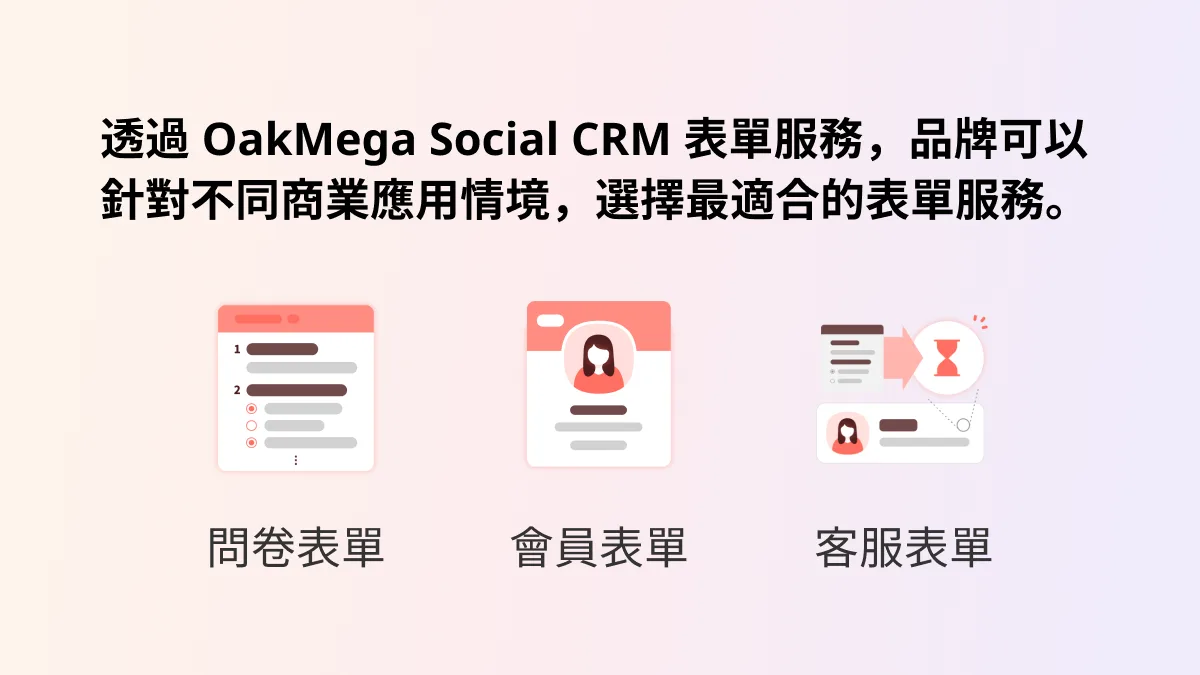
OakMega Social CRM offers brands form services on LINE for three business scenarios: “surveys, members, and customer service.”
- Choose from more than ten question types, upload your own brand banners and images, and add a thank-you message after submission so your chatbot can keep the conversation going.
- Friends’ basic details (name, email, phone number, etc.) are pre-filled in the survey fields, so they no longer need to spend time entering the same information again.
- Form activity becomes CRM data instantly. Opening or completing a form, or selecting specific question types, can automatically tag friends, and you can use these tags to retarget friends who haven’t finished the form.
- Submissions from “customer service forms” are turned into live chat messages in the dashboard so agents can handle them right away.
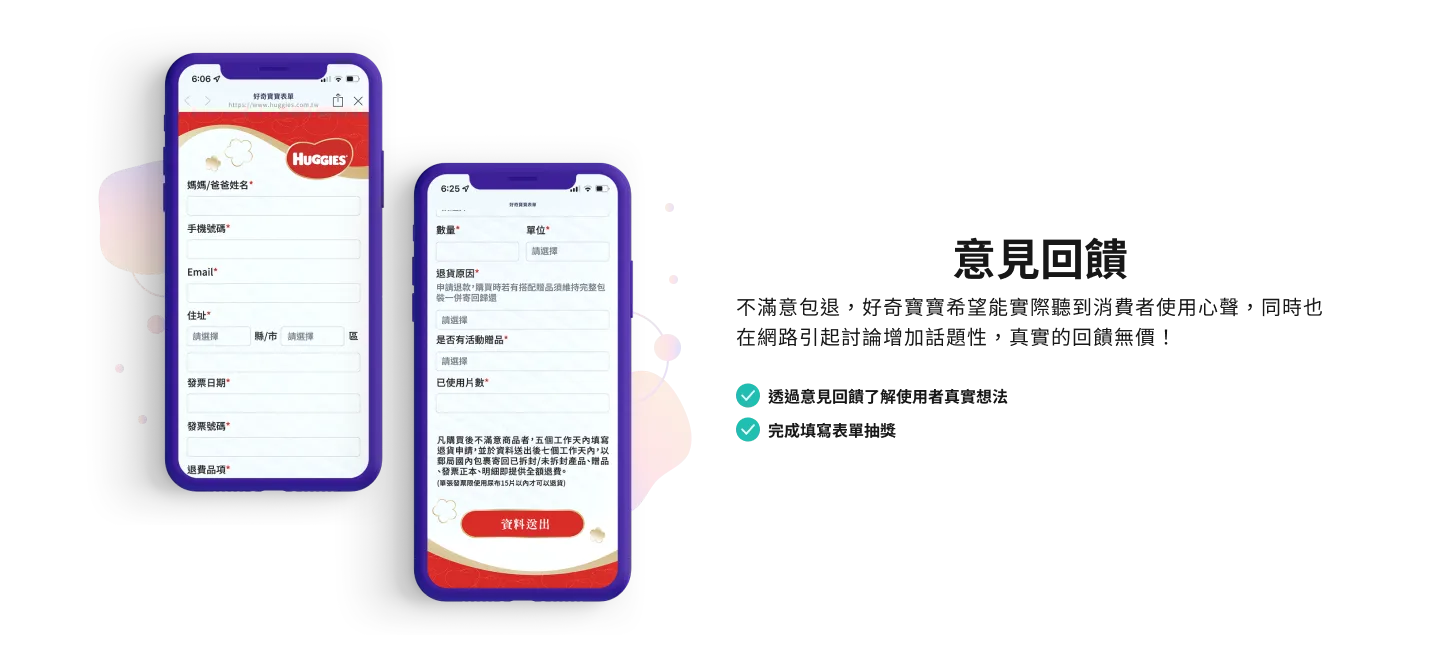
Here are a few form scenarios brands can run through LINE:
Event registration
For an online launch event, send the registration form as a LINE broadcast. When friends receive the message, they tap the “Register now” button to sign up right away, without being redirected to another page. You can collect friends’ information at the same time, handling event promotion, registration, and data storage in one place.
Personality Quizzes on LINE TAXI? Get Exclusive Photos with Popular Illustrator “Someone’s Daily Life” and Friend DiscountsLINE TAXI is likely familiar to many people. When Uber first entered the Taiwan market, TaxiGo was already well established. In 2019, LINE became its largest shareholder and renamed it LINE TAXI. Beyond a membership program that levels up with ride mileage, LINE TAXI keeps users highly engaged with a daily ride credit feature. This time, LINE TAXI asked whether shareable “photo with the character” images could be combined with sharing and claiming ride vouchers, and that idea kicked off this collaboration.https://oakmega.com/blog/line-taxi-fortune-test-campaign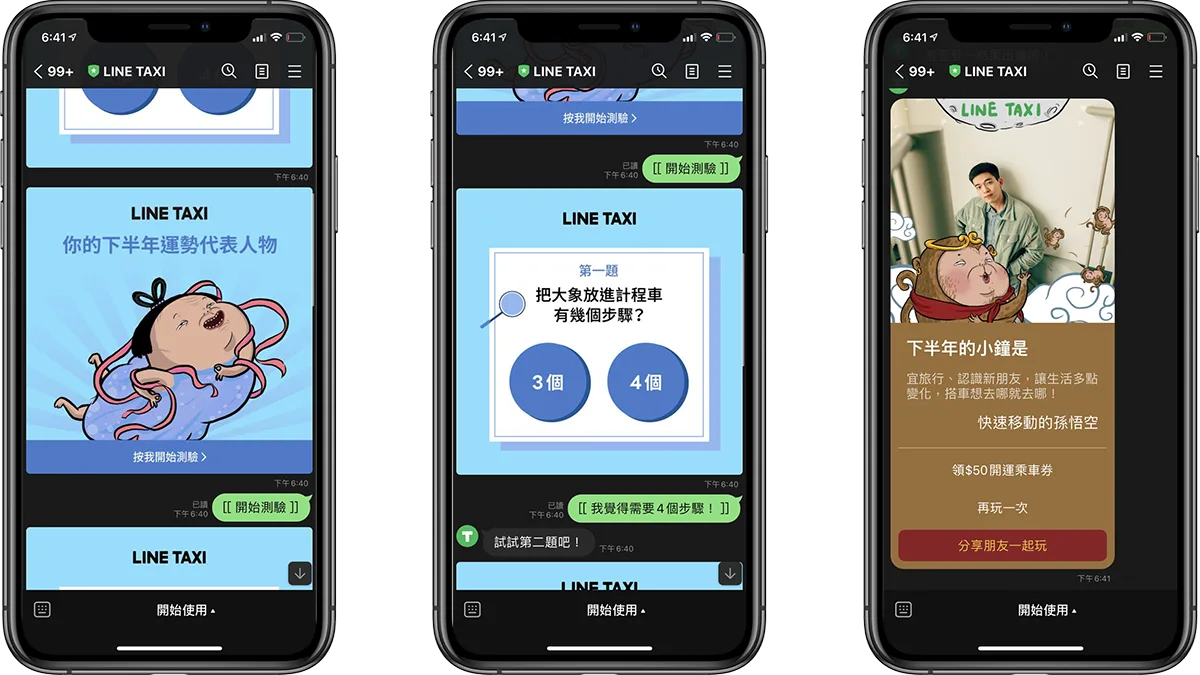
Customer service requests
Add another customer service touchpoint by setting up a customer service form directly in your LINE Official Account. Friends open the form link from a rich menu button and fill in their basic details, the issue they’re facing, and what they’ve tried so far. The dashboard then switches the friend’s status to “Pending,” so you can review their request in real time and respond right away.
Newsletter subscriptions
Connect with your existing EDM system so friends can subscribe to your newsletter with a button in your brand’s LINE Official Account and stay up to date with the latest news and product information. Their data is also synced in real time to your LINE dashboard and existing CRM system.
Conclusion
Finally, here is the “LINE contact tracing form” we made available to everyone during the Level 3 alert, as a template. It merges the form data LINE friends submit into their existing member records and lets you send LINE messages or start conversations in real time. Click the link to take a look at the form.
Completing forms in LINE makes it much more efficient for friends to fill them out. Every click during the process can be tagged for retargeting and data integration, and the moment a friend submits a form, your chatbot can automatically continue the conversation. OakMega is dedicated to building Social CRM on messaging apps. With OakMega Social CRM form services, brands can engage friends in real time, build a first-party database, and develop long-lasting VIP relationships with customers.