LINE Marketing Basics | Create Your Brand's LINE Official Account in 3 Easy Steps
Not sure how to open a LINE Official Account? You've seen brands get great results on LINE and want to start your own. Running LINE isn't as complicated as it looks — setting up a dedicated LINE Official Account for your brand takes just three steps and brings you closer to your friends.
 Howard HuangMarketing Specialist

Not sure how to open a LINE Official Account? You've seen some brands get great results on LINE and want to start your own, but worry that building content on LINE will eat up a lot of time? Don't worry. Running LINE isn't as complicated as it looks, and setting up a dedicated LINE Official Account for your brand takes just three steps. Then you can start deeper one-to-one conversations with customers and get closer to your LINE friends.
Where do you open a LINE Official Account?
Go to LINE Biz-Solutions, LINE's service platform for brands and businesses, and click Create a free account to get started.

Open a LINE Official Account in just three steps
No need to fill in piles of information or wait ages for approval. Complete the three steps below and your brand's LINE Official Account is ready:
Step 1: Go to the free sign-up page
On the LINE Business ID page, click “Create an account.”
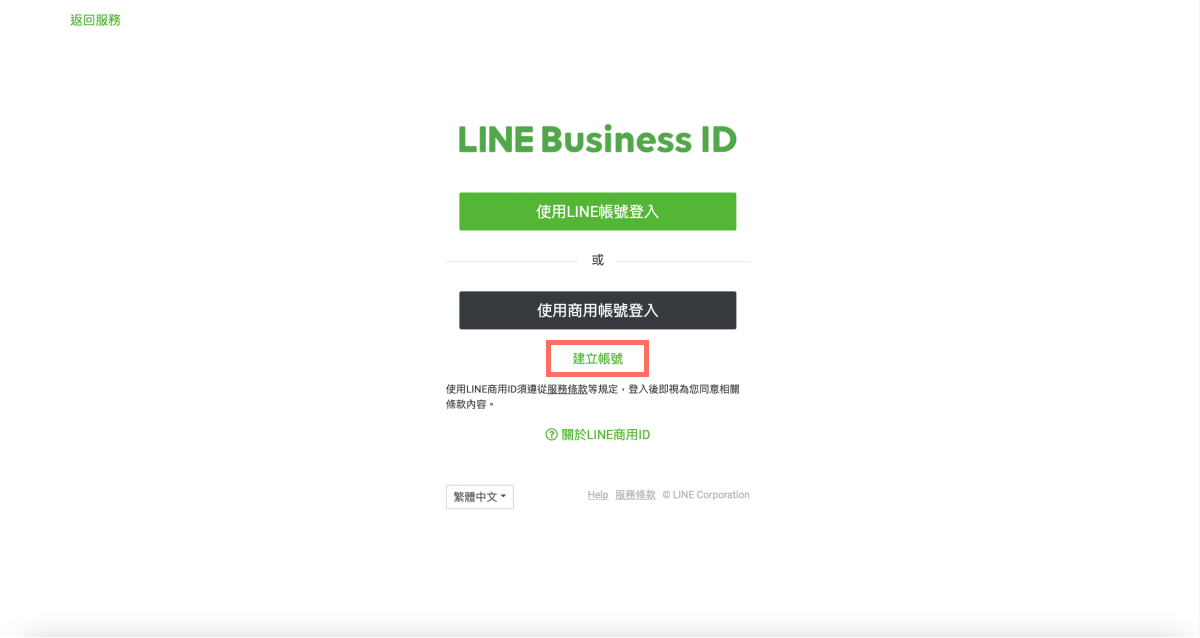
LINE Business ID is the login page for LINE Official Accounts. You can register for a LINE Business ID in two ways:
- Sign up with a LINE account
- Sign up with an email address
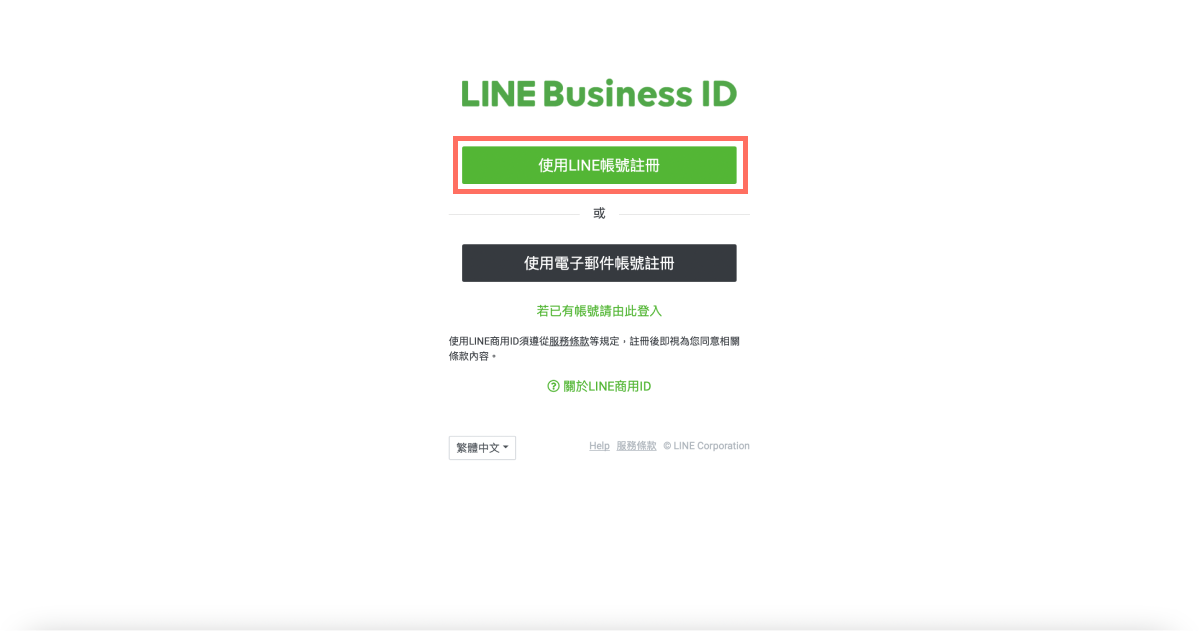
Both are quick. Here we'll walk through the LINE account option: click “Sign up with LINE account” to open the registration page.
Step 2: Fill in your registration details
- Enter your company / store information
At the top of the registration page you'll see your login details — the LINE account you just signed in with — and the country/region where the service applies.
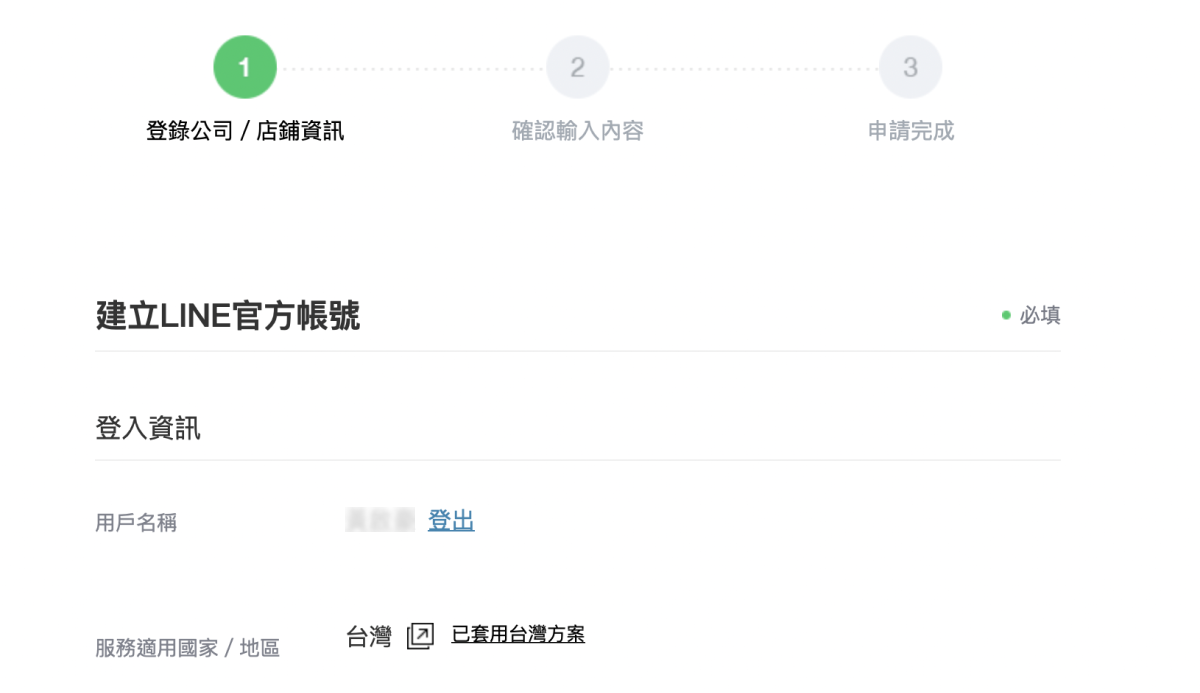
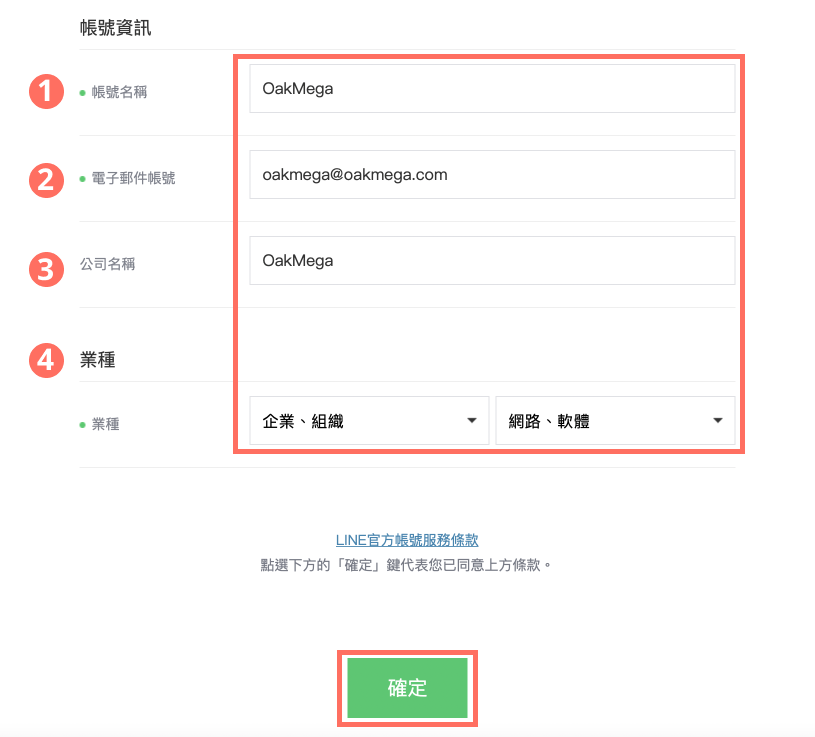
Next, fill in the following account details:
- Account name: the name shown on your LINE Official Account and visible to friends. It can be up to 20 characters and can be changed as often as you like after registration.
- Email address: enter the email of the person who manages the brand's LINE Official Account.
- Company name: enter your brand name.
- Industry: use the drop-down menus to pick your brand's main industry and sub-category.
When you're done, click “OK.”
- Review your details
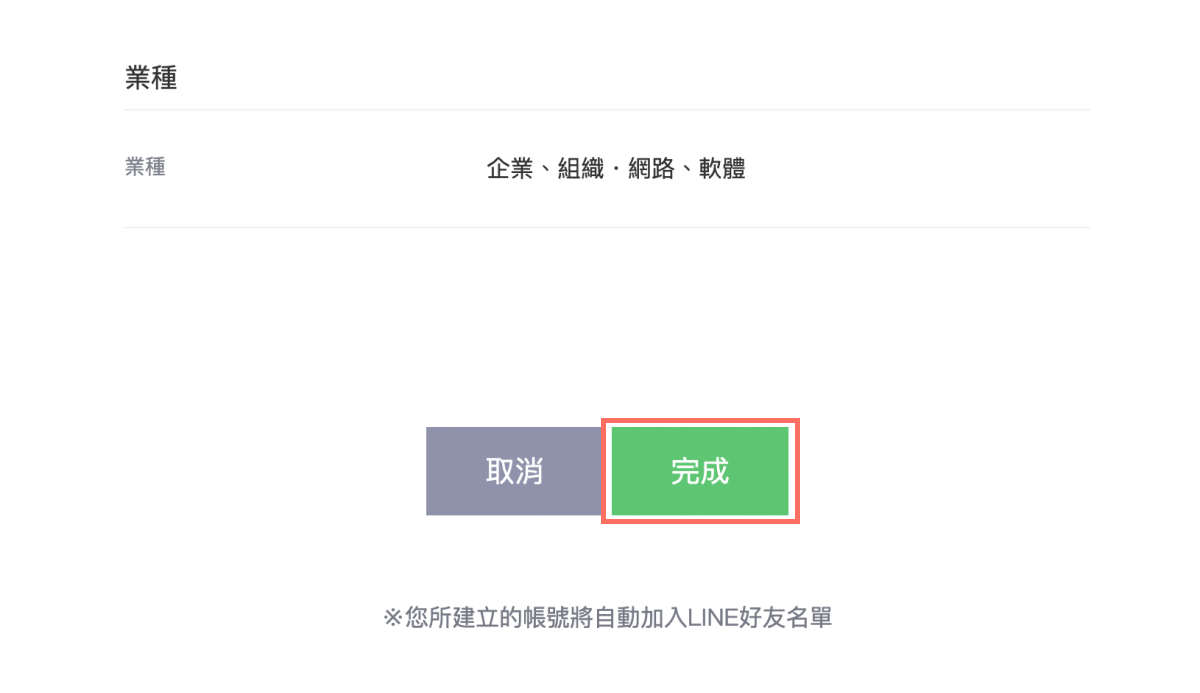
This page shows the account information and industry you just entered. Double-check everything, then click “Done.”
- Application complete
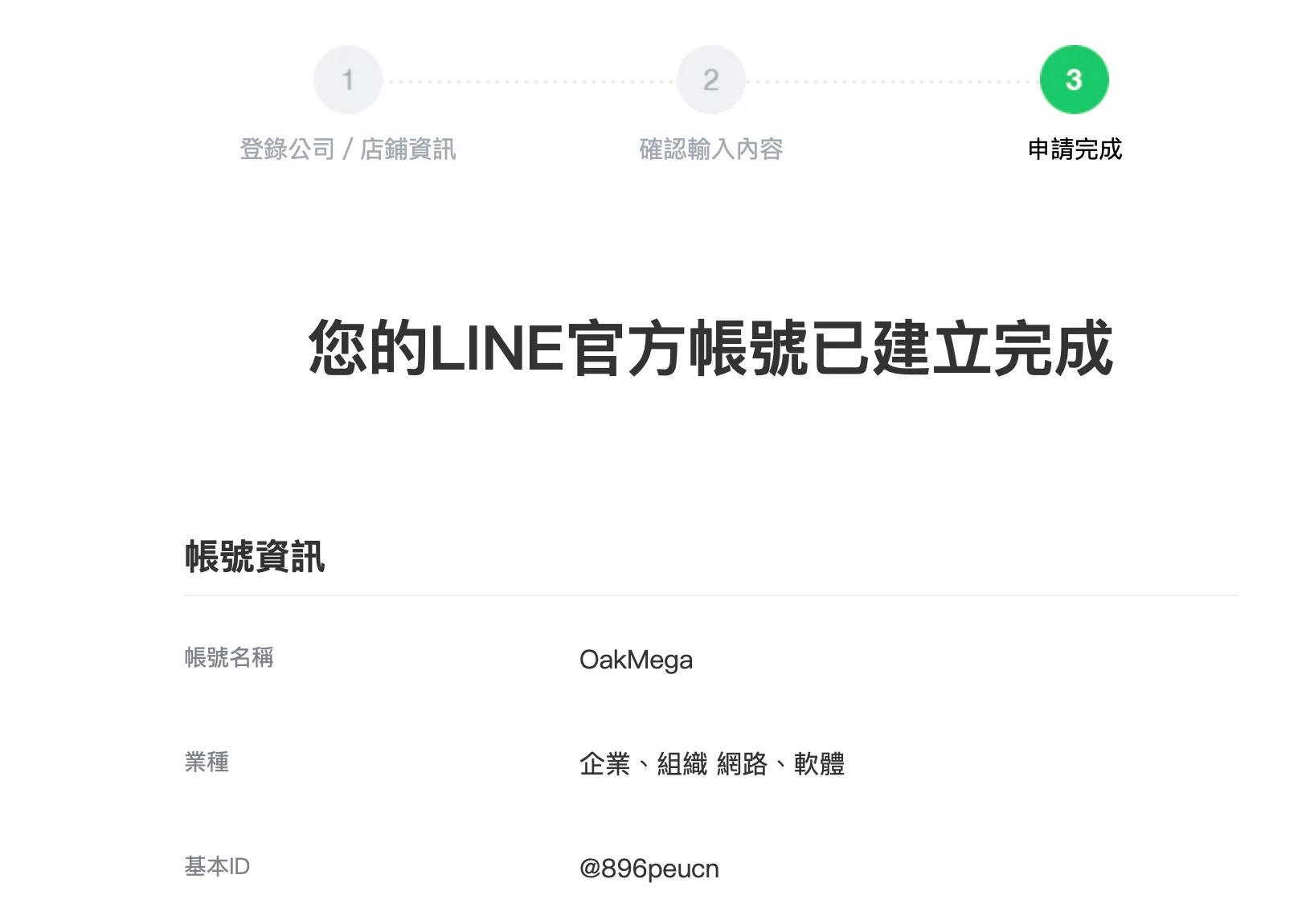
When you land on this screen, your LINE Official Account has been created! The account details below show what you entered, including the account name (which you can change anytime), industry, and your official account ID.
Step 3: Your account is live — go to the management screen
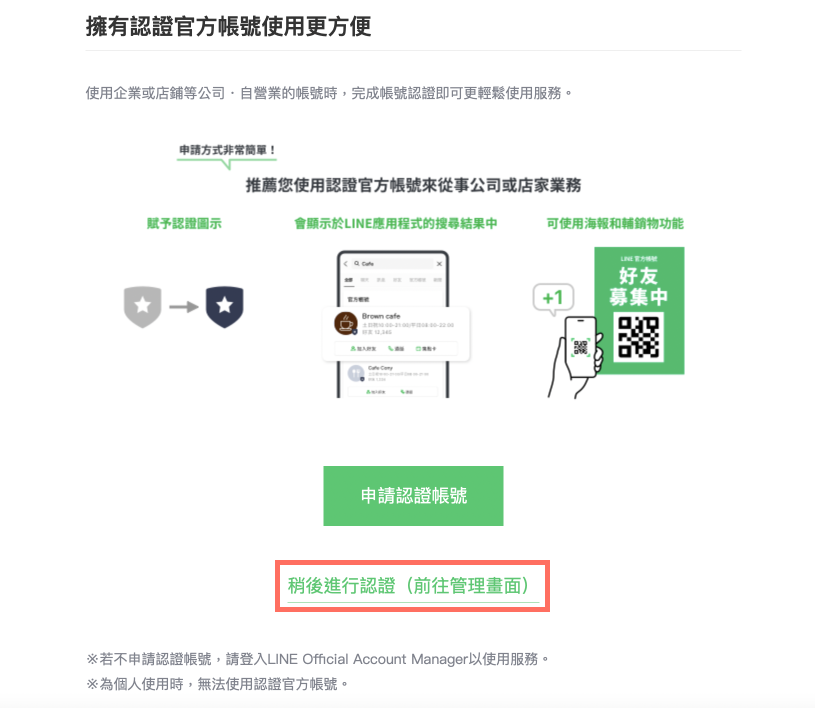
LINE will also ask whether you'd like to apply for a verified account, which gives your account a verification badge. Your account works fine without verification, so if you don't need it, you can skip this step. Click “Verify later (go to the management screen)” to open the LINE Official Account dashboard, complete your first-time setup, and start running your account on LINE!
Now you know exactly how to open a LINE Official Account. If you're curious about applying for a verified account, start with this article: “What Is a LINE Verified Account and Why It Matters”
Want more LINE marketing tips? What comes after opening your LINE Official Account? How do you update your brand information in the management screen? Head over to the OakMega LINE Official Account for more LINE marketing content, or follow our “OakMega LINE Marketing Toolkit” for step-by-step guides to building your brand's LINE Official Account from scratch.