Switch Rich Menus in One Click: Three Industry Use Cases for Segmented Rich Menus
If you want to send segmented broadcasts to different audiences on your LINE Official Account, rich menus are a must. By building rich menus that suit different friends and pairing them with segmented broadcasts, every friend receives content that fits, which makes them stick with your Official Account. Below we introduce three ways brands use segmented rich menus to give LINE account managers more ideas for setting up and using rich menus.
 Howard HuangMarketing Specialist
If you want to send segmented broadcasts to different audiences on your LINE Official Account, rich menus are a must. By building rich menus that suit different friends and pairing them with segmented broadcasts, every friend receives content that fits. This makes friends stick with your Official Account and drives traffic to more destinations.
Has a Single Rich Menu Stopped Being Enough? Try Segmented Rich Menus to Drive Traffic in More Directions!Last time, we shared how to design a branded rich menu as the first point of interaction when friends visit your LINE Official Account. Now let's dig into another strength of rich menus: driving traffic. By building multiple segmented rich menus, you can match the behavioral profiles of different audiences and give friends more ways to interact with your brand. Pair them with segmented broadcasts and campaigns on your other channels to raise click-through rates and drive traffic to more destinations!https://oakmega.com/blog/create-your-segment-rich-menus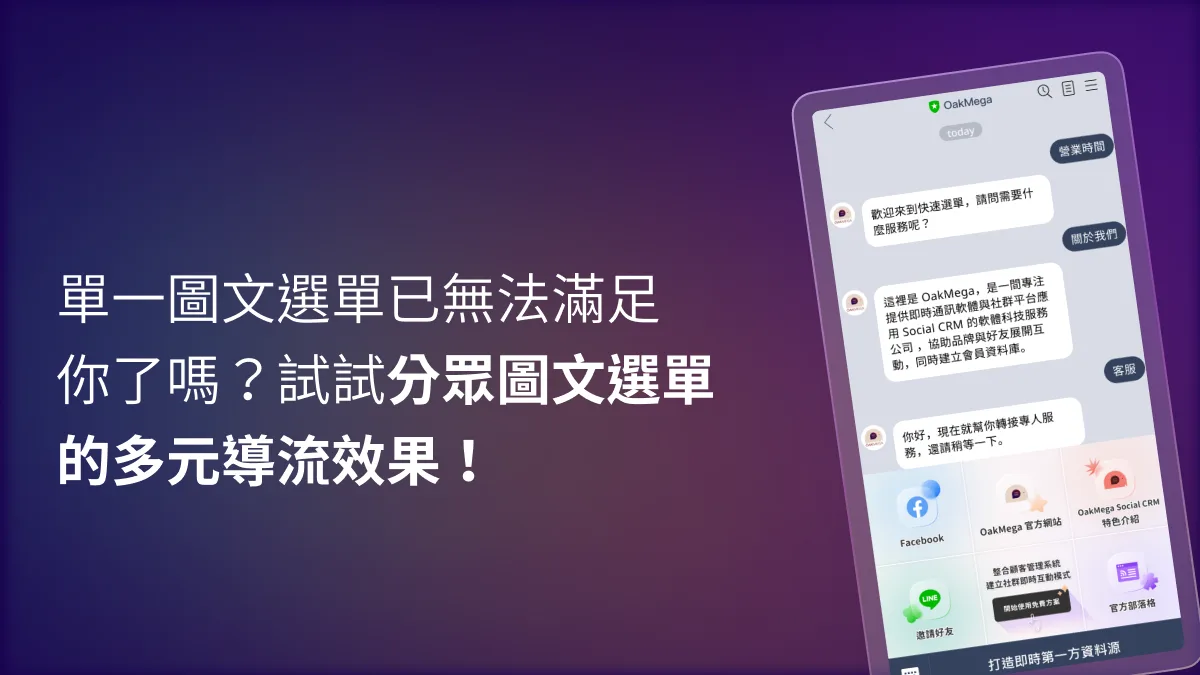
Below, we introduce three ways brands use segmented rich menus to give LINE account managers more ideas for setting up and using rich menus.
How Can Rich Menus Help You Achieve Segmented Broadcasting?
You may have noticed that LINE Official Account Manager can only apply one rich menu to all friends at a time. You can save several menus in the dashboard and set a “Display period” (使用期間) to switch between them using the “Scheduled / Published” (預約 / 公開) and “Not set” (待設定) statuses, but you cannot show different rich menus to different friends at the same time.
So if you have already segmented your friends with tags and click tracking, does that mean you can't show them different rich menu content for effective segmented broadcasting?
In fact, LINE recently launched a segmentation add-on service for LINE Official Accounts. LINE account managers on the mid- and high-volume paid plans can tag friends based on their behavior, and the service includes the ability to switch rich menus for friends with different tags. Every friend sees a rich menu that suits them, and tapping the matching menu buttons makes them stick with your Official Account.
You can also complete the Messaging API setup and use the rich menu features of a third-party provider such as OakMega Social CRM. This also lets you show different rich menus to different friends, with more setup options and faster configuration.
LINE Account Basics | How to Set Up a LINE Rich MenuLast time we explained what a LINE rich menu is. When friends open your LINE Official Account's chat screen, the rich menu is the first thing they see. We believe a good rich menu can drive customers to your brand website, serve as an entry point to online campaigns, and build a strong brand image. So how exactly do you set up a rich menu in the LINE Official Account dashboard? Follow the steps below to set up a LINE rich menu in the web version of LINE Official Account Manager!https://oakmega.com/blog/create-line-rich-menus
Three Industry Use Cases for Segmented Rich Menus
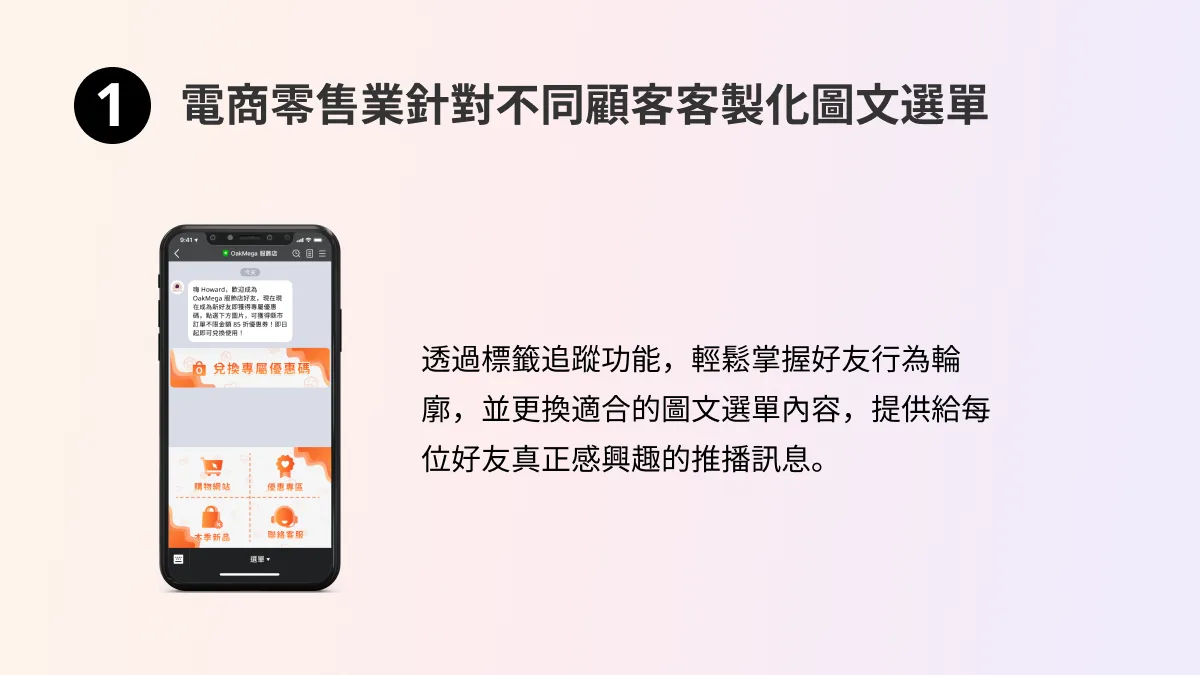
1. E-commerce and Retail: Custom Rich Menus for Different Customers
The pain point for e-commerce and retail is understanding each customer's interests. With third-party cookies on their way out and consumer privacy on the rise, brands need alternative ways to track customers so they can push product information people actually care about, and even send remarketing messages such as abandoned-cart reminders.
By interacting directly with customers through a LINE Official Account, you can use tags to understand friends' profiles and switch each customer to a dedicated rich menu. Changing the buttons on the rich menu delivers the product information friends want: a workday essentials section for office workers, say, or a skincare section for women. This cuts the cost of one-off mass messaging and increases customer value through effective segmentation and broadcasts.
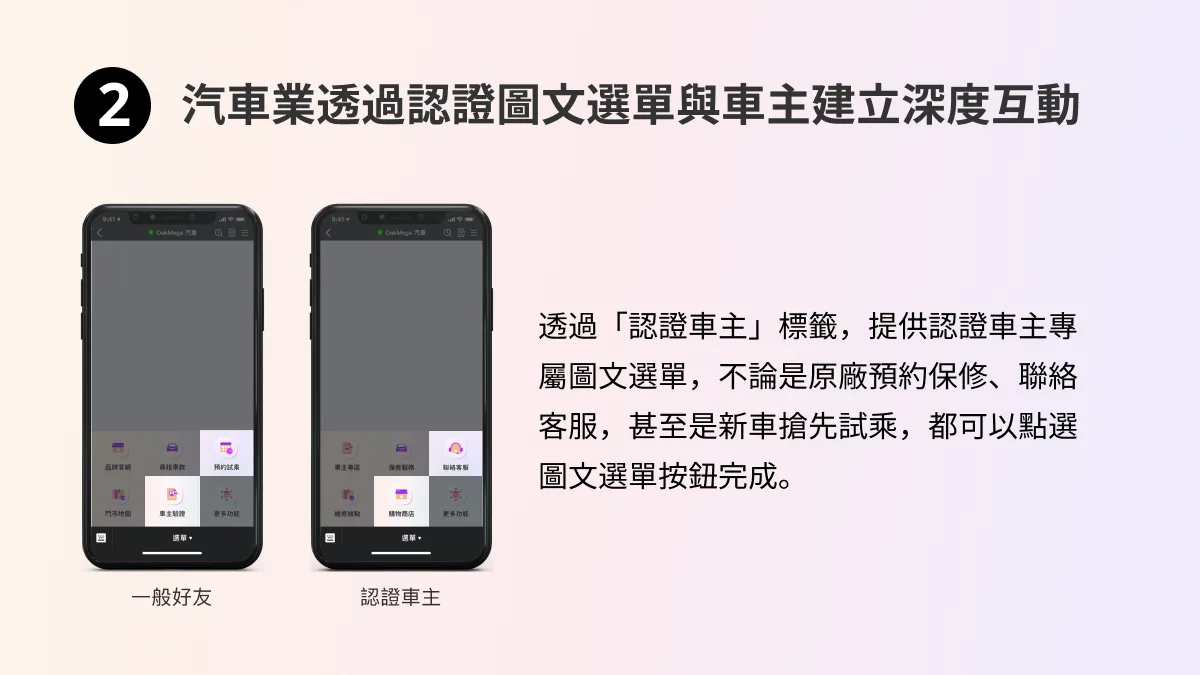
2. Automotive: Building Deeper Relationships with Owners Through Verified-Owner Rich Menus
After a car is sold, owners often need to contact the automaker for maintenance and repairs, to reach the service center, or to book a test drive of a new model. Traditionally, automakers have relied on their sales reps to maintain relationships with owners, but because it's hard to keep track of every owner's situation, problems often go unresolved for too long.
Once owners complete verification in the LINE Official Account, you can tag them as “verified owners” and switch them to an owner-only rich menu. Based on each owner's history, you can then send maintenance booking reminders and test-drive information for new models. This lets you tell the general public apart from owners and build deeper customer relationships with owners.
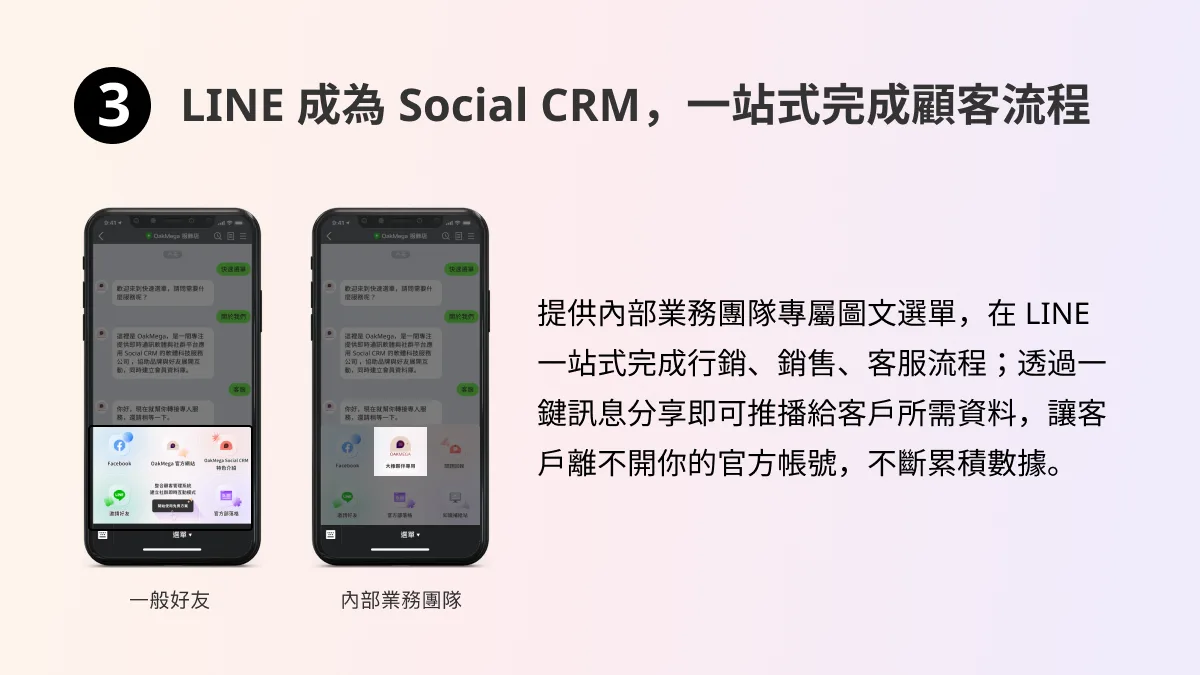
3. Turn LINE from a Marketing Tool into a Social CRM and Handle the Entire Customer Journey in One Place
Beyond switching rich menus for different customers, brands can turn LINE from a marketing tool into a Social CRM tool. Give internal teams, such as your sales team, their own rich menu, with buttons that provide the materials they need when working with clients.
Sales reps can then use one-click message sharing to quickly send those materials to clients through the LINE Official Account. This increases engagement with clients, and the information clients clicked, the materials they showed interest in, and the questions they asked are all consolidated in the LINE Official Account dashboard, so marketing, sales, and customer service truly happen in one place.
One-Click Rich Menu Switching with OakMega Social CRM
Showing different rich menus to different friends and pairing them with segmented broadcasts delivers the right content to each friend. OakMega Social CRM lets you switch rich menus in one click. For example, friends who added you by scanning a QR code at an offline exhibition can get an event-only rich menu, or friends can see a Christmas-themed rich menu at the same time they receive your Christmas greeting. This deepens engagement with friends, makes your broadcasts truly targeted, and keeps your customer relationships growing.