Manage LINE Friends with Ease: Three Things You Need to Know About LINE
As the organic reach of Facebook and Instagram fades, many companies and brands are turning to LINE. But a LINE account without member management is missing a leg: it can nurture relationships, yet the data can't sync straight back to your database. LINE has some great advantages: messages go directly to your friends without passing through an algorithm, so they land right on their phones.
 ILING WuProduct Marketing Manager

As the organic reach of Facebook and Instagram fades, many companies and brands are turning to LINE. But a LINE account without member management is like a table missing a leg: it can nurture user relationships, yet the data can't sync directly back to your database.
LINE has some great advantages. Messages go straight to your friends without an algorithm deciding who sees them, so they land directly on their phones.
Still, people may block an account when the messages aren't relevant to them, or right after downloading a free sticker. To keep relationships going on LINE, you need advanced features and personalized content that give friends a reason to keep following your Official Account.
What Can LINE Do Beyond Sending Messages?
LINE now offers far more than messaging. Beyond a range of message formats for different needs, plenty of brands already use campaign features such as lucky draws, event registration, and coupons.
These features give friends more reasons to stay and more incentives to add you in the first place. They help your friend count grow fast while keeping block rates down, so people don't just add you once for a deal and then block you.
Here are the key points to keep in mind as you run your account:
- Avoid overly formulaic content
- Personalize your messages
- Offer killer features
Below, we walk through each one to help you get up to speed with running a LINE account.
Avoid Overly Formulaic Content
In the past, a flood of ads in LINE Official Accounts drove block rates sky-high. Beyond getting users to add an Official Account, many brands still struggle with how to keep engagement and retention going.
LINE is a messaging app. How do you chat with your friends in a messaging app?
❌ “This week's deals: ⚡️Intensive Skincare Set: buy the moisturizing serum, get 5 sheet masks free”
⭕️ “Hi Jannie, looking for the right sheet mask? You might like our ⚡️Intensive Skincare Set”
Formulaic content that has nothing to do with the reader quickly becomes spam. Add some warmth instead. Make it feel like chatting with a friend and recommending something you genuinely like.
A few small touches make your messages feel more personal:
- Address friends by name for a warmer tone
- Write conversationally instead of using stiff, formal language (for example, a casual “you” instead of an overly polite form of address)
- Give friends a chance to interact: a simple question with a few options can boost engagement
Personalize Your Messages
As your LINE friend count grows, messaging costs climb and keep pushing up your marketing spend. Segmentation is now a basic capability. Once you can tag friends by interests and behaviors, you can send more targeted messages based on their preferences. This has several advantages:
- Lower block rates: friends rarely block messages that match their interests
- Higher conversion rates: content that matches their preferences is more likely to get clicked
- Built-in engagement: end each message with something to interact with. Buttons and quick replies work well, raising engagement and creating more chances to convert
Personalized messages deliver more precise information to friends. They help you understand your friends' profiles, and friends don't feel like they are getting yet another ad. Recommending products they like keeps them engaging and browsing in your account.
Offer Killer Features
With every brand building its own app, the bar for downloading one keeps rising. Asking friends to “download the app > sign up > fill in their details > claim a coupon” is enough to make many people give up. But what if you used LINE, the app people in Taiwan know best?
We changed the flow to “scan a QR code > fill in details > claim a coupon.” The key is that friends don't need to download an app. Everything happens in the LINE Official Account, and the whole process takes about five minutes.
The details they enter are saved to their profile, so you can see where your friends shop and when they use coupons. With features like receipt-upload lucky draws, you can even learn which items they bought.
Building these advanced features into your LINE Official Account gives friends more reasons to use it, makes them less likely to block you, and as long as they don't block you, you have more chances to start conversations.
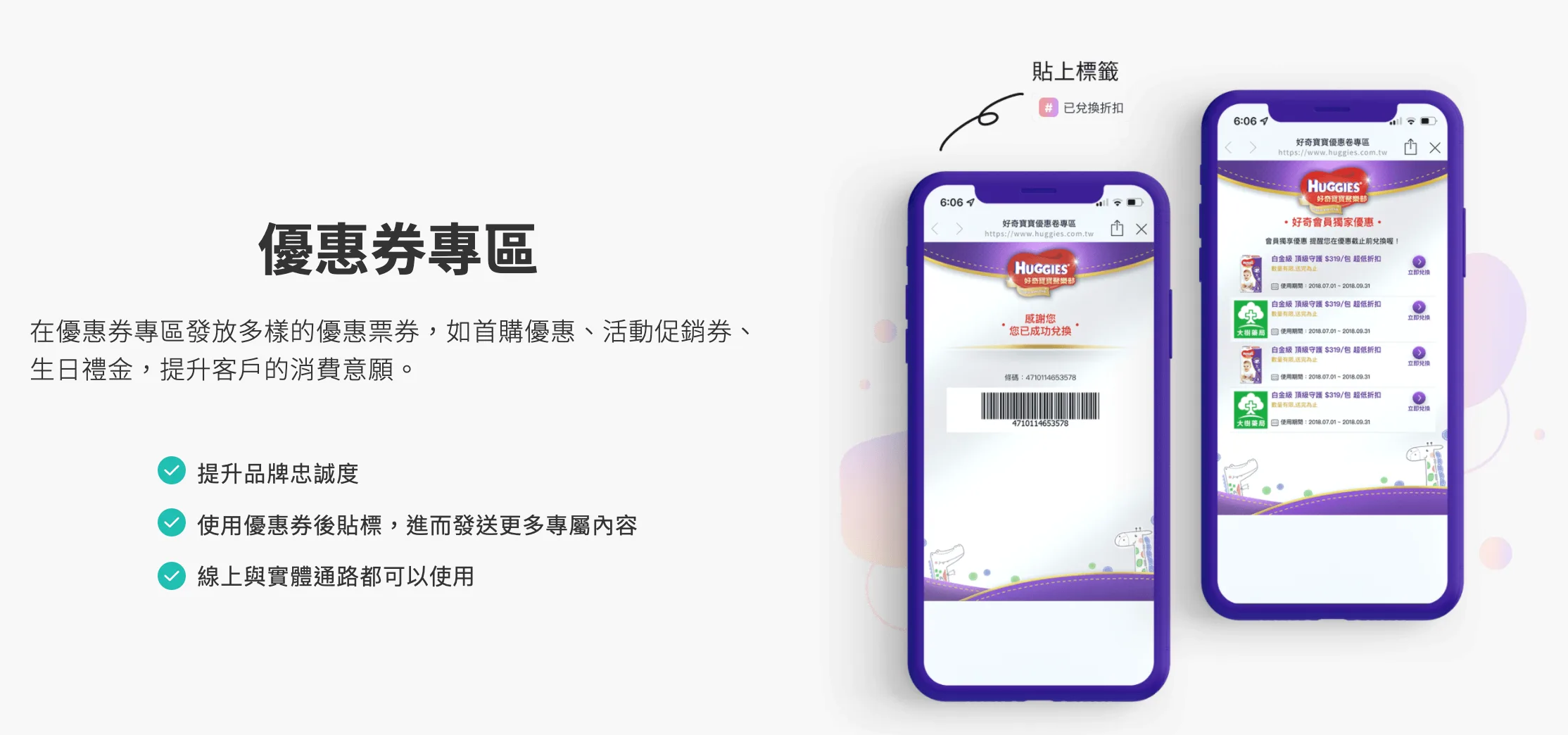 Huggies offers member linking and a coupon section inside its LINE account
Common LINE features include:
- Member area: purchase history, points lookup, and a digital membership card in one place
- Coupons: occasional coupons exclusive to LINE friends
- VIP features: online maintenance and repair services for car owners from automakers, or online repair requests for residents from property developers
- Free tools: for example, the OakMega Official Account lets you create your own digital business card through a LINE form
These exclusive features give friends more reasons to stay. Because they use them regularly, they are even less likely to block your Official Account, and marketers can seize the opportunity to understand their friends' profiles more clearly in many ways.
Global Leader in Baby Care | HuggiesCare that goes beyond protection: remembering every moment of a baby's life, connecting to a CRM to understand moms' needs, delivering tailored content, and sending automated broadcasts based on each baby's growth stage.https://oakmega.com/huggies-case-study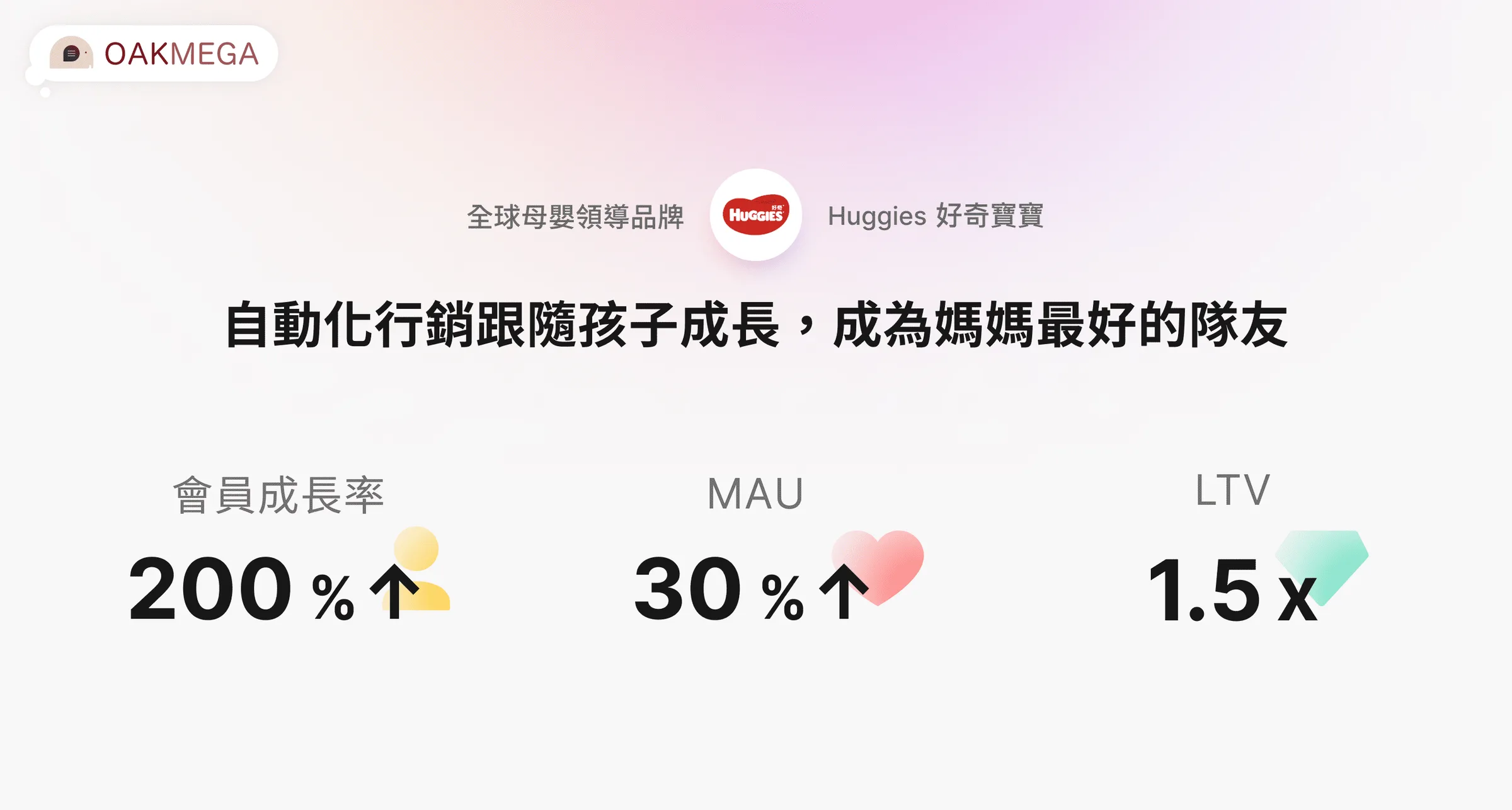
Conclusion
More and more brands are launching LINE Official Accounts. To stand out among tens of thousands of accounts, you need something special: added value beyond the basic features, which also makes friends more willing to engage with your brand.
This time we've put together a complete health-check table so you can review how your Official Account is performing, along with recommendations to help you run your LINE account better. Click the info section below to learn more.