Advanced LINE Guide: How to View Chat History with Friends on Your LINE Official Account
“How do I see my chat history with friends in the LINE OA Manager?” Almost every account manager runs into this. When a friend asks a follow-up question, you need to look back at the earlier conversation to get up to speed fast. Here’s how to find your chat history with friends in LINE Official Account Manager.
 ILING WuProduct Marketing Manager

“How do I see my chat history with friends in the LINE OA Manager?” Almost every account manager runs into this. When a friend asks a follow-up question, you need to look back at the earlier conversation so you can pick up the support thread quickly.
Here’s how to find your chat history with friends in the LINE OA Manager.
How to view chat history with friends in LINE Official Account Manager
Step 1: Open LINE Official Account Manager
Sign in to LINE Official Account Manager and click the “Chat” tab in the top menu.
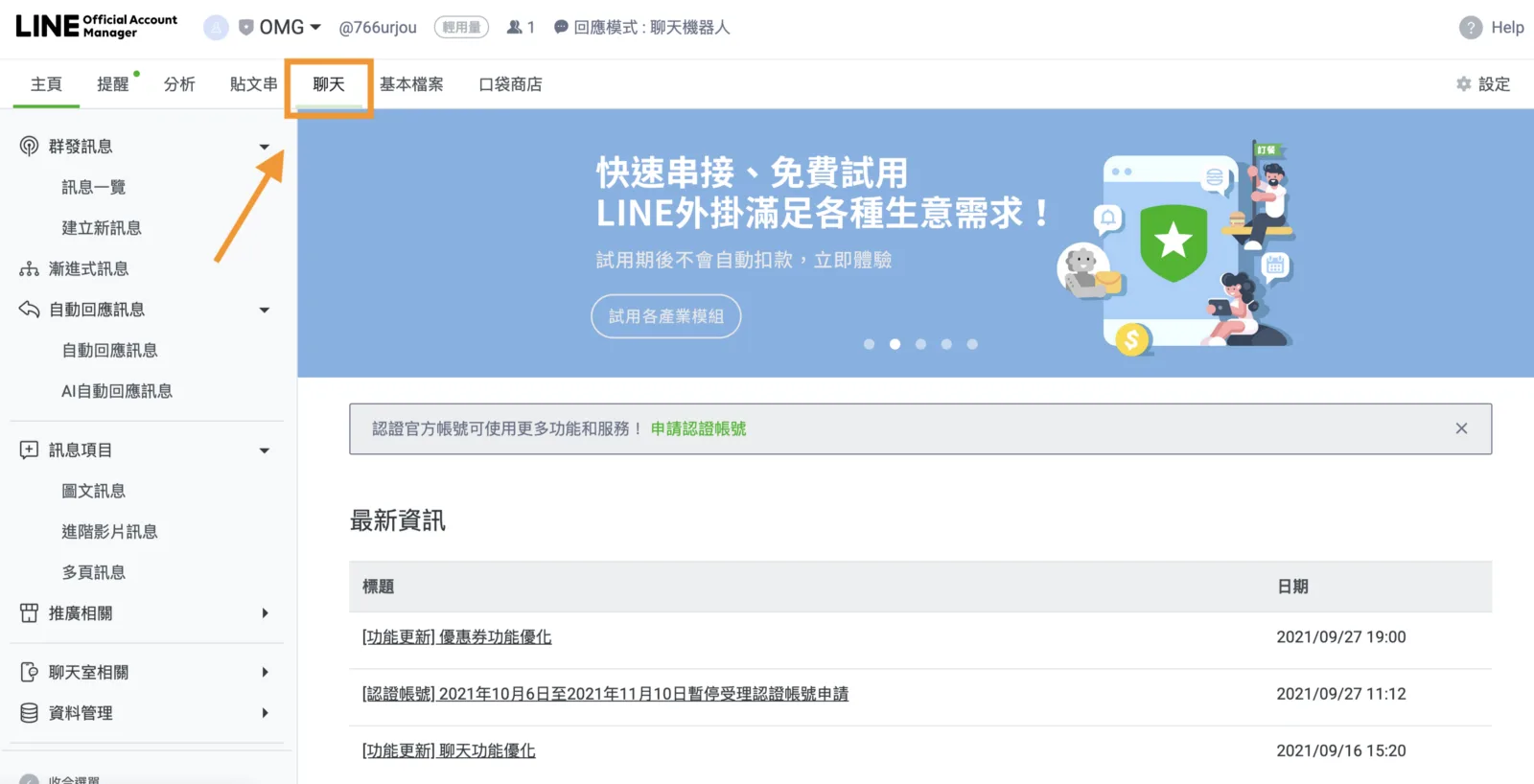
If your LINE Official Account’s response mode is currently set to Bot, LINE will show a notice reminding you to switch response modes before you can see your chats with friends.
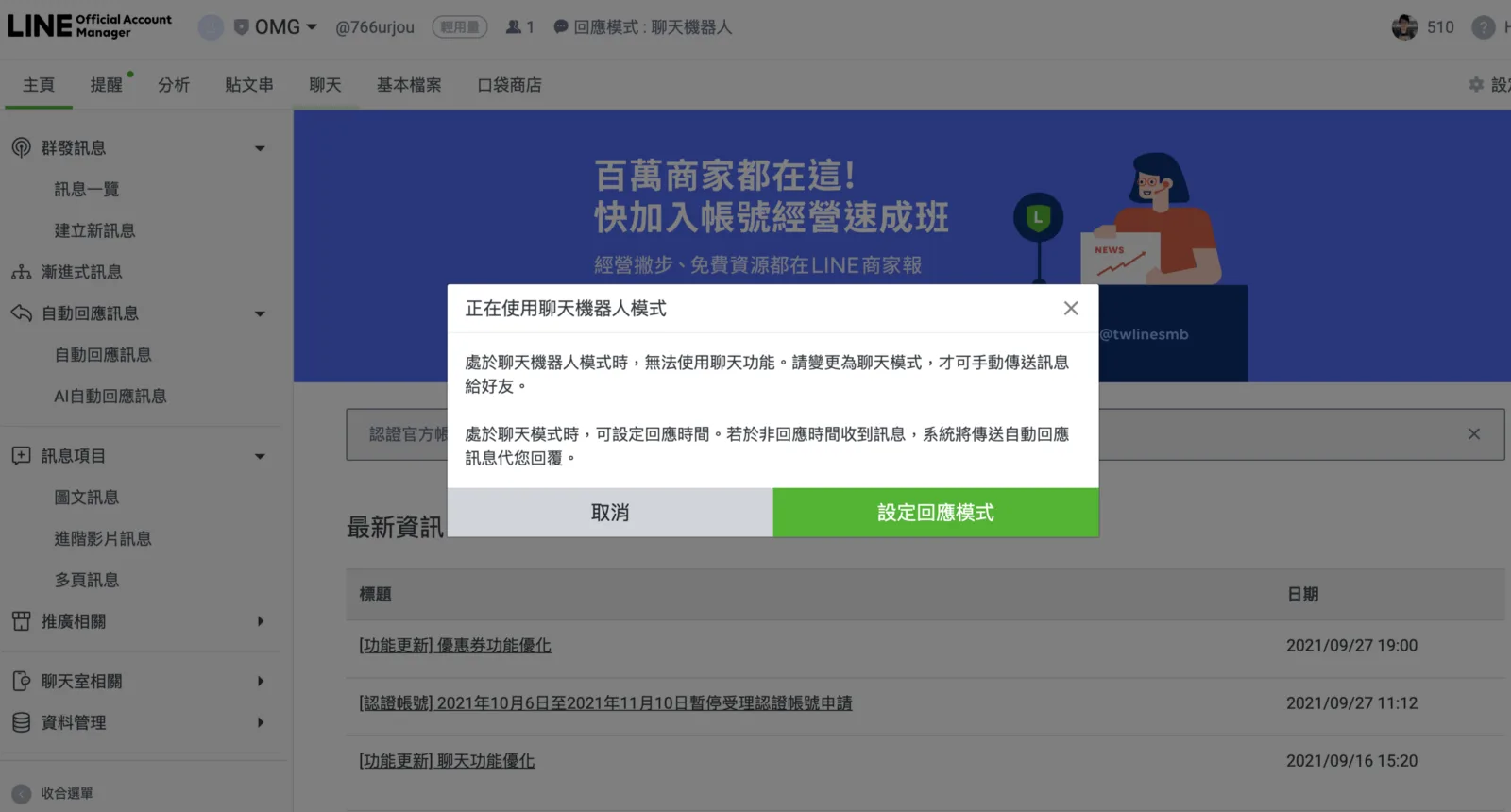
Step 2: Set the response mode to Chat
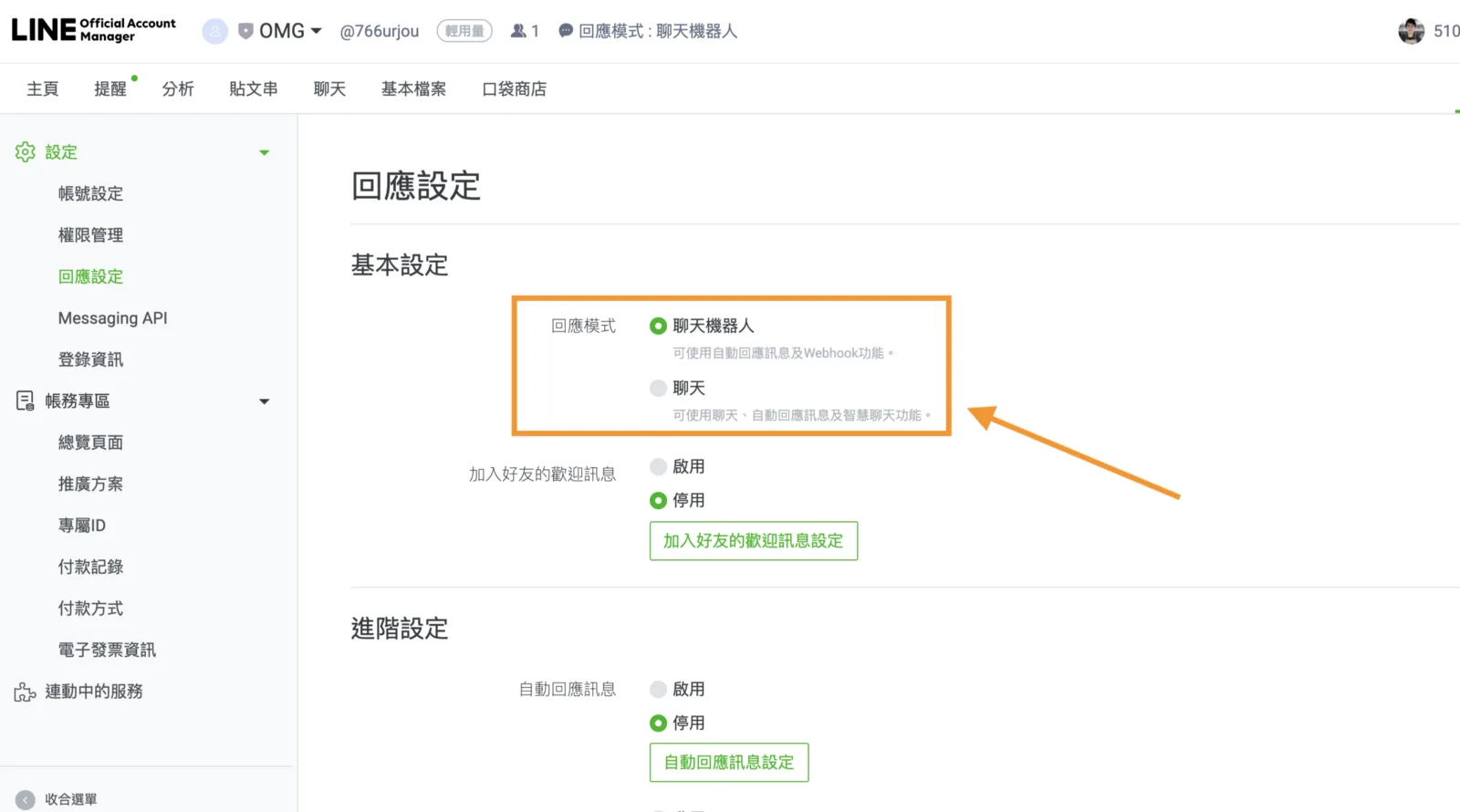
Click “Set response mode” and you’ll land on the “Response settings” page, which offers two response modes:
- Bot: lets you use auto-response messages and webhooks.
- Chat: lets you use chat and auto-response messages.
To see your chat history with friends, change the response mode here to “Chat.”
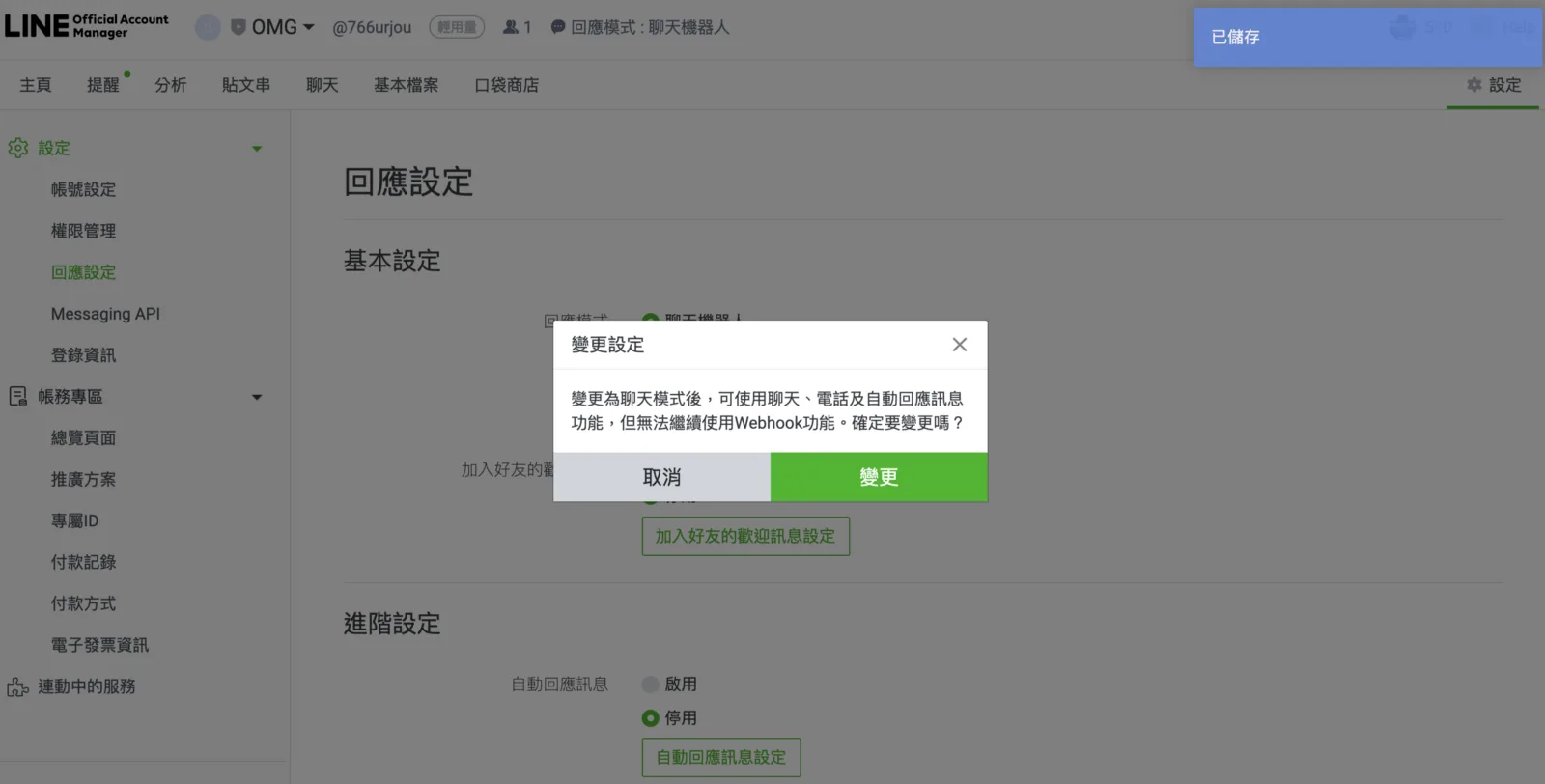
Once everything looks right, click “Change.”
Step 3: Open the Chat page to view chat history with friends
With the response mode set to “Chat,” click the “Chat” tab in the top menu again and the page will open.
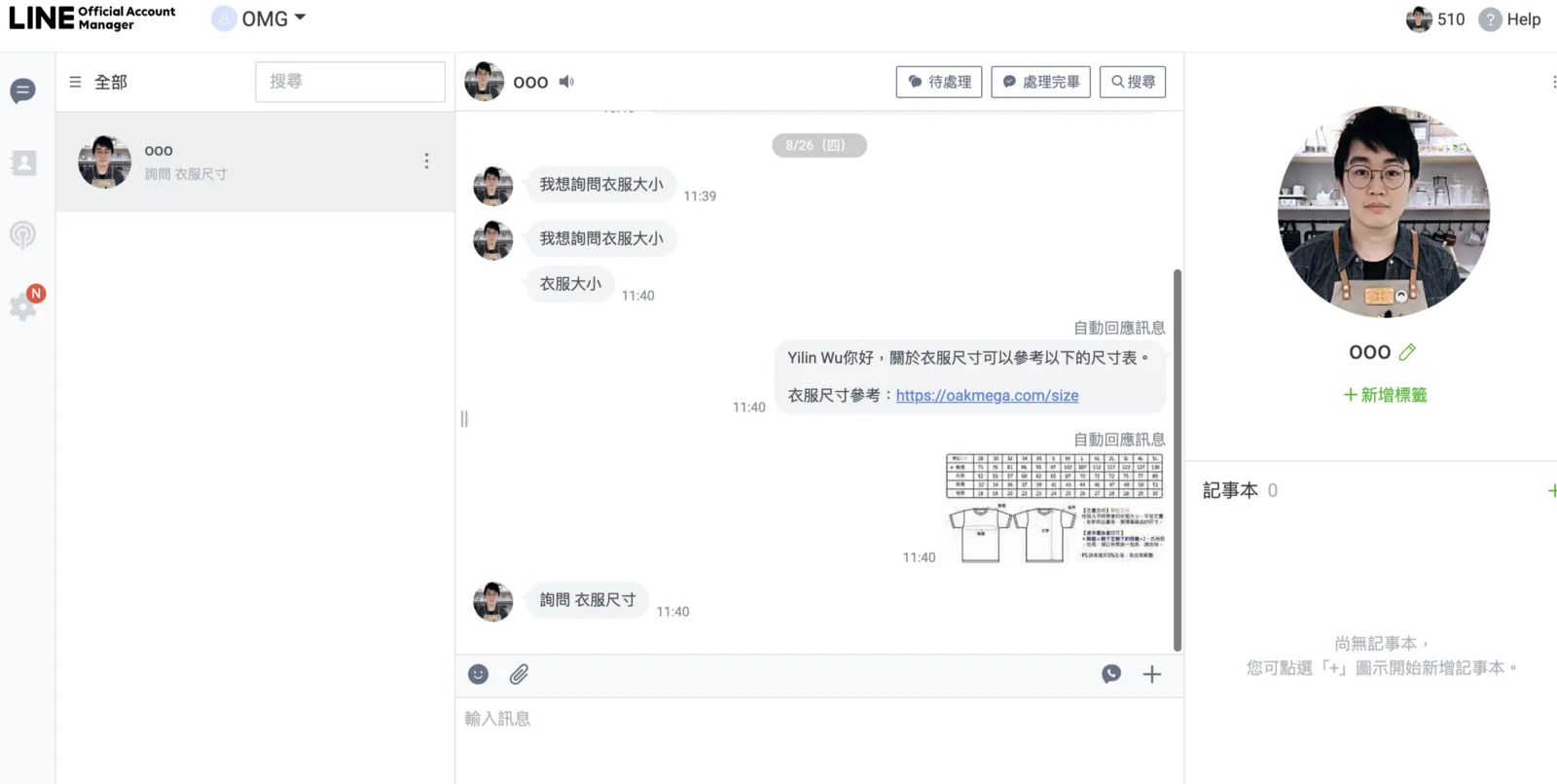
On the “Chat” page you can browse your conversations with friends. Everything is laid out clearly, from questions friends asked earlier to automated replies triggered by the bot.
Want to learn more about running a LINE account? What is a Provider, and how is LINE Developers different from LINE Official Account Manager? Head over to the OakMega LINE Official Account for more LINE tips, or follow our “OakMega LINE Playbook” for step-by-step guides to building your brand’s LINE Official Account from the ground up.