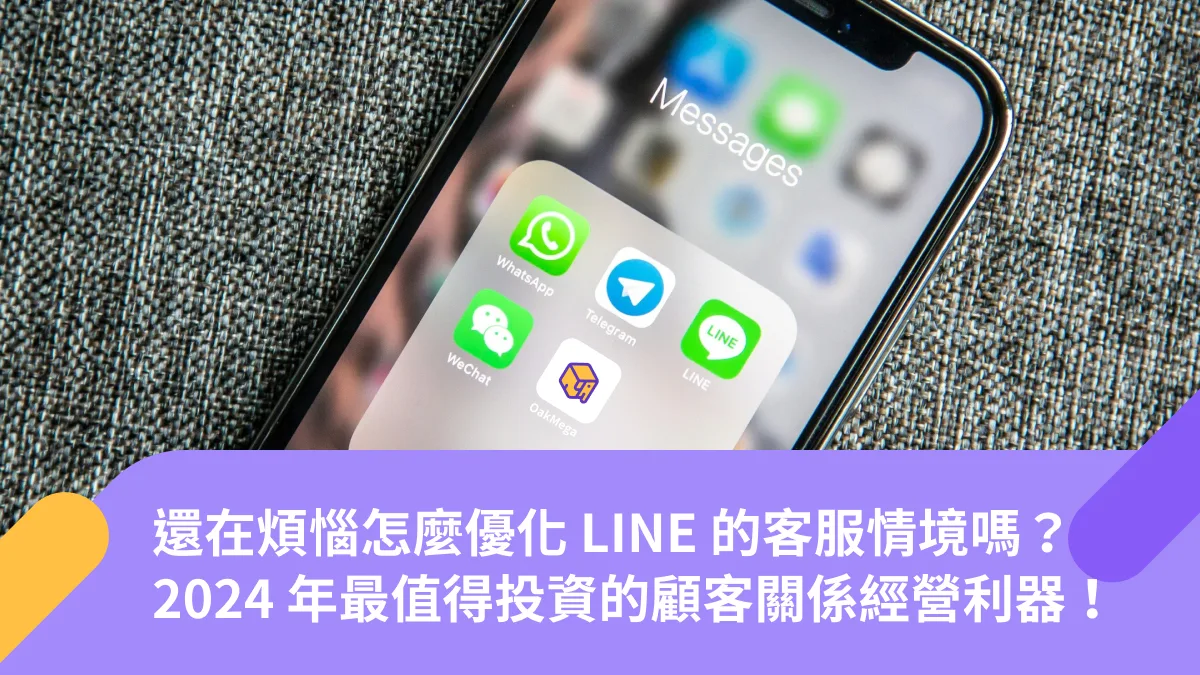
Struggling to Optimize Customer Service on LINE? The Customer Relationship Tool Most Worth Investing in for 2024
More and more brands have set up customer service channels on LINE, gradually taking over the workload once handled by email and in-store phone lines. OakMega helps brands run a single LINE OA, lets customers link to a specific store, and unifies customer data across branches. With flexible assignment rules plus OakMega’s exclusive agent profile photos and mobile app, brands can overcome common service bottlenecks and deliver higher-quality conversations: cross-functional teams at every level handle requests efficiently, while customers enjoy a personalized experience.
 Kevin KangSDR
1. LINE Customer Service in 2024: The State of Play and the Fix
LINE is the most widely used messaging app in Taiwan, with monthly active users (MAU) equal to more than 90% of the population. Brands have followed their customers there, setting up customer service channels on LINE that are steadily taking over the workload once handled by email and in-store phone lines. As brands grow and open more branches, the volume of conversations between customer service teams, store sales staff, and customers inevitably rises, whether for pre-sales inquiries or after-sales support.
But many situations still call for a real person to reply. Has your team run into any of these problems?
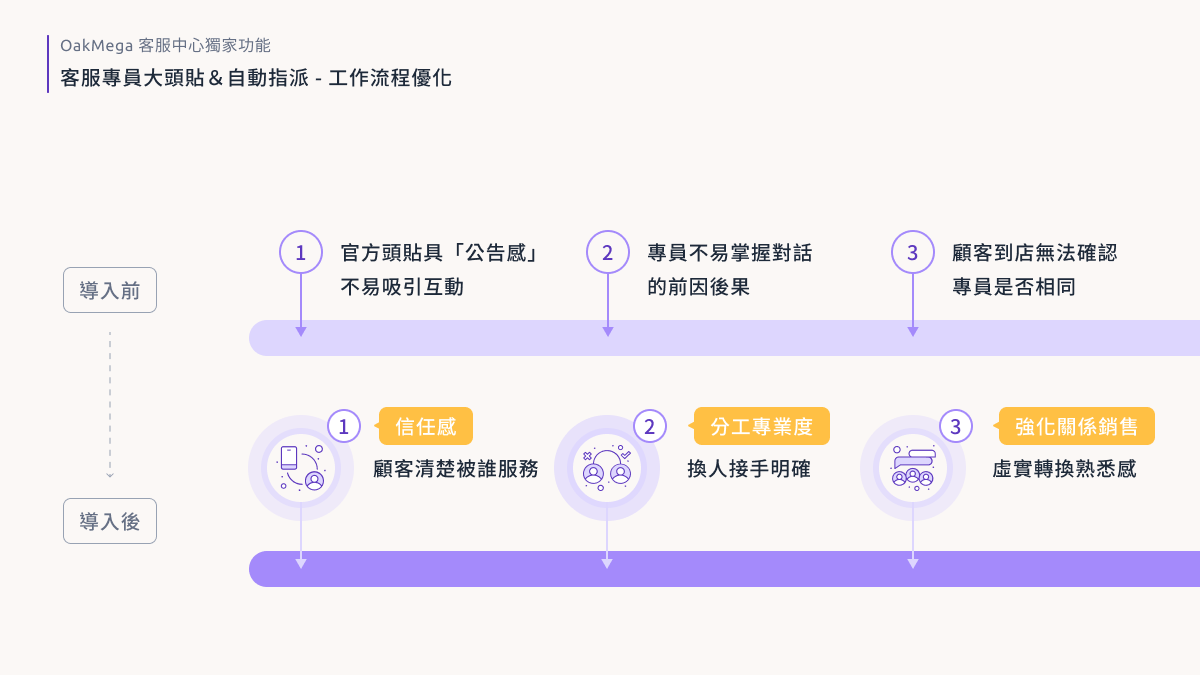
“Customers keep telling us they can’t tell who’s replying to them, so they end up calling to ask all over again!”
- A standard LINE OA shows only one name and one photo. If a conversation doesn’t wrap up right away and no one has clear ownership of the replies, customers can easily lose track of which agent is helping them, which drives up communication costs.
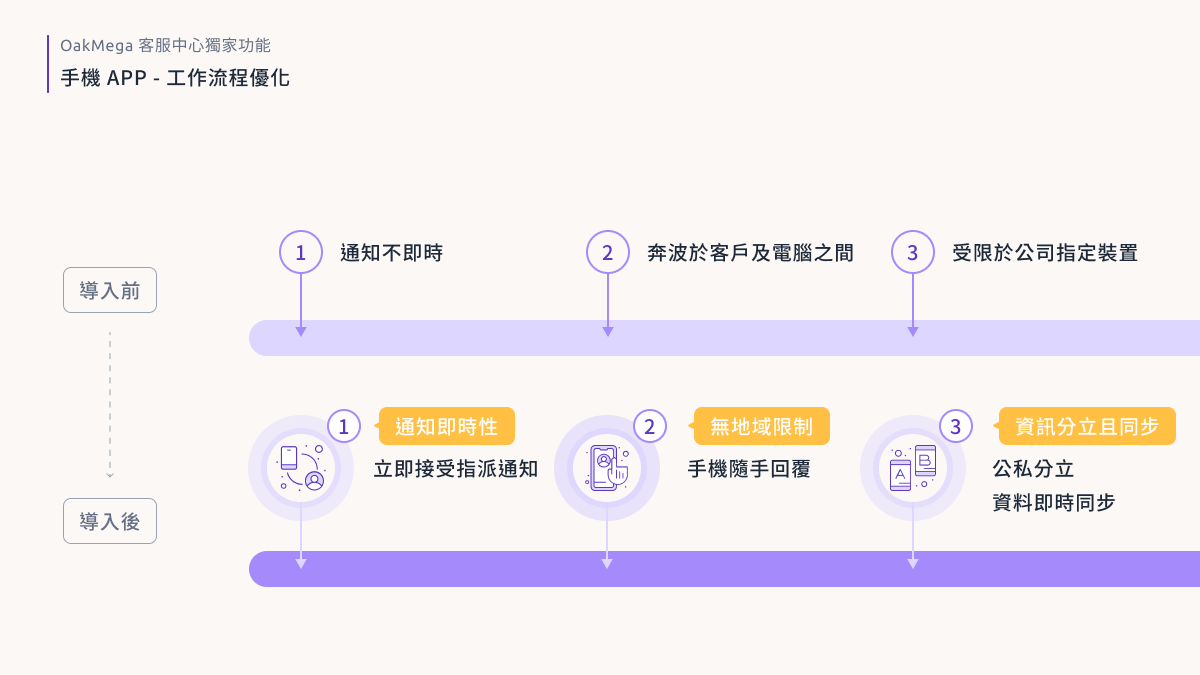
“When the store gets busy, I keep having to run back to the computer to check for messages. Sometimes there’s just too much going on!”
- Because of company device policies, store staff can only check LINE OA messages on the counter computer or tablet, so messages aren’t received or handled in real time.
- During peak hours, staff have to juggle in-person customers and the messages piling up on the computer, which quietly drains manpower and lowers service quality.
No need to worry. OakMega’s Service Center is a powerful way to upgrade your brand’s customer service on LINE!
Instead of every branch running its own account, OakMega helps brands run a single LINE OA, lets customers link to a specific store, and unifies customer data across branches. With flexible assignment rules plus OakMega’s exclusive agent profile photos and mobile app, brands can overcome these bottlenecks and deliver higher-quality conversations: cross-functional teams at every level handle requests efficiently, while customers enjoy a personalized experience.
Want to see how these two exclusive features work? Let me walk you through some real scenarios and a customer story.
2. Exclusive Features of OakMega Service Center
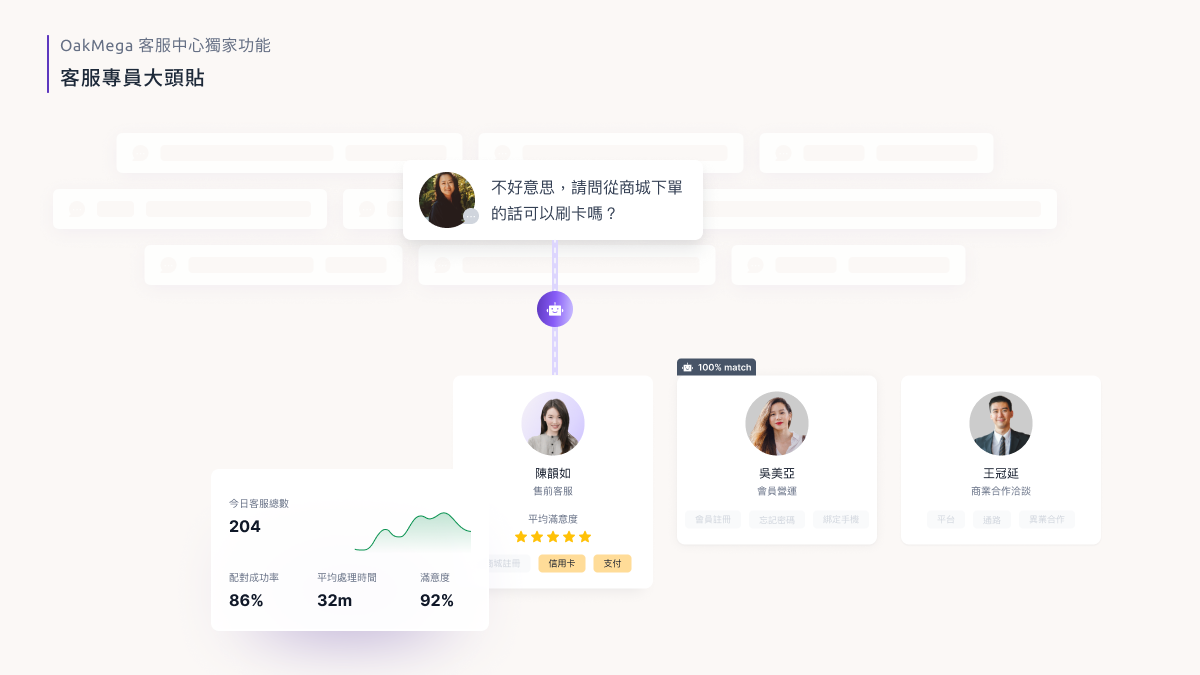
Agent profile photos: Brands set their own rules (for example, agent working hours or specific tags) to assign customers to the right service or store staff. The system then automatically switches to that agent’s photo, name, and branch, so customers feel they’re getting dedicated attention, which builds trust. By making service familiar and consistent, brands can also strengthen relationship selling as customers move from online to in-store shopping, shortening the sales cycle and building long-term loyalty.
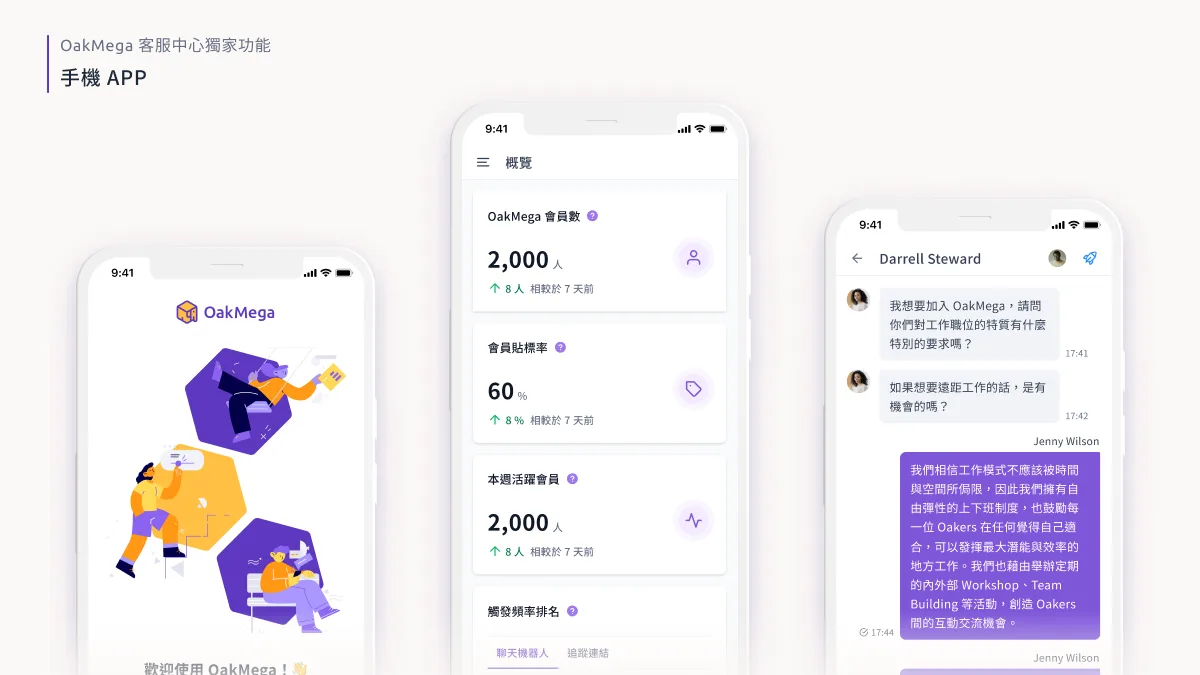
Mobile app: Agents get notified of assigned messages and can reply and manage customer information from their phones, with all data synced to the desktop dashboard in real time. Agents simply log in to both the desktop version and the app with their company email. There’s no need to create a LINE account on a company phone, so work and personal messages stay separate (available on iOS and Android).
3. How Do Teams Benefit? A Skincare Brand Case Study
A premium international skincare brand (“Brand A”) places great emphasis on delivering a personalized service experience. Focused on in-store sales and consultations but also wanting to offer high-quality online customer service, the brand chose to adopt OakMega’s Social CRM and Service Center.
3.1 Consolidating Into One Official Account to Streamline Internal Workflows
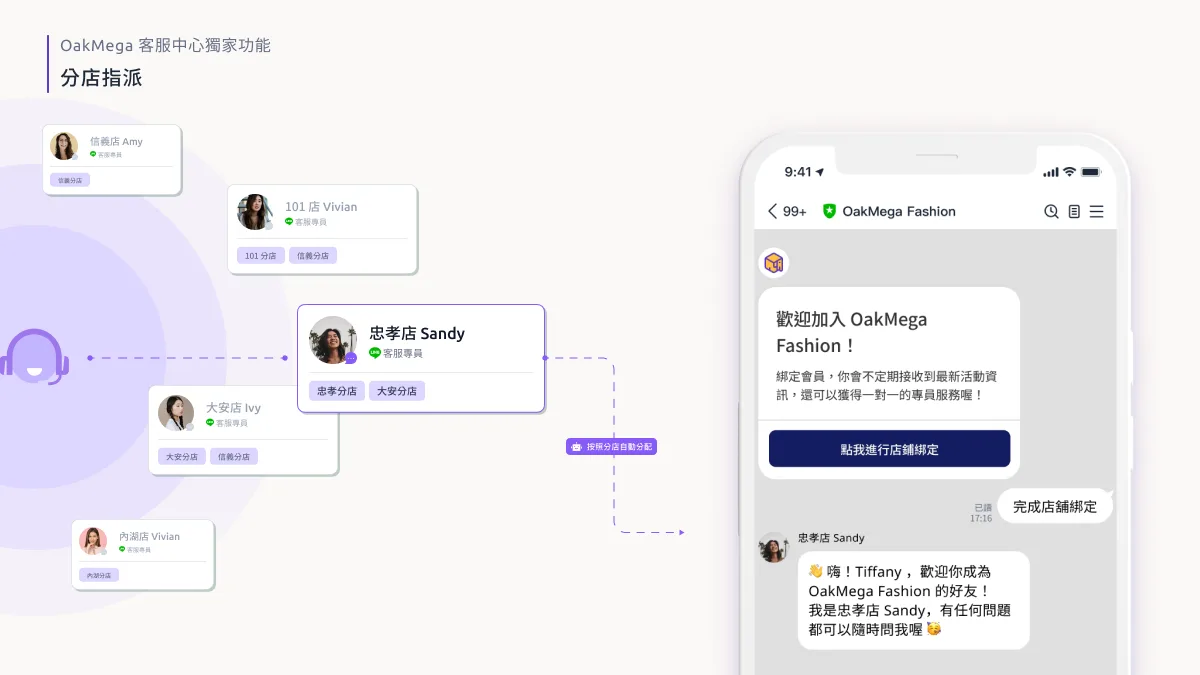
Brand A previously ran a separate LINE OA for each of its 24 stores. Conversation data between agents and customers was scattered, and service records were hard to manage from a single view. With no clear assignment rules, engagement was poor and the block rate was high (25%). After adopting OakMega Service Center, Brand A merged its accounts into a single LINE OA. Customers now choose and link to their store, and conversations are assigned automatically by store, agent working hours, and specific tags, with access permissions set for each agent. Every branch shares one LINE OA to chat with customers, with permissions managed so they never conflict.
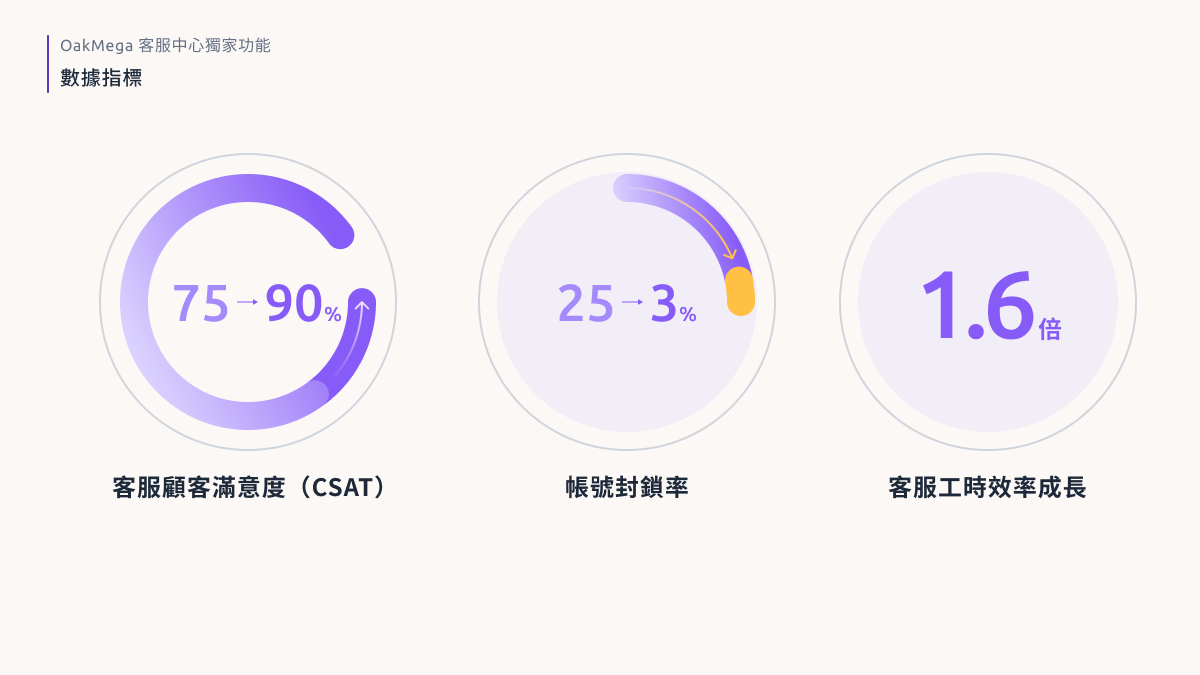
Because human replies now display the agent’s photo, name, and store, and customers are no longer confused when a different agent takes over, customers became noticeably more willing to keep the conversation going. As a result, customer satisfaction (CSAT) rose from 75% to 90% after the accounts were merged, and the block rate plummeted from an average of 25% under the per-store setup to 3%.
Finally, because all of these conversations are consolidated in the OakMega dashboard, managers can effectively review and quantify each team member’s performance. Pairing Service Center with the OakMega app also greatly improved Brand A’s response efficiency. Store staff now receive and reply to messages on their phones in real time and are no longer tied to company devices (previously, they had to use the counter computer). The labor time needed to complete all service tickets has dropped from 120 minutes to 75 minutes (a 1.6x improvement), and it keeps getting better!
3.2 Boosting Customer Lifetime Value and Employee Satisfaction
A better O2O experience and higher customer lifetime value (CLTV)
With its accounts merged and internal workflows improved, Brand A can focus on delivering high-quality service that stays consistent online and offline. Thanks to message assignment, profile photo switching, and the immediacy of the app, both new and returning customers can reach their dedicated store staff through the LINE OA the moment they need help. And even when an agent takes over someone else’s customer, the clear conversation flow and history let them quickly get up to speed and keep communication efficient and smooth.
Mr. Kao, a senior director at Brand A, notes that store staff can now pull up OakMega dashboard data on a computer or phone to instantly see a visiting customer’s profile (such as service history, purchase history, and skin condition) and quickly apply the right sales approach. Regular customers feel that the service and recommendations they receive come from someone who truly “knows them.” After-sales follow-up is also handled by a familiar point of contact, which greatly strengthens relationship selling and lifts repurchase conversion.
Higher employee satisfaction
Beyond boosting customer loyalty and lifetime value, OakMega Service Center also improved the brand’s internal performance. In a survey, about 80% of store sales staff said, unprompted, that the OakMega app’s interface was clear and easy to learn. Faster replies came not only from freeing staff from device restrictions, but also from being able to send message templates and look up member data right on their phones, so agents can quickly understand what customers need. All conversations sync to the desktop dashboard in real time. And keeping work and personal messages separate is another big reason employees are so satisfied!
4. Comparing LINE Customer Service Vendors in Taiwan
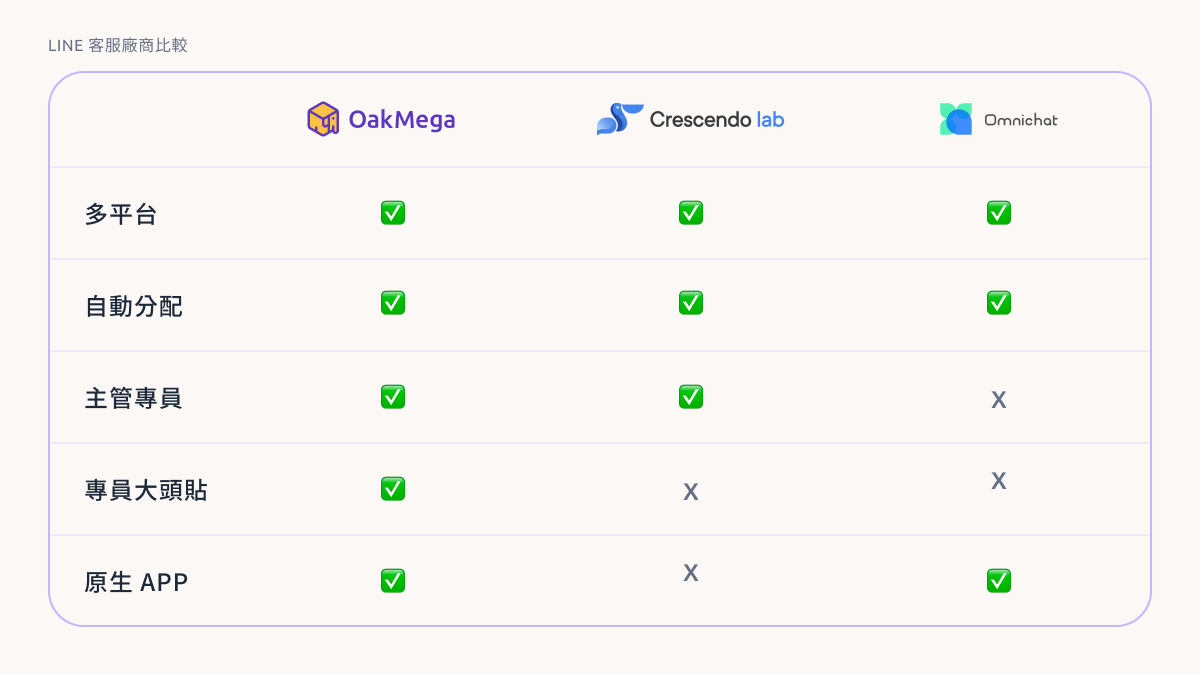
Vendors on the market today emphasize different aspects of customer service, while OakMega has always focused on helping brands improve internal efficiency and deliver personalized customer experiences.
Products share some similar features, but OakMega not only streamlines these common capabilities, it also offers exclusive agent profile photos and a native app. For example, OakMega can assign messages automatically based on specific tags or each agent’s working hours. Other vendors assign conversations by detecting keywords, which can misread customer intent. OakMega tags, by contrast, capture highly detailed information from every touchpoint, from personal data and preferences to interactions, so the agent who receives a message can respond with high precision right away. Combined with profile photo switching and the immediacy of the app, customers know exactly “who” is helping them, and that they’re getting personalized service “right now,” creating deeper, closer two-way communication between brand and customer.
Finally, OakMega Service Center makes it easy to scale the number of agents and stores, making it ideal for managing large teams and for growing brands! Team members don’t need separate LINE accounts. They just log in to the brand’s OakMega dashboard with their email, and new agents or stores can be added in under two minutes, with each customer’s full interaction history at a glance!