Advanced LINE Marketing Guide | Why Do Some Brands' LINE Official Accounts Have a Colored Shield?
You may have noticed that the shield next to your LINE Official Account is gray, while some brands have a blue or green one. A blue or green shield means the account has passed a document review confirming it's a legitimate business, store, or organization, and has been verified by LINE. Here's how to get a verified account with a blue shield!
 ILING WuProduct Marketing Manager
You may have noticed that the shield next to your LINE Official Account is gray, while some brands have a blue or green one. A blue or green shield means the account has passed a document review confirming it's a legitimate business, store, or organization, and has been verified by LINE. For more details on verified accounts, see: What Is a LINE Verified Official Account?
This time, we'll show you how to get a verified account with a blue shield!
How to Get a LINE Verified Official Account
Step 1: Buy a Premium ID
You can get a verified account (blue shield) by applying with supporting documents, but you'll need to buy a premium ID first. It costs about NT$756 a year, lets you choose a custom ID, and boosts brand recognition.
Once you've bought a premium ID, you can start LINE's application process.
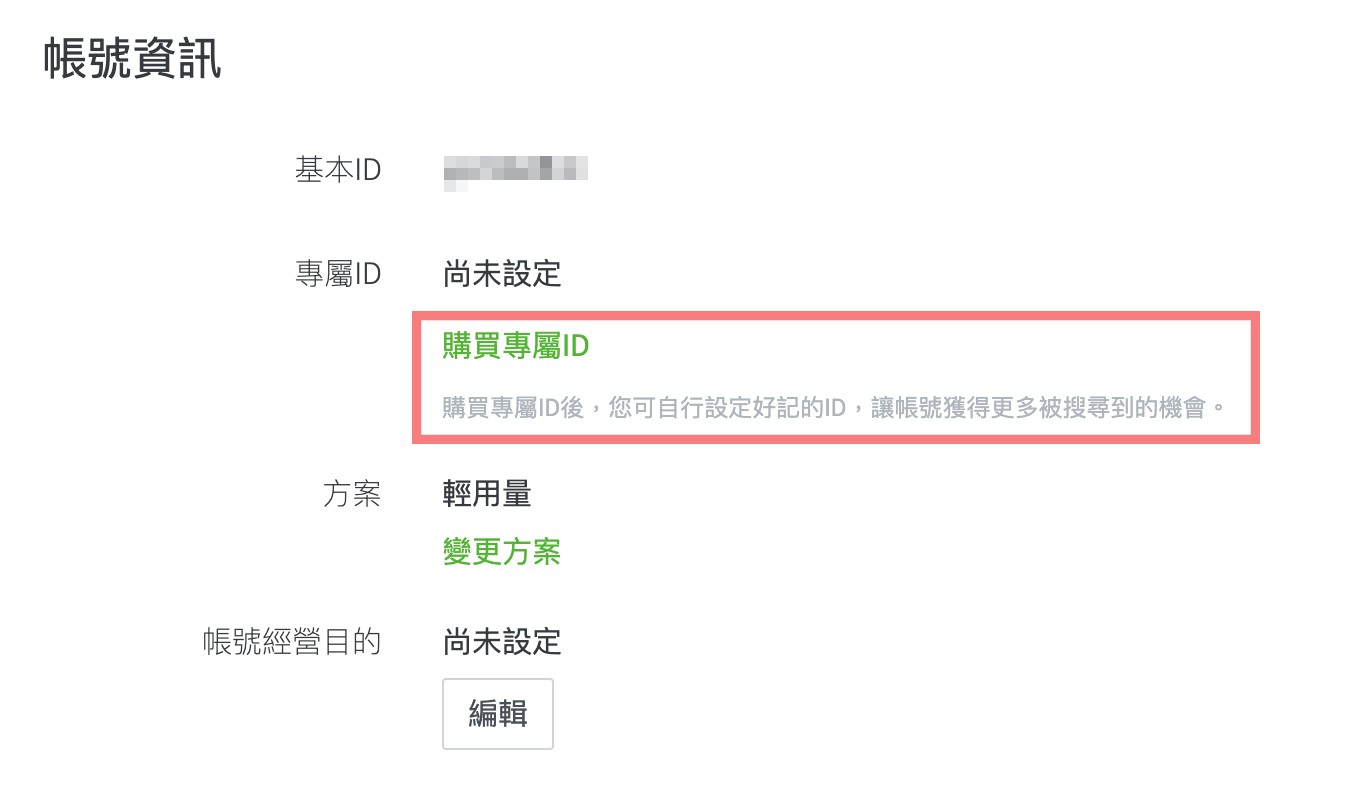
Step 2: Fill In Your LINE Verification Details
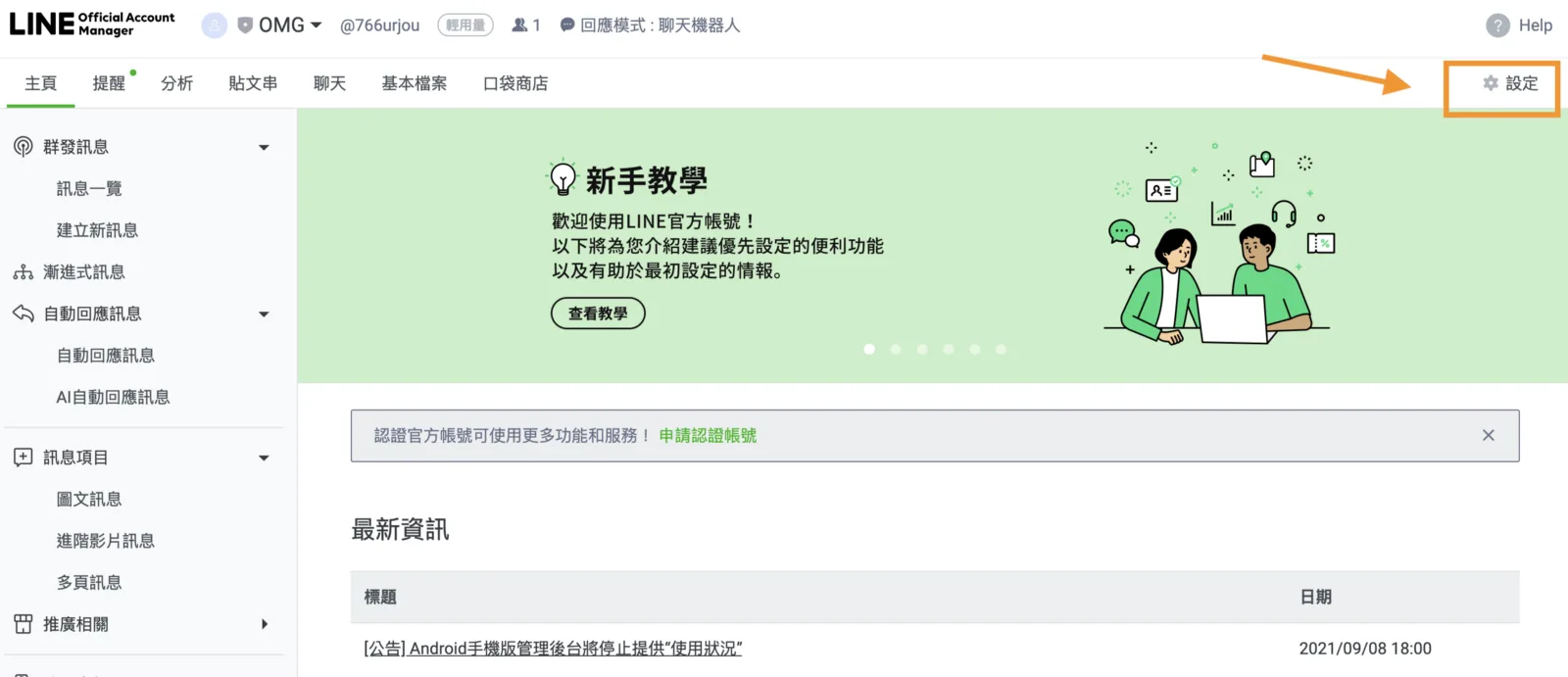
In LINE Official Account Manager, click Settings (設定) in the upper right to open the settings page.
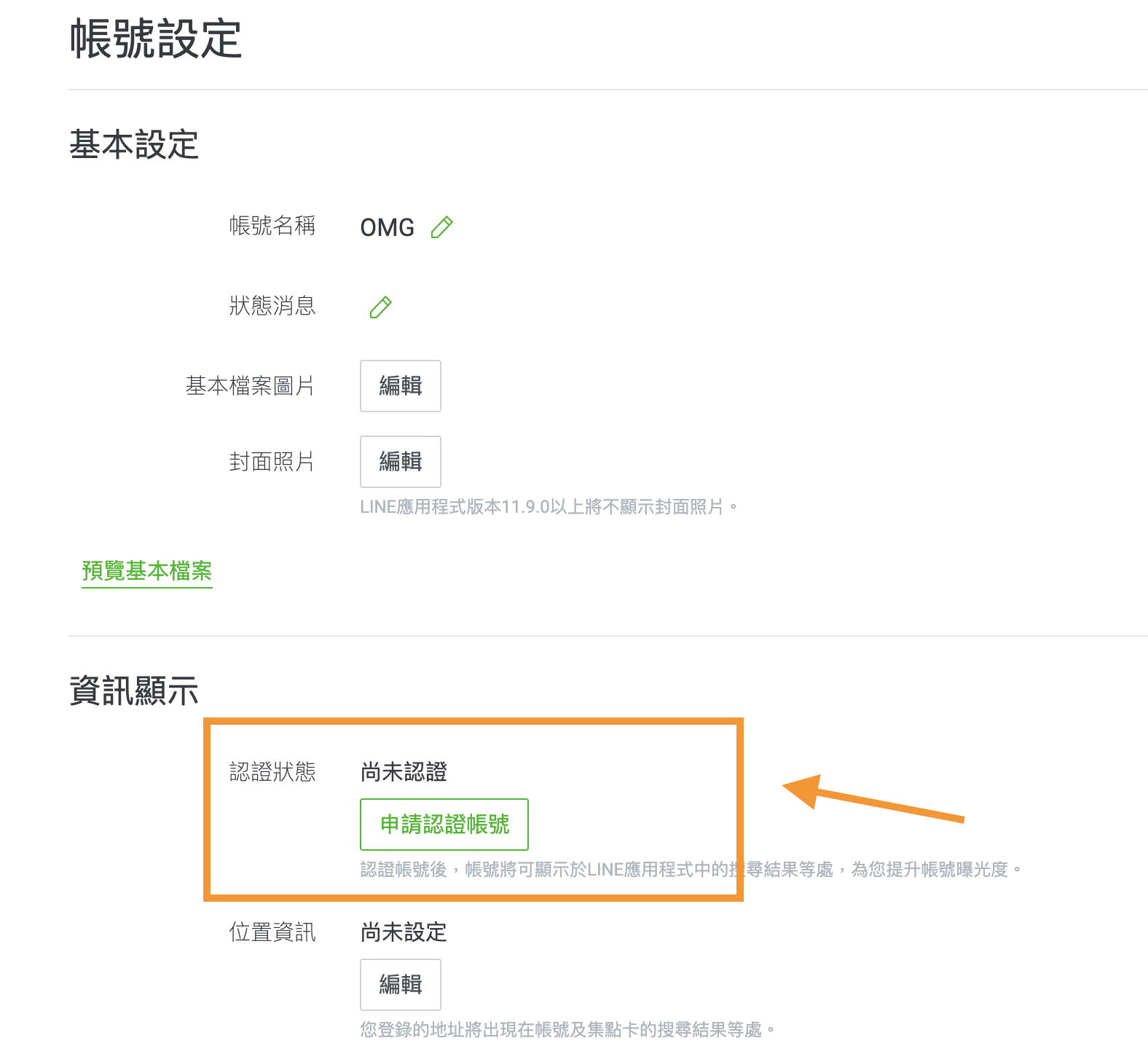
Under Account settings, scroll down to the information display section (資訊顯示), where you'll find the option to apply for a verified account (申請認證帳號). Just click it.
The application page asks for quite a bit of information, including application type, account information, company information, and applicant information. The more complete your information, the faster your review.
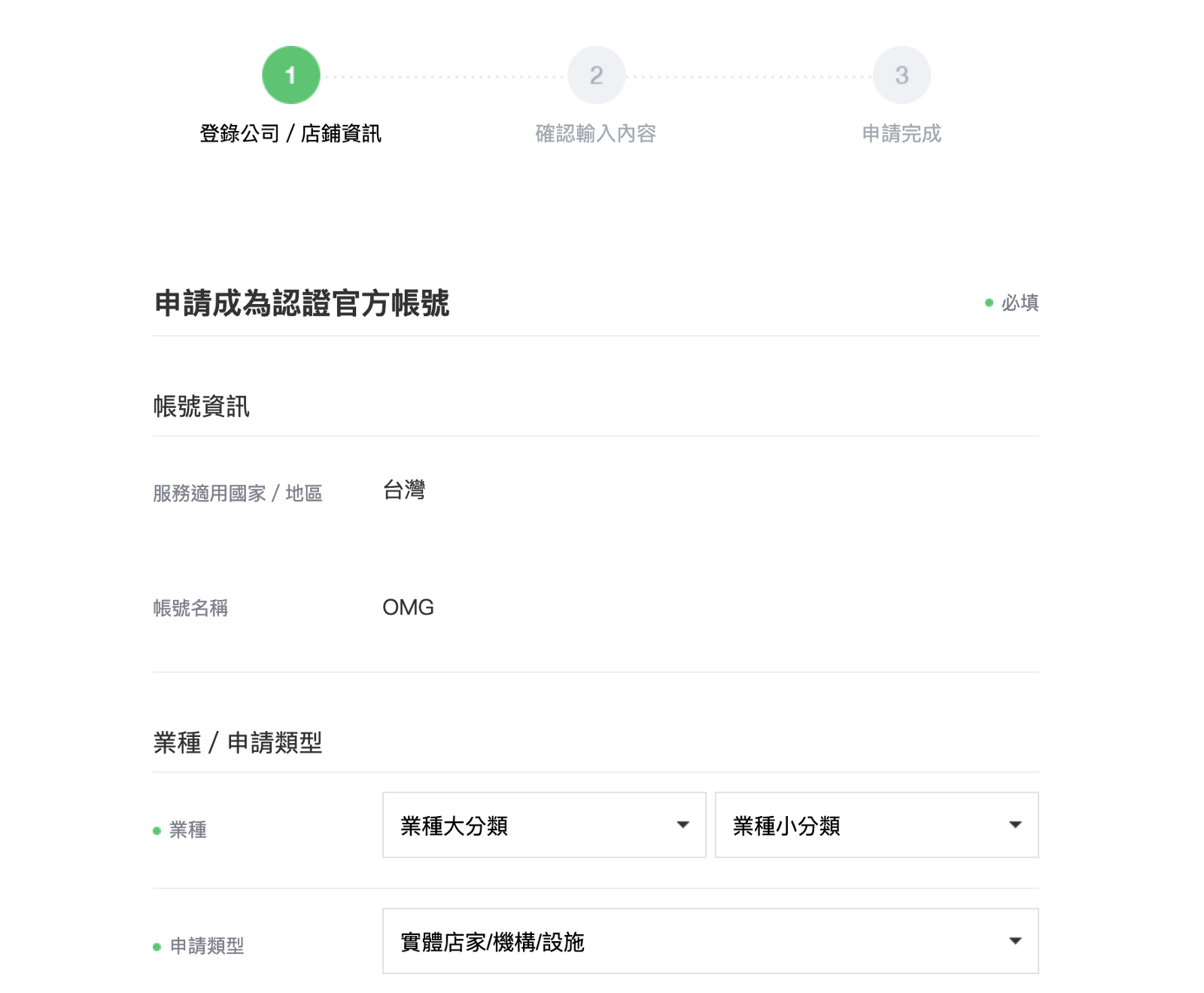
When you're done, double-check everything you've entered. Errors will drag out the review, so always review your entries carefully. Afterward, you'll receive an email asking for more information, such as company photos, website, applicant ID, company registration documents, your premium ID, and LINE Official Account ID. The process is a bit tedious, but once approved, you'll get a blue shield and can:
- Let people find your account by searching your brand name
- Gain more credibility as a verified account
Go ahead and apply to turn your LINE Official Account into a LINE verified account with a blue shield!
After this guide, are you clearer on how to set up a LINE Official Account? If you're interested in verified accounts, start with this article: "What Is a LINE Verified Official Account?"
Want to learn more about running LINE? What's the next step after setting up your LINE Official Account? How do you edit your brand information in the management screen? Visit the OakMega LINE Official Account for more LINE tips, or follow our "OakMega LINE Marketing Toolkit" for step-by-step guides to building your brand's LINE Official Account from scratch.