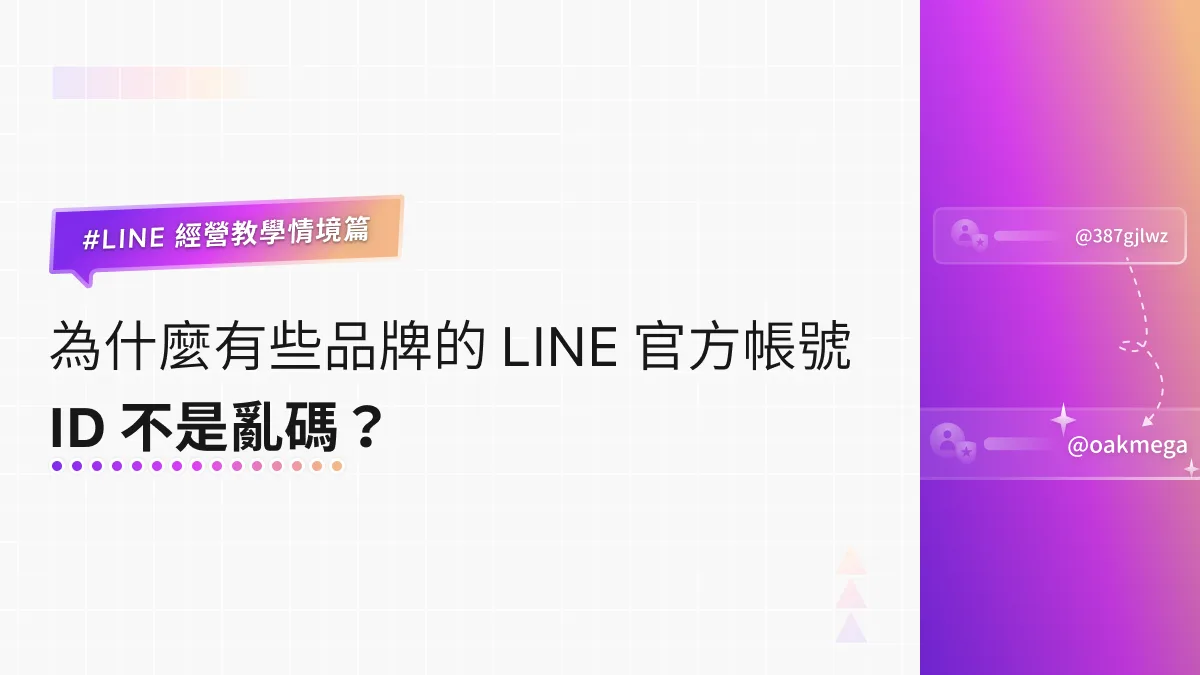
LINE Guide in Practice: Why Don't Some Brands' LINE Official Account IDs Look Like Gibberish?
Why do some brands have LINE Official Account IDs that include their brand name, while yours is a random string of letters and numbers? Want your own premium ID? Where do you apply, and how much does it cost? A premium ID not only strengthens brand recognition but also makes your Official Account easier for friends to find.
 ILING WuProduct Marketing Manager
Why do some brands have LINE Official Account IDs that include their brand name, while yours is a random string of letters and numbers? Want your own premium ID? Where do you apply, and how much does it cost? A premium ID not only strengthens brand recognition but also makes your Official Account easier for friends to find.
If you haven't created a LINE Official Account yet, start with this article:
LINE Basics: Open Your Brand's LINE Official Account in Just Three Steps!Not sure how to open a LINE Official Account? You've seen brands get great results on LINE and want to start using an Official Account, but worry that building content on LINE takes too much time? Don't worry. Running LINE isn't as complicated as you think, and opening your brand's own LINE Official Account takes just three steps. Then you can start deeper one-on-one conversations with customers and get closer to your friends.https://oakmega.com/blog/how-to-create-line-oa
Get your own premium ID in just two steps!
Step 1: Open the premium ID page
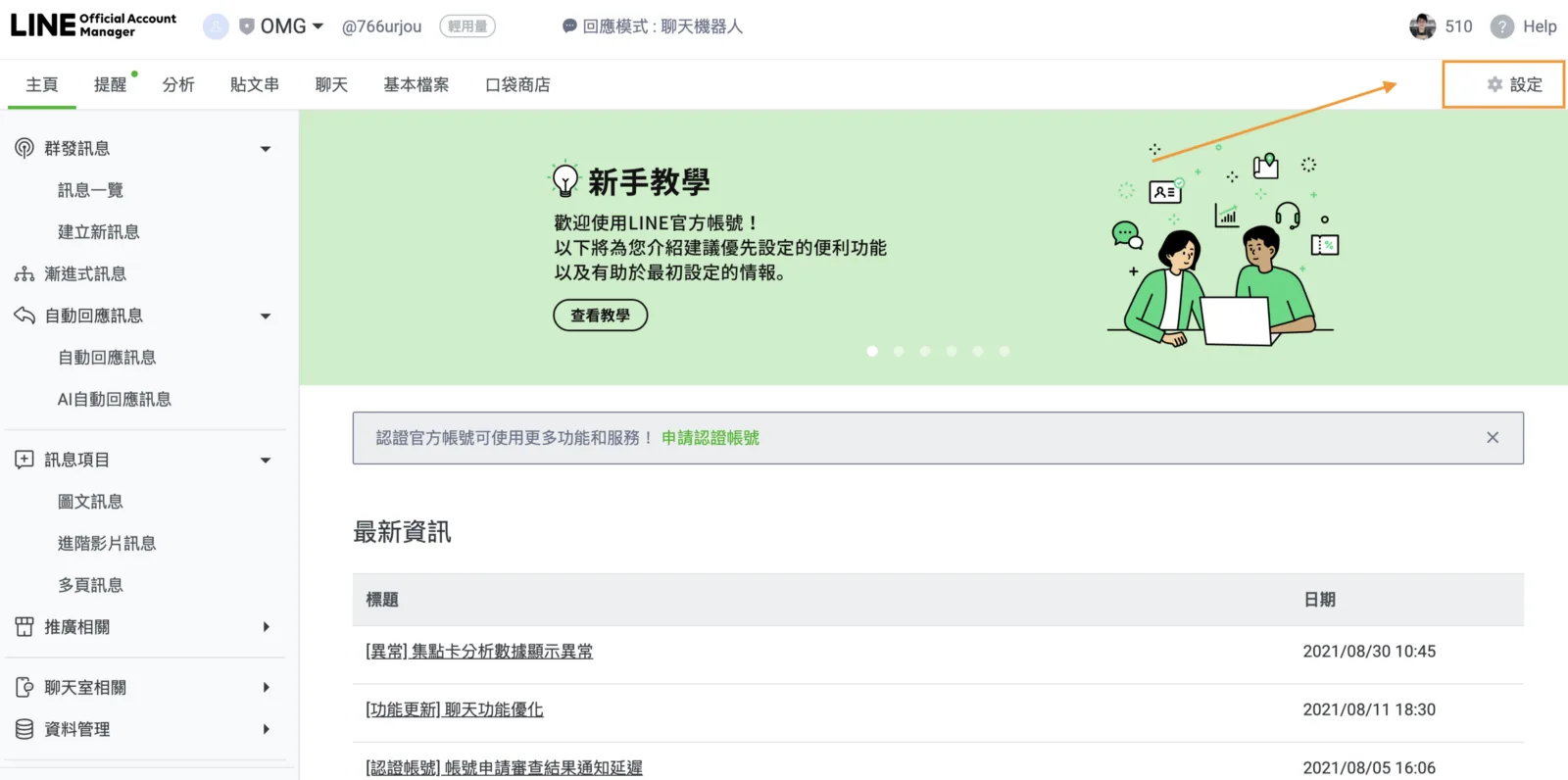
- In the LINE Official Account dashboard, click “Settings” in the top-right corner.
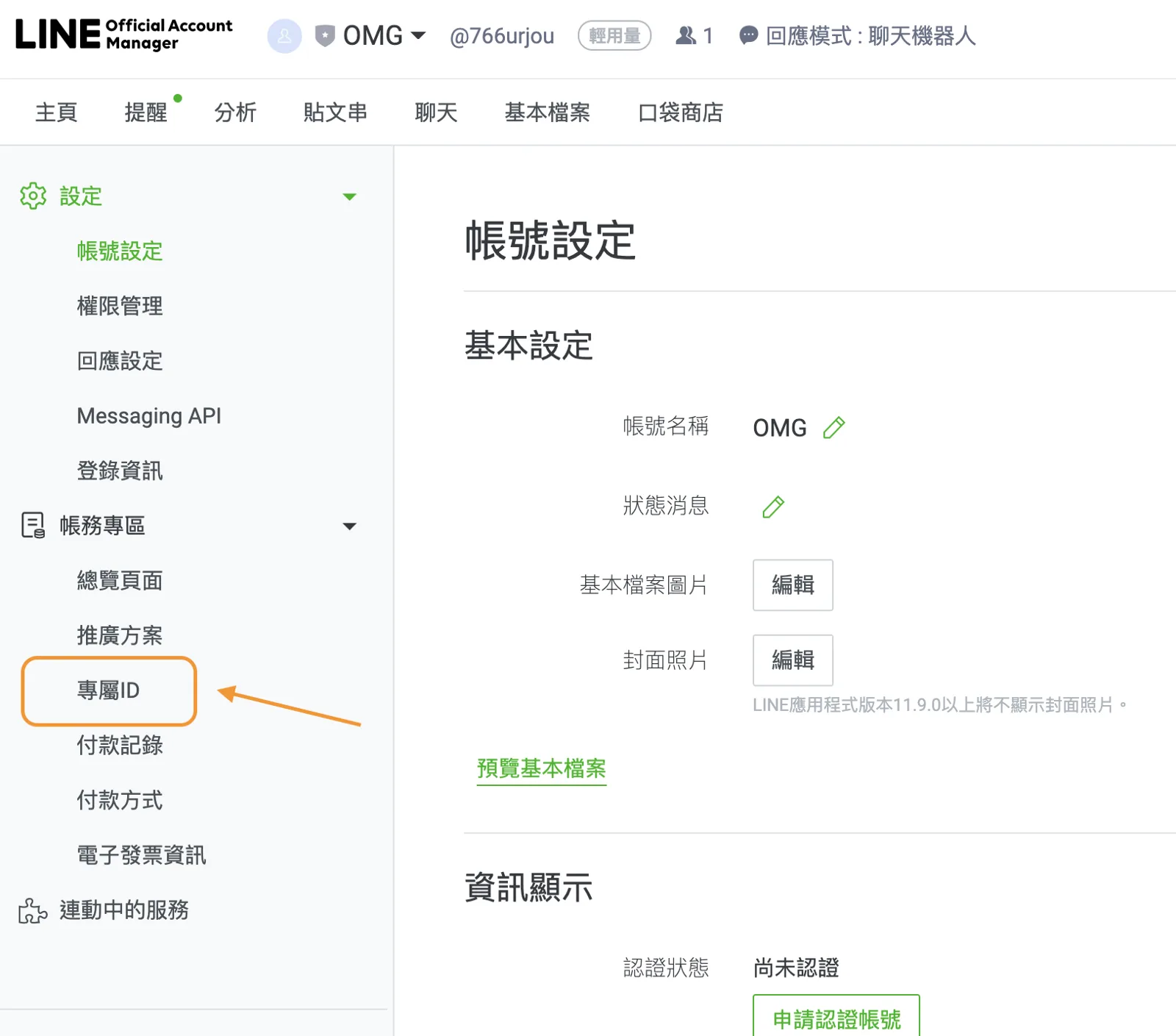
- The Settings page opens on “Account settings” by default. In the left sidebar, find the billing section and click “Premium ID”.
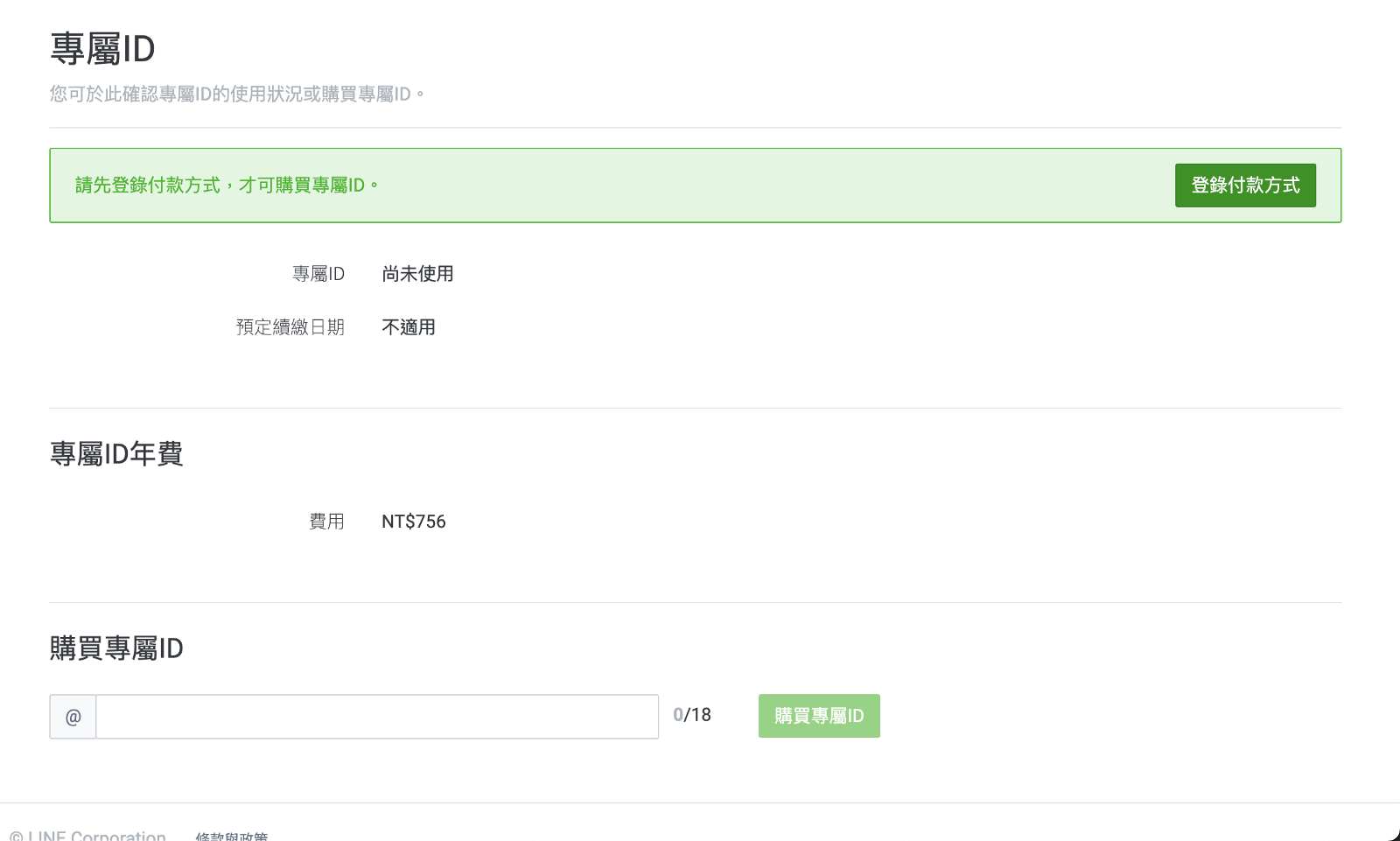
- Before buying a premium ID, you need to register a payment method. LINE offers the two options below. Click “Register payment method” to set it up:
- Link LINE Pay
- Link a credit card
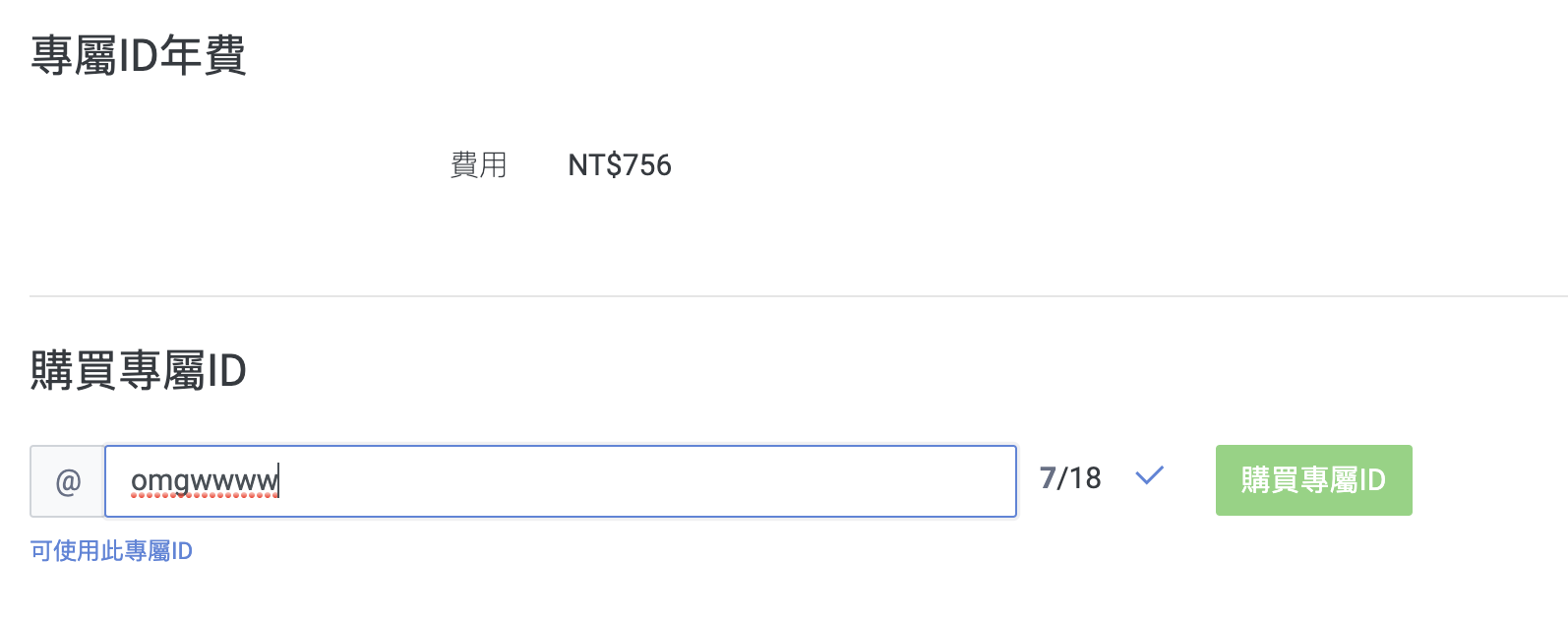
Step 2: Enter the premium ID you want
- Once your payment method is registered, you can buy and set up the premium ID you want! Note that a premium ID can only contain lowercase letters, up to 18 characters. A premium ID costs NT$756 per year, which is a very worthwhile investment for a brand running a LINE Official Account for marketing.
In addition, only brands whose LINE Official Account has a premium ID can apply for a verified account and earn LINE's official blue or green shield badge. Friends can then find you directly through search, further boosting brand recognition.
After this tutorial, do you have a clearer idea of how to set up your LINE Official Account? If you're interested in applying for a verified account, check out this article first: “What Is a LINE Verified Account and Why Should You Know?”
Want more tips on running LINE? What comes after opening your LINE Official Account? How do you update your brand information in the dashboard? Head over to the OakMega LINE Official Account for more LINE marketing content, or follow our “OakMega LINE Playbook” for step-by-step tutorials on building your brand's LINE Official Account from the ground up.