Engage Your Friends with LINE Official Account Rich Menus!
The LINE rich menu is the first touchpoint between a brand and its friends—think of it as your brand's front door. An eye-catching rich menu greets friends when they open your LINE Official Account and guides them into all kinds of interactions, nudging them to trigger keywords or visit your brand's other social accounts.
 Howard HuangMarketing Specialist
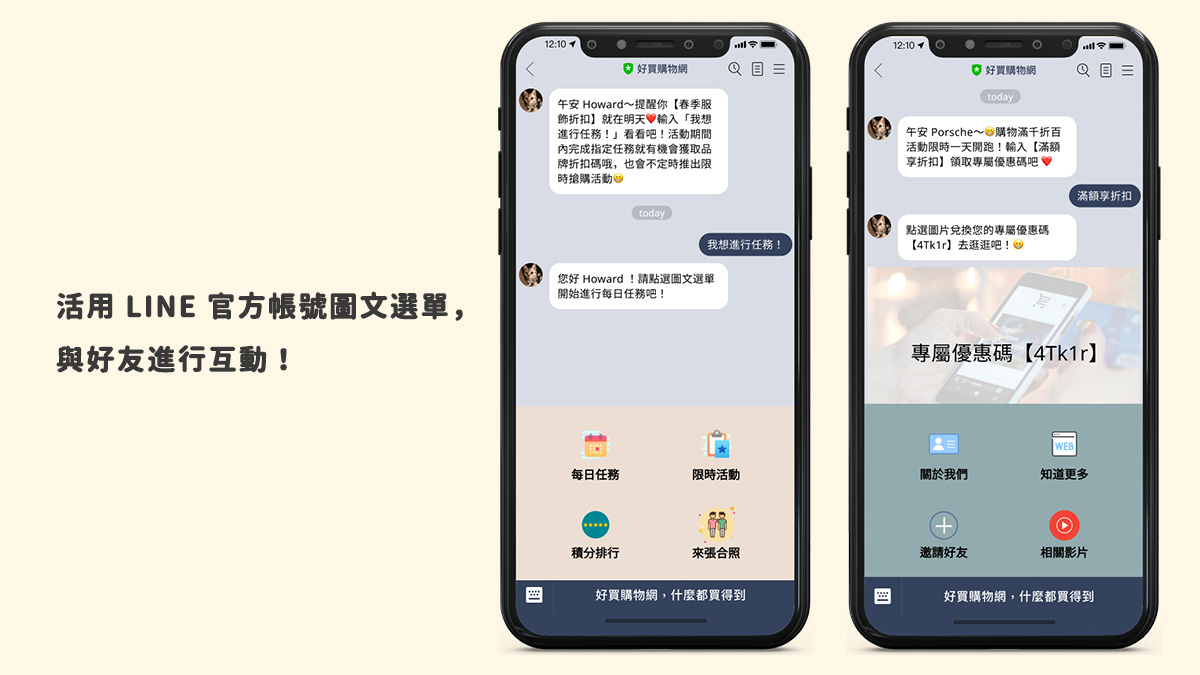
When you open a brand's LINE Official Account, the menu that pops up below the chat window showing the account's various options is the rich menu. So what can a brand gain by building its own custom rich menu?
What Is a Rich Menu?
The rich menu is the first touchpoint between a brand and its friends—think of it as your brand's front door. With an eye-catching rich menu, friends who tap into your LINE Official Account can be guided into all kinds of interactions, from triggering keywords to visiting links you set up, such as your other social accounts (Facebook, Instagram, and more).

How to Set Up a Rich Menu
Set it up in the LINE OA dashboard
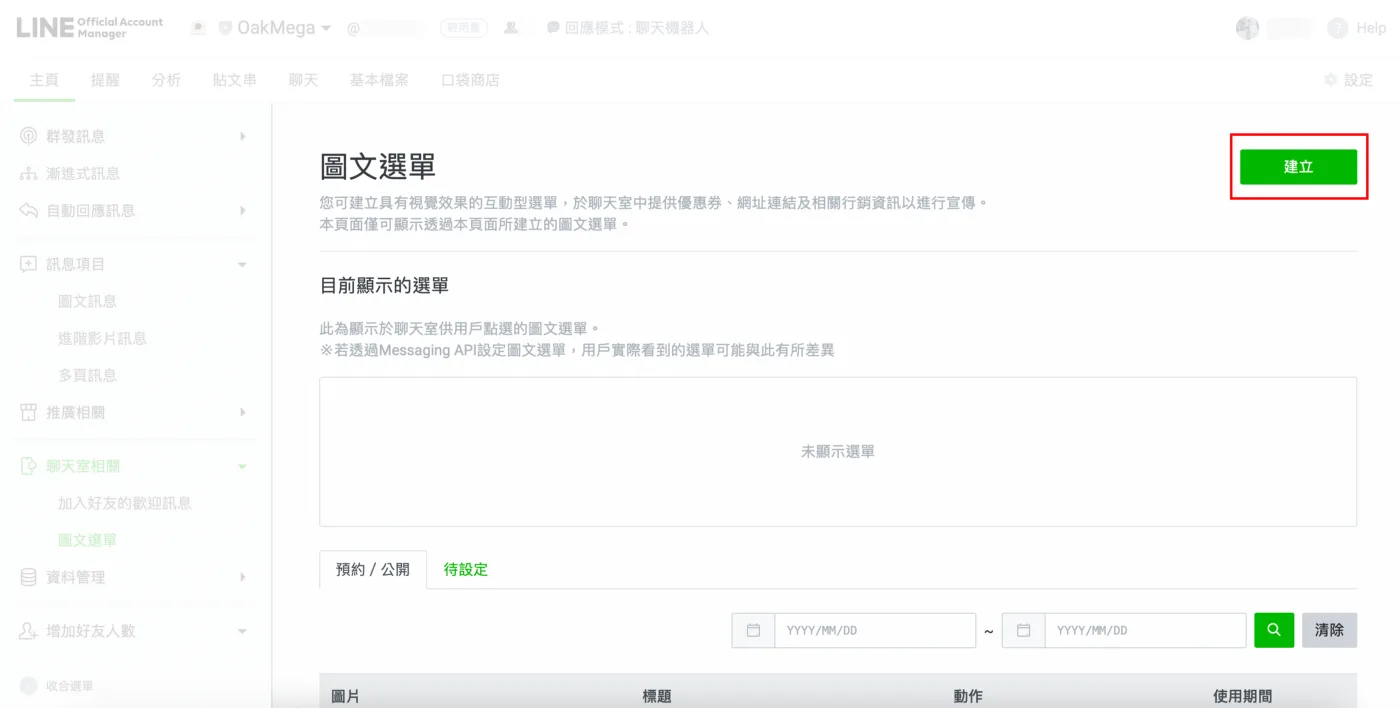
In the LINE OA dashboard, go to “Rich menus” and click “Create.” Enter a title, display period, and menu bar text, then upload an image and choose a layout. LINE OA offers 12 rich menu templates to choose from.
Set it up in a third-party API service dashboard
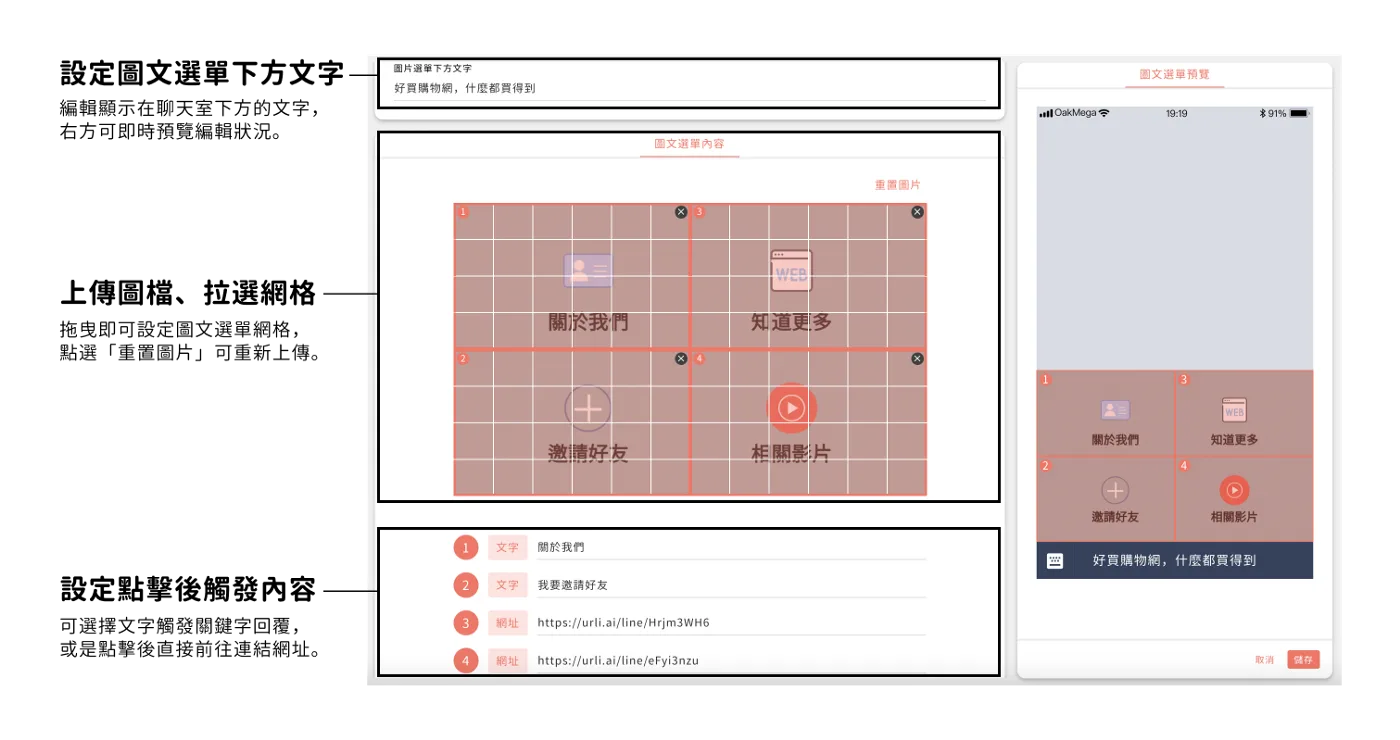 Third-party APIs offer more features and open up more ways to market.
If your brand has connected the Messaging API, you can also configure rich menus in a third-party API service dashboard.
That gives you more varied, flexible options. With the rich menu module in OakMega SCRM, brands can add more menu areas to a layout and tag friends based on what they tap. You can also assign specific rich menus to different friends, or swap in a custom campaign rich menu during promotions—enabling more varied, segmented experiences and making LINE more fun.
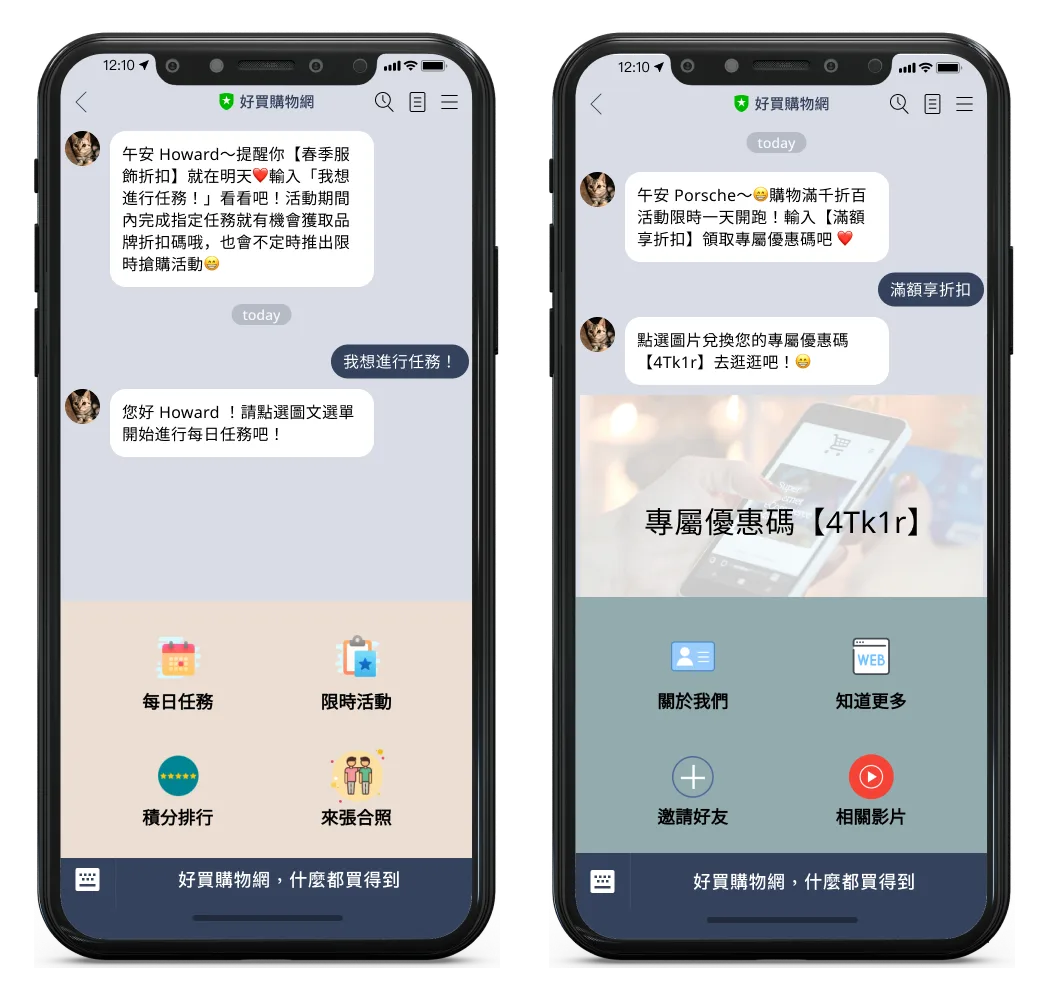 Switch rich menus for different friends or online campaign periods.

Rich Menus in Action: Knives Out
During its online collaboration with One-Punch Man, Knives Out—a mobile game hugely popular in Japan—designed a campaign-specific rich menu. Each entry point on the menu represented a different campaign activity: friends could tap to take on daily missions or check the points leaderboard. The result: higher campaign participation, plus more frequent engagement and usage on the LINE Official Account.
A Hit Mobile Game Collab: How Two Weeks of LINE Conversations Drove a Million InteractionsMost people have several mobile games on their phones, and mobile game marketing takes many forms—but few campaigns run through chat communities. Warming up on LINE built buzz while offering Japan-related prizes to boost engagement, and along the way revealed more about fans' tastes in anime collaborations.https://oakmega.com/blog/mobile-game-knives-out-campaign
Create Your Own Ways to Engage Friends, Then Build Entry Points with a Rich Menu.
As more brands run LINE Official Accounts, friends care more about whether interactions feel genuine. How brands stand out, keep engagement going, and grow their friend base has become a key challenge. By developing more ways to interact—segmented messages, online surveys, online campaigns, and more—and using the rich menu as the entry point, brands can more effectively boost friend activity and engagement within their LINE Official Account.
📣 OakMega: Social CRM built for marketers
👏Your applause keeps me going—press and hold to clap again and again!
Website / Facebook page / Instagram